© EPRAD Incorporated
Web Keys This function Enables or Disables the user defined keys on the Main Status web screen
and the manual control buttons on the I/O Flag Detail, Light Control and CAI Configuration Detail web
screens.
User Level Overrides This parameter controls the enable/disable of the I/O Flag Detail and Light
Control screen buttons and sliders for a User Level operator when SW2-1 and Web Keys are Enabled.
The action is controlled with the following logic:
Overrides are available to an Administrator when:
Web Keys are Enabled AND SW2-1 is on
Overrides are available to a User when:
Web Keys are Enabled AND SW2-1 is on AND User Level Overrides are Enabled
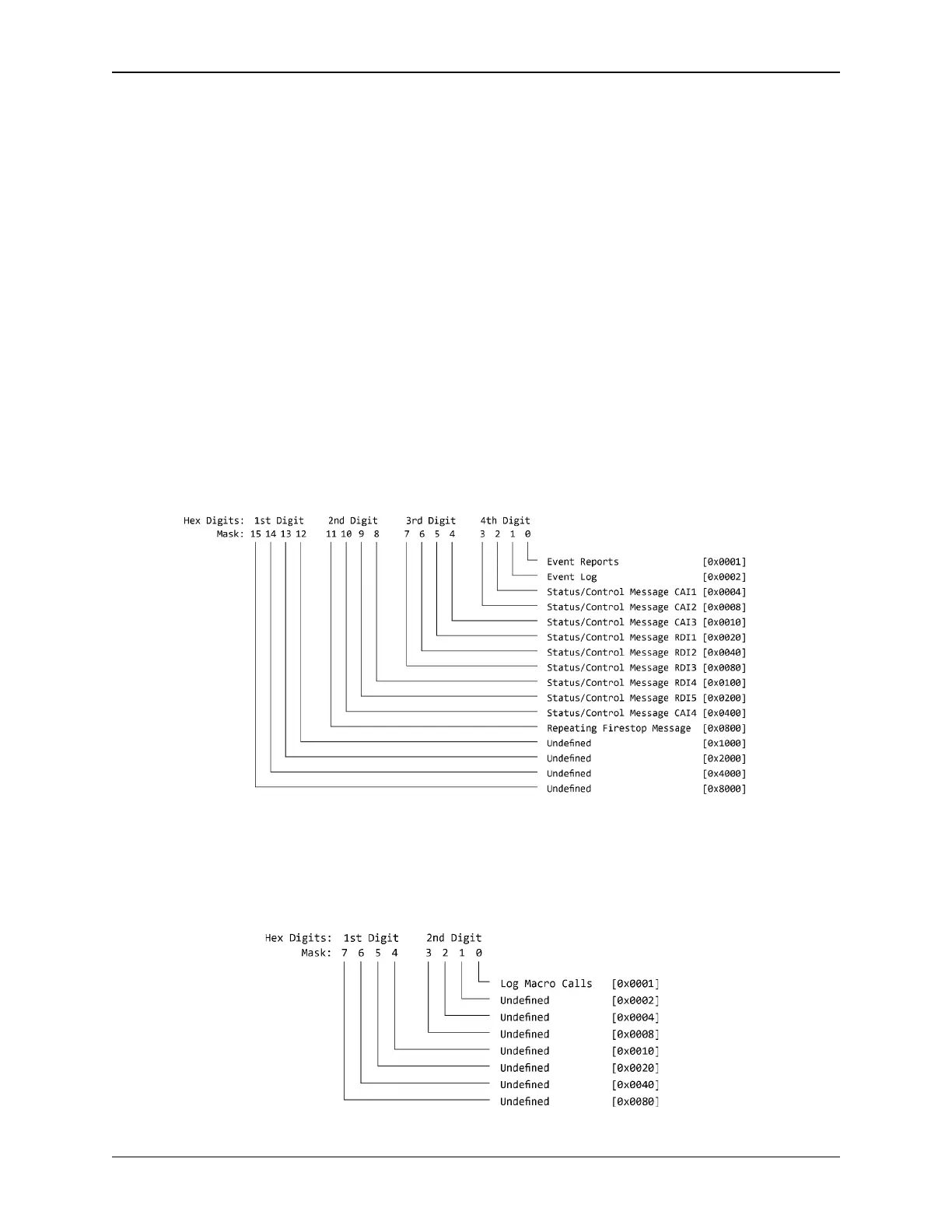
CAI Configuration Override Mask The override mask enables or disables the buttons on the CAI
Configuration Detail screen to allow the configuration of the Event Reports, Event Logs and Status
Messages. The numbers can be entered as hex (0xFFFF) or decimal.
The Override Mask is a 4 digit Hex representation of 16 configuration flags for each CAI Channel. The
bit definitions for the Mask flags are:
Global Configuration Override Mask The override mask enables or disables the buttons on the
CAI Configuration Detail screen to enable or disable the logging of macro calls. The numbers can be
entered as hex (0xFF) or decimal.
The Override mask is a 2 digit Hex representation of 8 configuration flags. The bit definitions for the
Mask flags are:
30
eCNA-10 Operation and Installation Manual Version 1.270-00



 To Next Page