7800/7700 MultiFrame Manual
7814 Series Dual HDTV Up/Down/Cross Converters
Revision 1.1.3 Page - 101
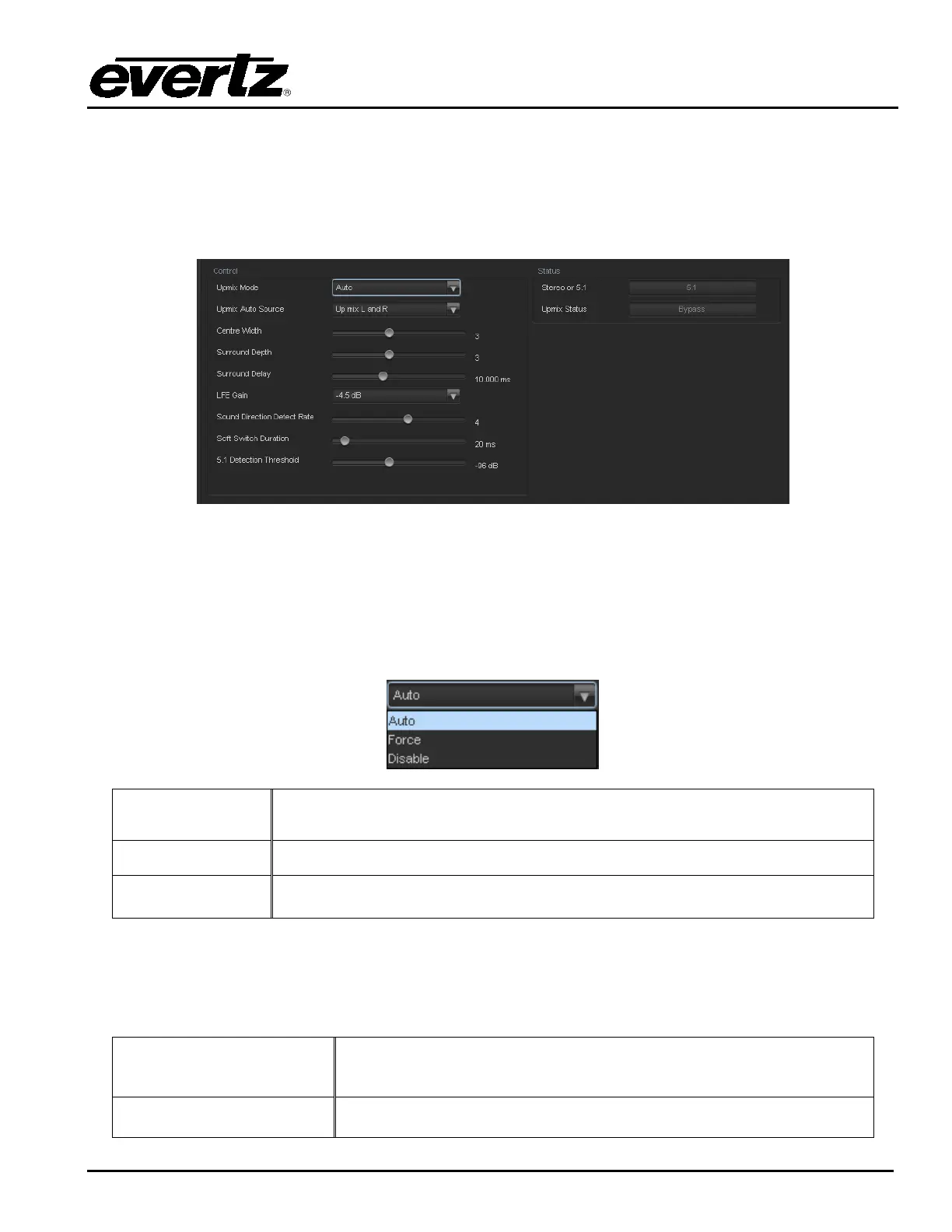
7.21. AUTO UP MIX CONTROL TAB (+UMX2)
With the +UMX2 option, the 7814 series of converters can up mix stereo audio to 5.1 surround sound
audio. The Up-mixing block also has the capability to auto detect the incoming source to see if it is a
stereo pair or 5.1 signal being supplied and automatically up-mix the incoming stereo pair or pass the
incoming 5.1.
Figure 7-30: Up Mix Control Tab
7.21.1. UpMix Control
7.21.1.1. UpMix Mode
The Up-mixer can automatically determine if the audio needs to be up-mixed. It will detect whether 5.1 or
a stereo pair is seen on its inputs.
Auto
When set to Auto the up-mixer will determine if 5.1 or stereo is present. If
stereo is present it will up-mix the audio to 5.1, and pass if 5.1 is seen.
Force
When set to force the up-mixer will always up-mix the incoming audio.
Disable
When set to disable the up-mixer will not up-mix the audio and just pass it
through.
7.21.1.2. UpMix Auto Source
The Up-mix Auto Source control selects where to listen for audio in order to perform the Auto up-mix
process.
Up mix L and R
When set to Up mix L and R, if audio is detected on the L and R
channels and audio is not detected on the remaining channels the
audio on L and R will be up-mixed.
Up mix passthru L and R
When set to Up mix passthru L and R, when audio is detected on
these channels they will be up-mixed.



 To Next Page