7800/7700 MultiFrame Manual
7814 Series Dual HDTV Up/Down/Cross Converters
Revision 1.1.3 Page - 115
7.25. INTELLIGAIN CONFIGURATION TAB
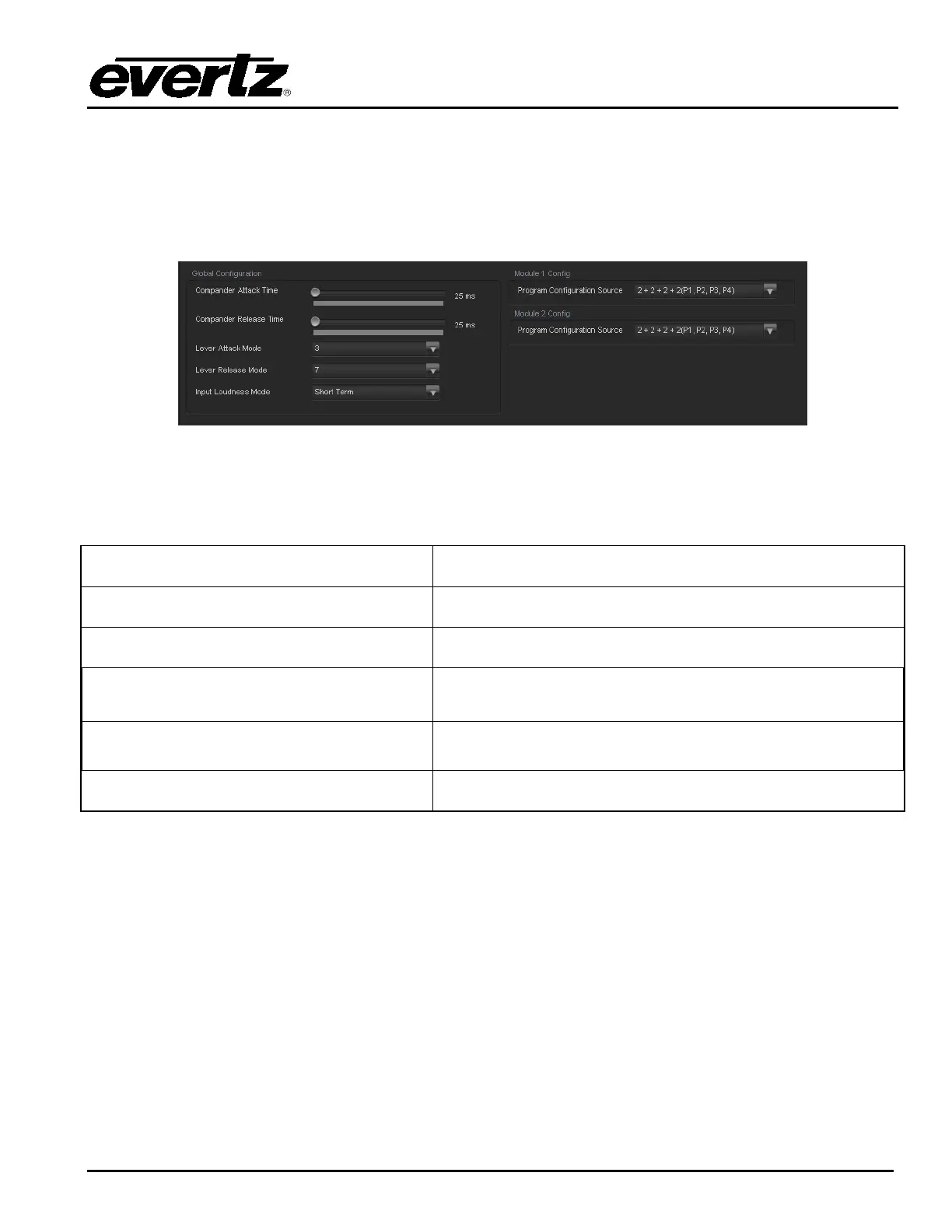
The IntelliGain Configuration tab displays the top-level IntelliGain control interface. There are a
number of parameters that control both the intelligent leveler and the on-board dynamic processor
(compressor, expander, and limiter). Figure 7-33 shows the IntelliGain Configuration view from the
VistaLINK
®
NMS.
Figure 7-33: IntelliGain Configuration Tab
Table 7-1 provides a brief overview of the top level of the IntelliGain Configuration menu tree. The
details of each of the menu items are described in sections 7.25.1 to 7.25.1.6.
Program Configuration Source
Defines how the audio channels are grouped together.
Compander Attack Time
Defines how quickly the compander reacts to an increase in the
input loudness.
Compander Release Time
Defines how quickly the compander reacts to a decrease in the
input loudness.
Leveler Attack Mode
Defines the maximum integration time that is applied when
loudness increases during a program period.
Leveler Release Mode
Defines the maximum integration time that is applied when
loudness decreases during a program period.
Input Loudness Mode
Defines the window that will be used to produce the Input
Loudness
Table 7-1: IntelliGain Configuration Options



 To Next Page