7800/7700 MultiFrame Manual
7814 Series Dual HDTV Up/Down/Cross Converters
Revision 1.1.3 Page - 55
7.7. AFD TAB
The 7814 series of converters are fully AFD enabled and offer frame accurate and glitch free steering of
aspect ratio conversions based on AFD signals decoded from incoming video signals. This applies for all
variations of the 7814 series product line including down-converters, up-converters, cross converters as
well as up/down/cross converters.
Within the 7814 series of products, AFD values are monitored and read from the incoming video signal
every frame. These inbound AFD codes are then used to index a user programmable ARC/Scaler
response. Each incoming AFD code can have its own unique ARC/Scaler response. AFD codes are then
re-stamped on the outbound video signal so that down-stream devices may further take advantage of the
embedded AFD codes.
There are four main control tabs for AFD. These are the AFD Control, AFD Monitor, User AFD and the
AFD ARC control tabs.
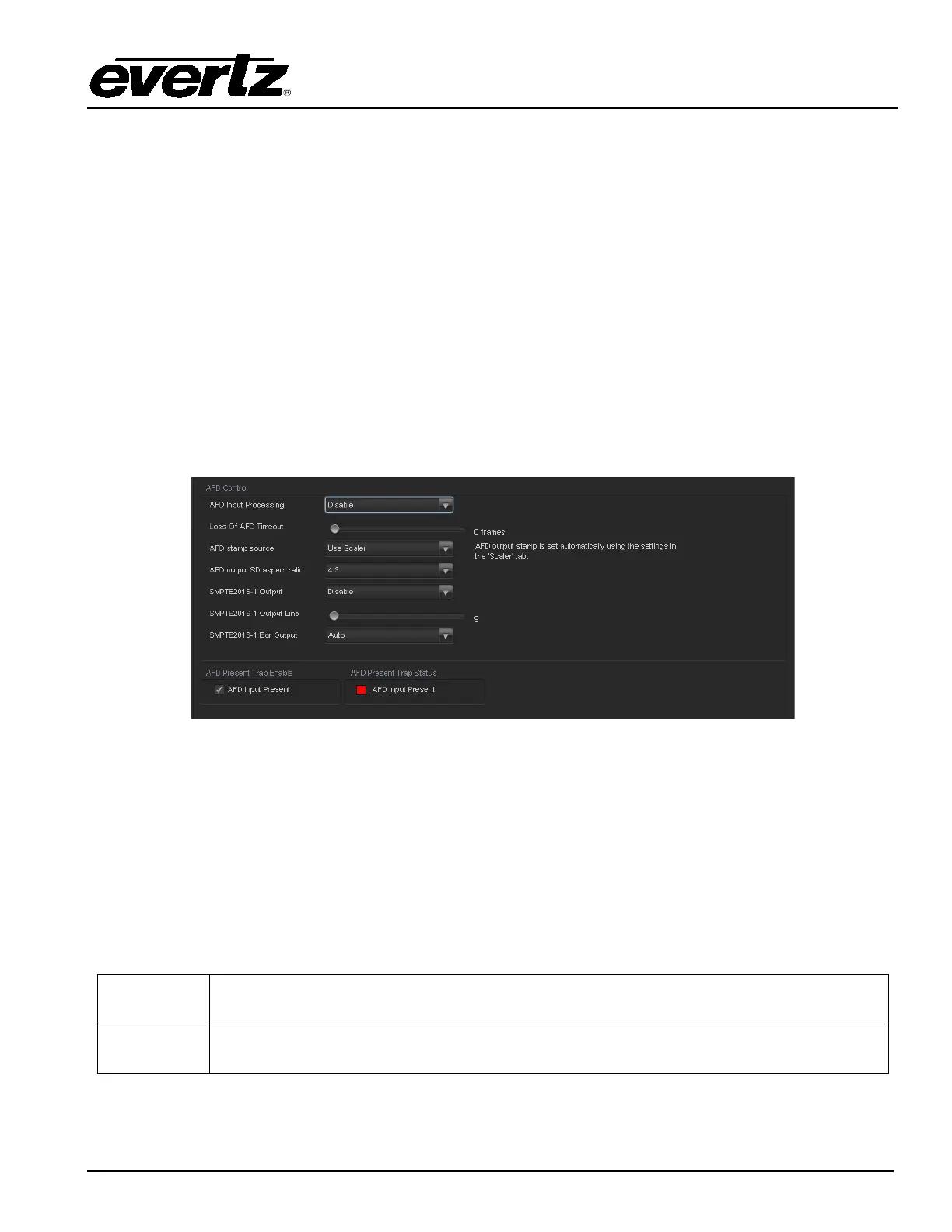
The following diagram depicts the AFD Control tab.
Figure 7-8: AFD Control Tab
7.7.1. AFD Control
7.7.1.1. AFD Input Processing Enable Control
This control enables and disables the input side AFD processing. When Enabled, the module will decode
incoming AFD values and adapt its processing to those AFD codes. When Disabled, the module will not
decode incoming AFD values. When incoming AFD codes are not decoded, automatic steering of ARC
processing based on AFD presets is not possible.
Enable
Incoming AFD values will be decoded and the module will adapt its processing to those
AFD codes.
Disable
Incoming AFD values will not be decoder. When incoming AFD codes are not decoded,
automatic steering of ARC processing based on AFD presets is not possible.



 To Next Page