7800/7700 MultiFrame Manual
7814 Series Dual HDTV Up/Down/Cross Converters
Page - 132 Revision 1.1.3
7.30. CLOSED CAPTIONING CONTROL TAB
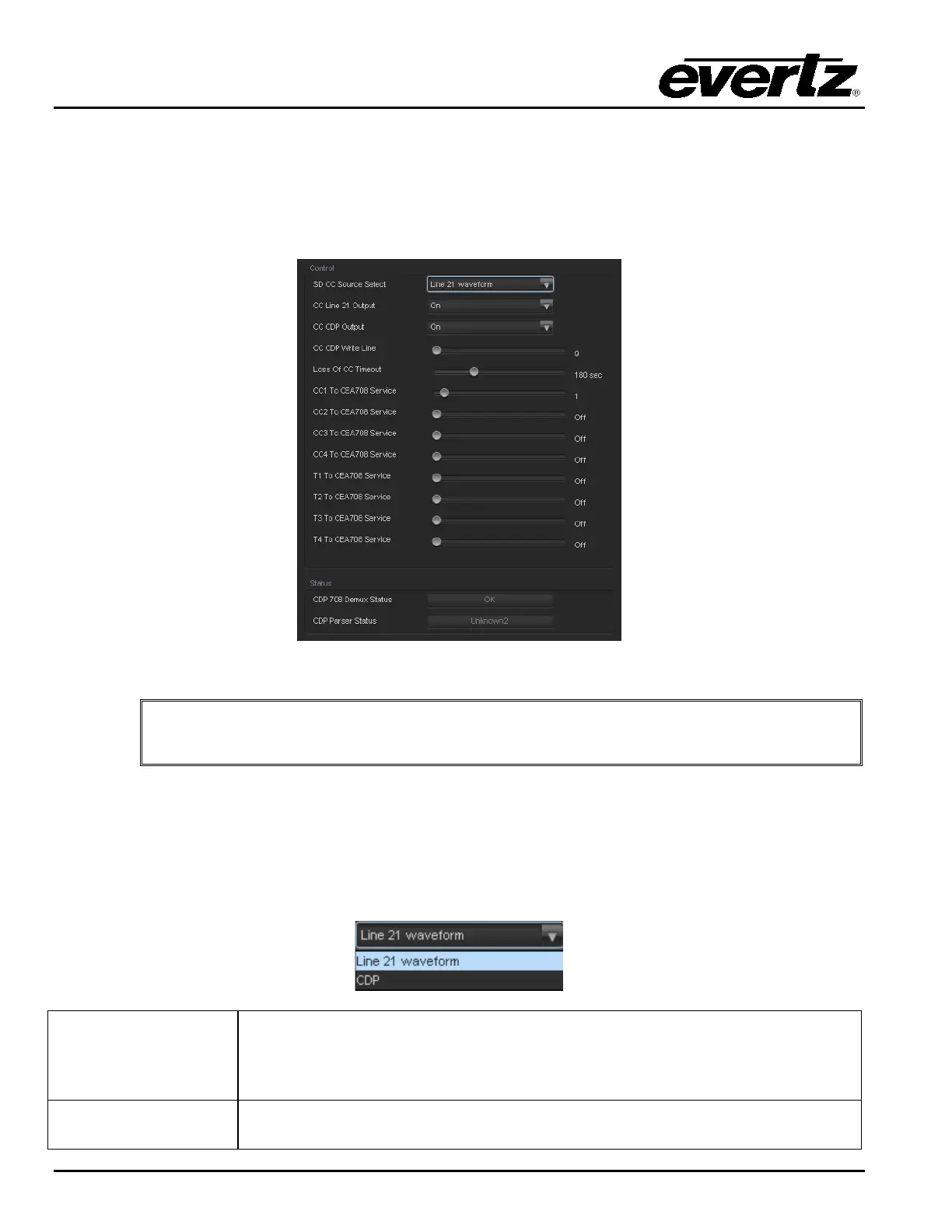
The 7814 series of converters extracts closed captioning from the input signal and translates it to the
output video signal. The Closed Captioning menus are used to configure the parameters associated with
the closed caption handling. Sections 7.30.1 to 7.30.1.6 provide detailed information about each of the
parameters.
Figure 7-38: CC Control Tab
Any changes to the closed captioning settings can cause a momentary interruption.
7.30.1. Closed Captioning Control
7.30.1.1. SD CC Source Select
This parameter will select where to get the closed caption information in an SD input signal. Closed
caption can be in CDP’s or in a line 21 waveform.
Line 21 waveform
When Line 21 waveform is selected, any closed captioning will be extracted
from the input signal from the line 21 waveform, and mapped to line 21 if the
output video is SD, or to the designated HD write line (see section 7.30.1.4) if
the output video is HD and output time code is enabled.
CDP
When CDP is selected, the module will process the incoming CDP timecode
signal and embed on the output if the output timecode controls are enabled.



 To Next Page