7800/7700 MultiFrame Manual
7814 Series Dual HDTV Up/Down/Cross Converters
Page - 60 Revision 1.1.3
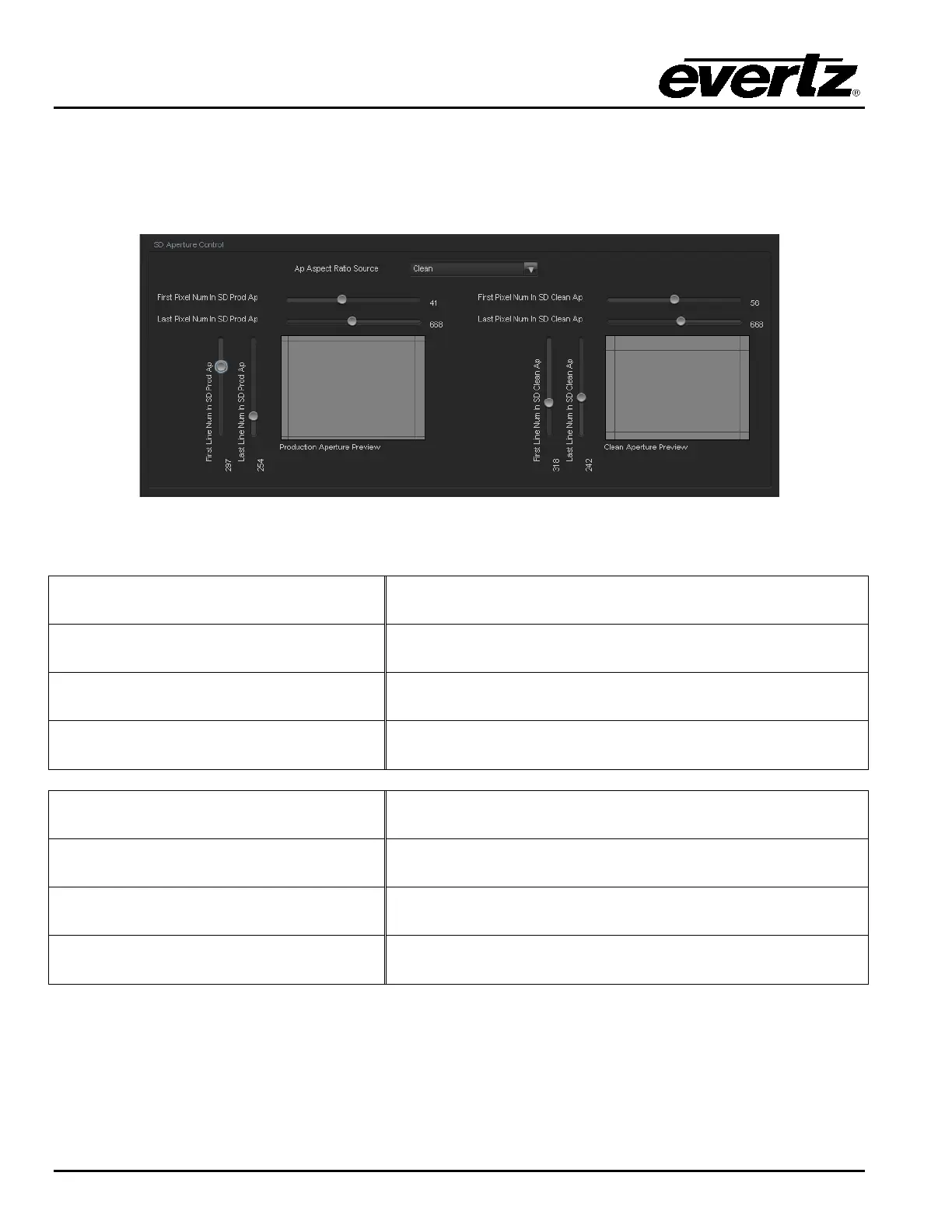
7.9.1.2. AP Aspect Ratio Settings
These controls allow the user to define the exact pixels and exact lines that are used to define the SD
Clean Aperture and the SD Production Aperture. As this process is done, a pictorial representation of the
defined region is depicted (as shown in Figure 7-11).
Figure 7-11: SD Aperture Control
First Pixel Num in SD Prod Aperture
By moving the slider bar up and down you can define the first
active horizontal pixel for the SD Production Aperture.
Last Pixel Num in SD Prod Aperture
By moving the slider bar up and down you can define the last
active horizontal pixel for the SD Production Aperture.
First Line Num in SD Prod Aperture
By moving the slider bar up and down you can define the first
active line for the SD Production Aperture.
Last Line Num in SD Prod Aperture
By moving the slider bar up and down you can define the last
active line for the SD Production Aperture.
First Pixel Num in SD Clean Aperture
By moving the slider bar up and down you can define the first
active horizontal pixel for the SD Clean Aperture.
Last Pixel Num in SD Clean Aperture
By moving the slider bar up and down you can define the last
active horizontal pixel for the SD Clean Aperture.
First Line Num in SD Clean Aperture
By moving the slider bar up and down you can define the first
active line for the SD Clean Aperture.
Last Line Num in SD Clean Aperture
By moving the slider bar up and down you can define the last
active line for the SD Clean Aperture.



 To Next Page