7800/7700 MultiFrame Manual
7814 Series Dual HDTV Up/Down/Cross Converters
Revision 1.1.3 Page - 93
7.19. DOWN MIX CONTROL TAB
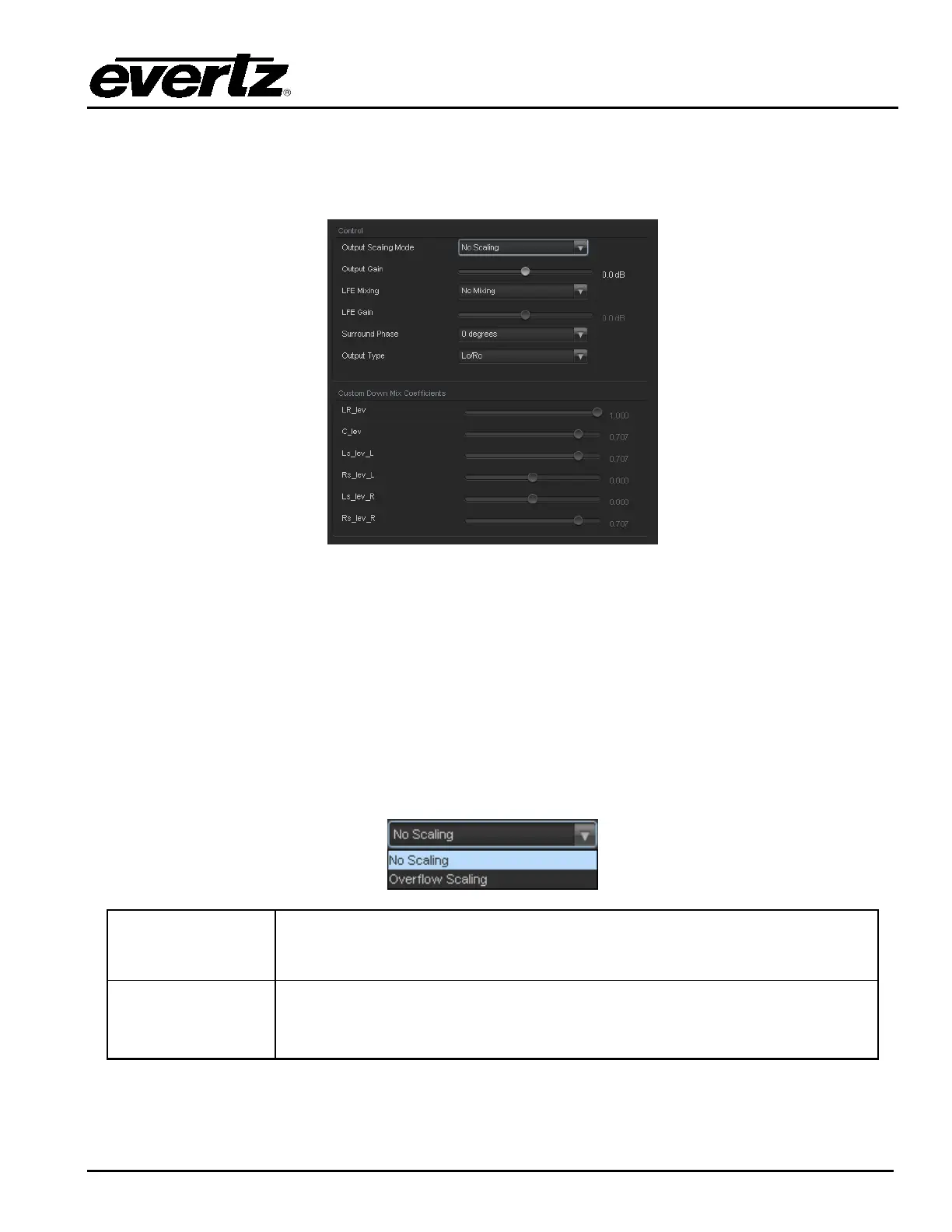
The 7814 series of modules can perform 5.1 PCM to stereo (LtRt or LoRo) down mixing. This is a
standard feature in all variations of the module.
Figure 7-28: Audio 5.1 Down Mix Tab
7.19.1. Control
7.19.1.1. Output Scaling Mode
The output scaling mode controls whether the down mix matrixing is normalized or not. Select Overflow
Scaling from the drop down menu to normalize the matrix coefficients. Normalization of matrix coefficients
will avoid any possibility of overflow, but it tends to lower the loudness level when compared against the
original 5.1 input. If no normalization is applied, the stereo down-mix usually sounds at the similar levels
as the 5.1 audio input, but clipping may occur when the input sound level is close to 0dB FS. The Output
Scaling Mode drop down provides the following options:
No Scaling
If no normalization is applied, the stereo down-mix usually sounds at the
similar levels as the 5.1 audio input, but clipping may occur when input
sound level is close to 0dB FS.
Overflow Scaling
Select Overflow Scaling to normalize the matrix coefficients. Normalization of
matrix coefficients will avoid any possibility of overflow, but it tends to lower
the loudness level when compared against the original 5.1 input.



 To Next Page