7800/7700 MultiFrame Manual
7814 Series Dual HDTV Up/Down/Cross Converters
Revision 1.1.3 Page - 47
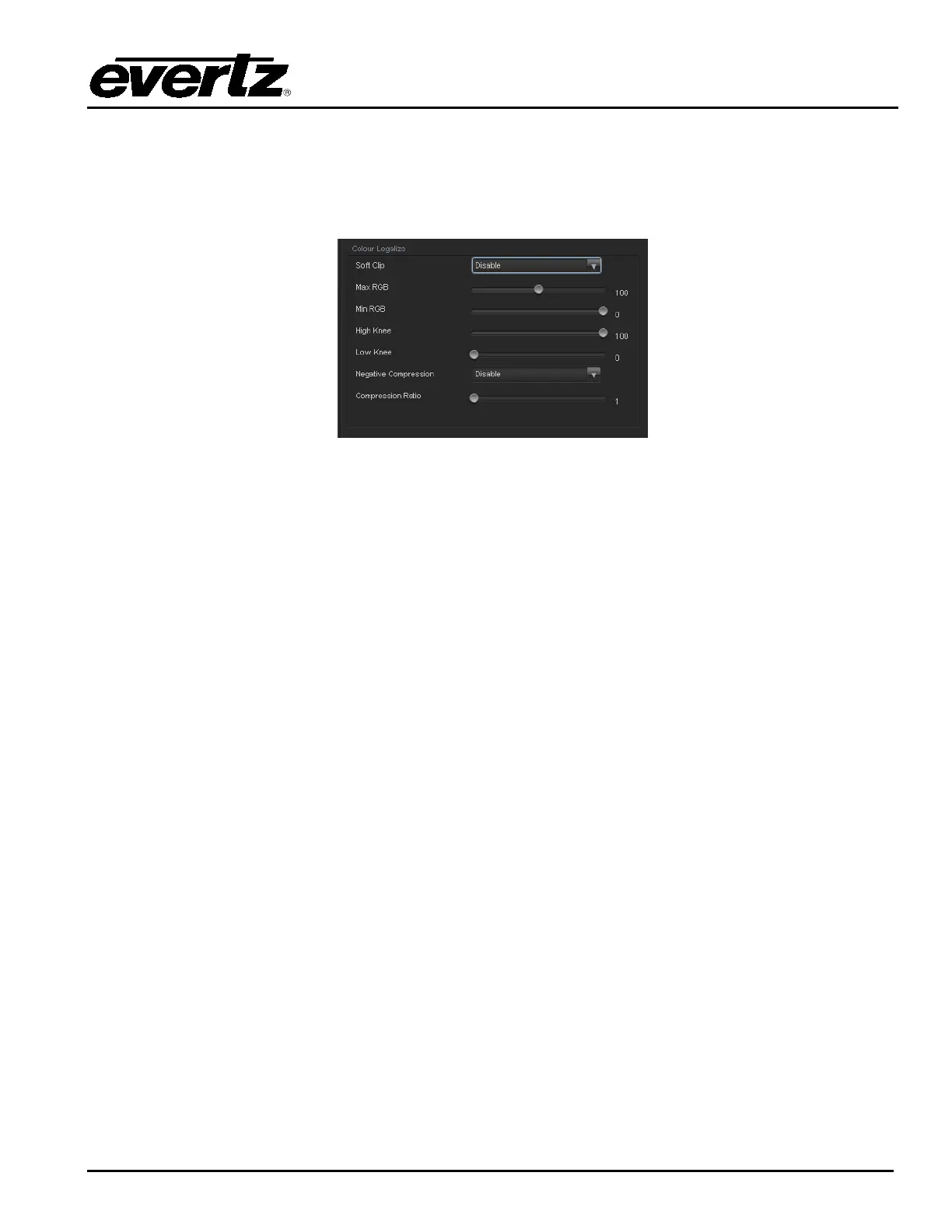
7.3. COLOUR LEGALIZE TAB (+ICL2)
The Colour Legalize control menu as shown in Figure 7-4 is used to configure parameters associated with
the video processing functions of the converter. Sections 7.2.1 to 7.2.1.8 provide detailed information
about each of the menu items.
Figure 7-4: Colour Legalize Tab
7.3.1. Colour Legalize
7.3.1.1. Soft Clip
Soft Clip control will enable/disable the colour compander controls
7.3.1.2. Max RGB
This control will set the maximum value for the RGB compander. The value range for the Max RGB
adjustments is 90% to 110% of the maximum legal value. Max RGB is adjusted in 1% increments. The
default value is 90%.
7.3.1.3. Min RGB
This control will set the minimum value for the RGB compander. The value range for the Min RGB
adjustments is from 0% to -10% of the minimum legal value. Min RGB is adjusted in 1% increments. The
default value is 0%.
7.3.1.4. High Knee
This control will set the point at which companding occurs at the upper range. The value range for the
high knee adjustments is 90% to 110% of the maximum legal value. high knee is adjusted in 1%
increments. The default value is 90%.
7.3.1.5. Low Knee
This control will set the point at which companding occurs at the lower range. The value range for the low
knee adjustments is from 0% to -10% of the minimum legal value. low knee is adjusted in 1% increments.
The default value is 0%.



 To Next Page