7800/7700 MultiFrame Manual
7814 Series Dual HDTV Up/Down/Cross Converters
Page - 52 Revision 1.1.3
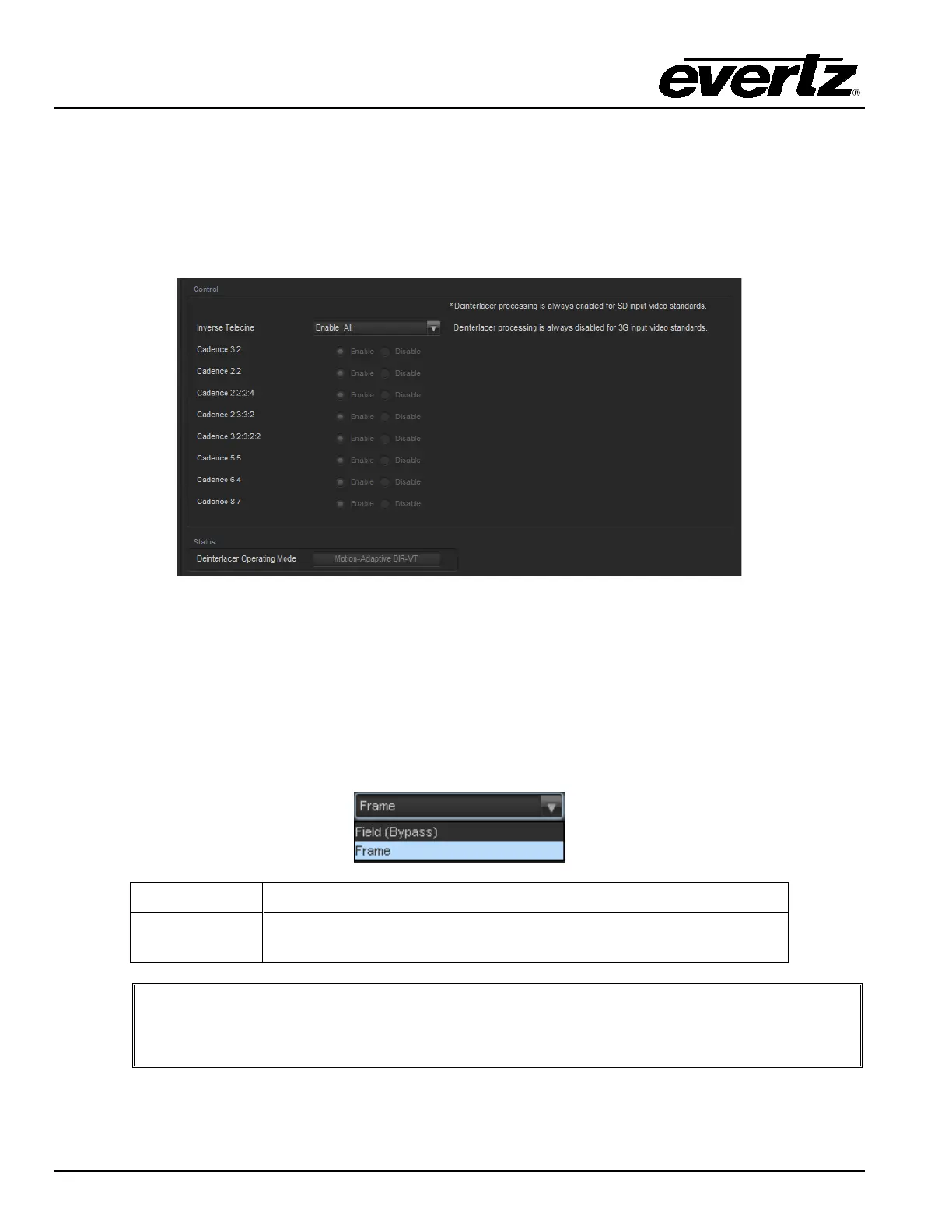
7.6. DEINTERLACER CONTROL TAB
The Deinterlacer controls as shown in Figure 7-7 are used to configure parameters associated with the
video de-interlacer. Video de-interlacing is performed so that the scaling/aspect ratio conversion can
occur in the progressive video domain. Scaling/aspect ratio conversion in the progressive domain is the
highest quality way to perform up/down/cross conversion. Sections 7.6.1.1 to 7.6.2.1 provide detailed
information about each of the menu items.
Figure 7-7: Deinterlacer Control Tab
7.6.1. De-Interlacer Control
7.6.1.1. Deinterlacer Mode
With this control, you can set whether the module will perform field or frame based de-interlacing
conversion. The user can select Field or Frame based processing using the drop down menu that appears
as follows:
Field
In Field mode, the de-interlacer works on a field-by-field basis.
Frame
In Frame mode, the de-interlacer works on a complete frame
basis.
Note: When operating in an up-conversion mode, this control is ignored and is
defaulted to frame mode. The deinterlacer will automatically switch between frame
and field accordingly to the image.



 To Next Page