7800/7700 MultiFrame Manual
7814 Series Dual HDTV Up/Down/Cross Converters
Revision 1.1.3 Page - 143
8. JUMPERS
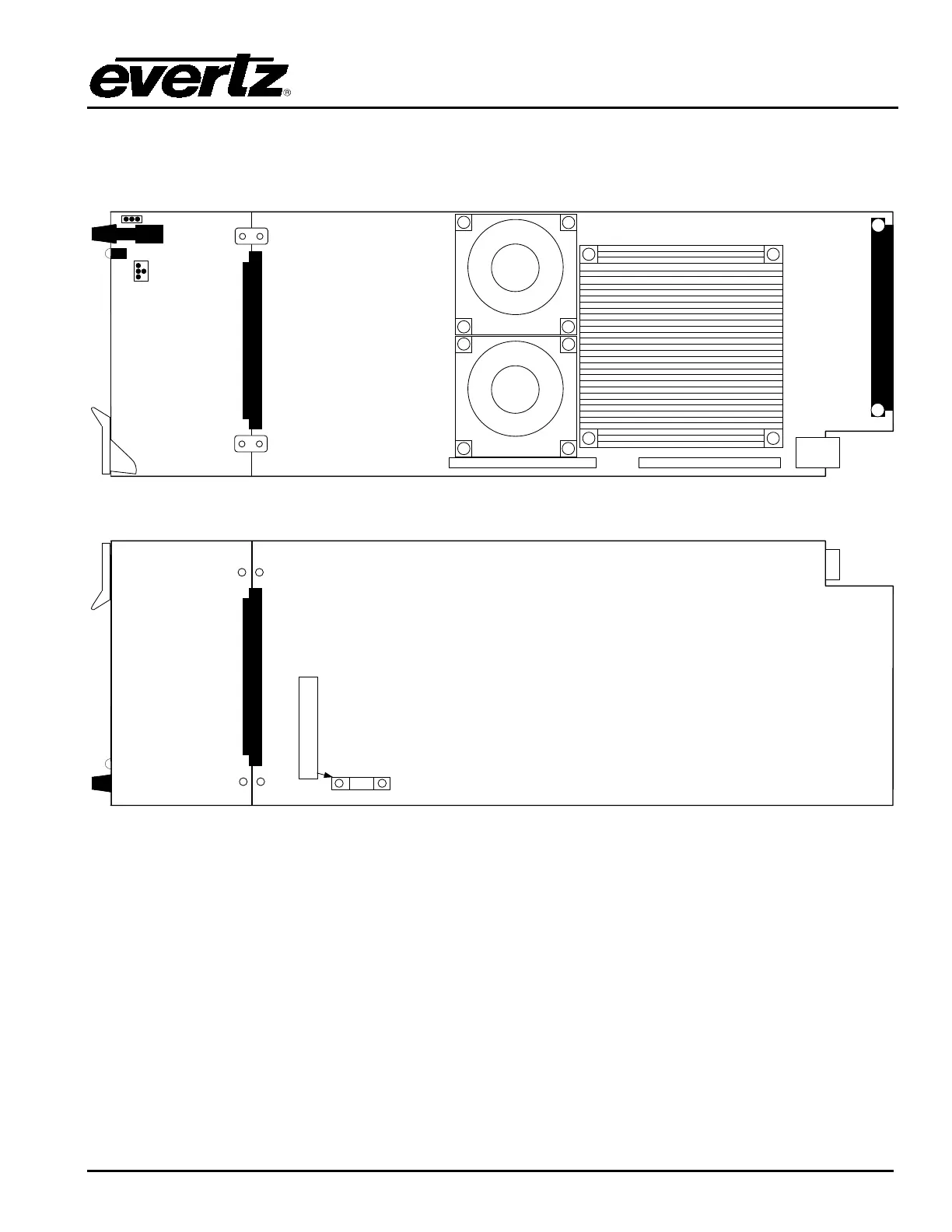
Figure 8-1 and Figure 8-2 provide the locations of the jumpers and LEDs on the 7814 series boards.
MODULE
STATUS
Serial
J3
Frame
Status
ON/OFF
J7
Figure 8-1: Location of Jumpers – Top View Main Module
POWER SUPPLY KEY
MUST BE INSTALLED WITH 7700PS
Figure 8-2: Location of Jumpers – Bottom View Main Module
8.1. SELECTING WHETHER LOCAL FAULTS WILL BE MONITORED
BY THE GLOBAL FRAME STATUS
FRAME STATUS: The FRAME STATUS jumper J7 is located near the front of the board and close to
the encoder knob. The FRAME STATUS jumper determines whether local faults (as
shown by the Local Fault indicator) will be connected to the 7700FR-C or 7800FR
frame's global status bus.
To monitor faults on this module with the frame status indicators (on the PS FRAME
STATUS LED's and on the Frame's Fault Tally output) install this jumper in the On
position. (Default)
When this jumper is installed in the Off position, local faults on this module will not
be monitored.



 To Next Page