FLEX-6000 Signature Series - SmartSDR for Windows Software User’s Guide
Page 98
Copyright 2018 FlexRadio Systems. All Rights Reserved.
is used on its antenna. Accidental transmission on the XVTR port could put up to +10 dBm of reverse
power into the connected preamp.
25.9 RECEIVE-ONLY ANTENNA OPERATION
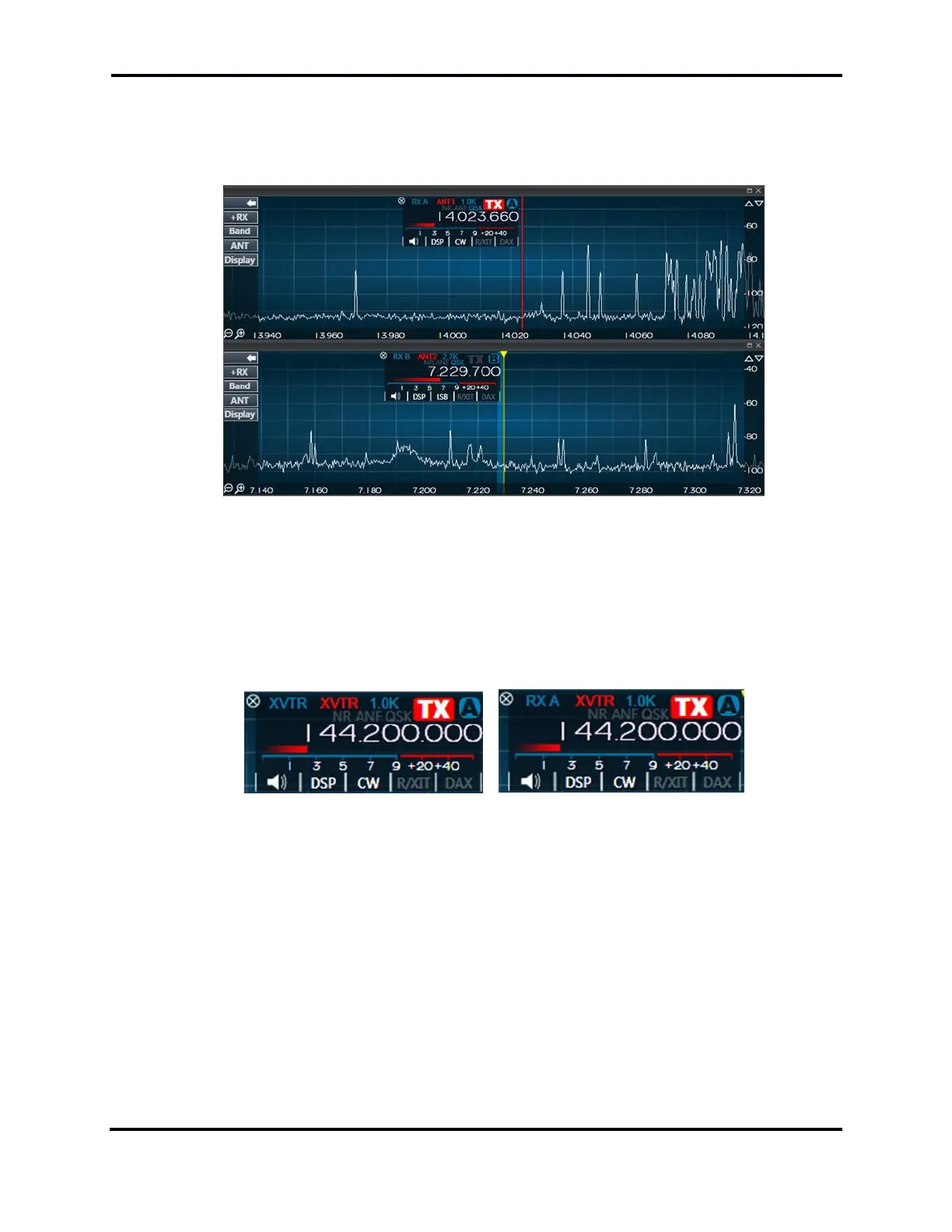
In the image above a FLEX-6700 is configured so that slice A receive antenna is set to RX A and slice
B to RX B. ANT1 is selected as the transmit antenna for slice A and ANT2 for slice B. This configuration
allows separate receive antennas on the two independent SCUs. This configuration is not available
on the single SCU FLEX-6500, FLEX-6400/M or FLEX-6300. Slice A is selected as the transmit
frequency. To change the transmitter to slice B, simply click its TX button.
25.10 ANTENNA SELECTION FOR TRANSVERTER OPERATION
The left slice flag above shows XVTR selected for both receive and transmit antennas. This provides
conventional transverter port transceiver operation. In the slice flag on the right, split
transmit/receive transverter operation is configured in which RX A is set as the receive antenna and
XVTR as the transmit antenna.
25.11 USING THE RECEIVE RF GAIN/PREAMPLIFIERS
Each Signal Capture Unit (SCU) in the FLEX-6000 includes an RF preamplifier with adjustable gain.
The RF gain selector is in the ANT menu on the left side of the screen.



 To Next Page
 Loading...





