FLEX-6000 Signature Series - SmartSDR for Windows Software User’s Guide
Page 73
Copyright 2018 FlexRadio Systems. All Rights Reserved.
19 HOW TO OPERATE CW MODE
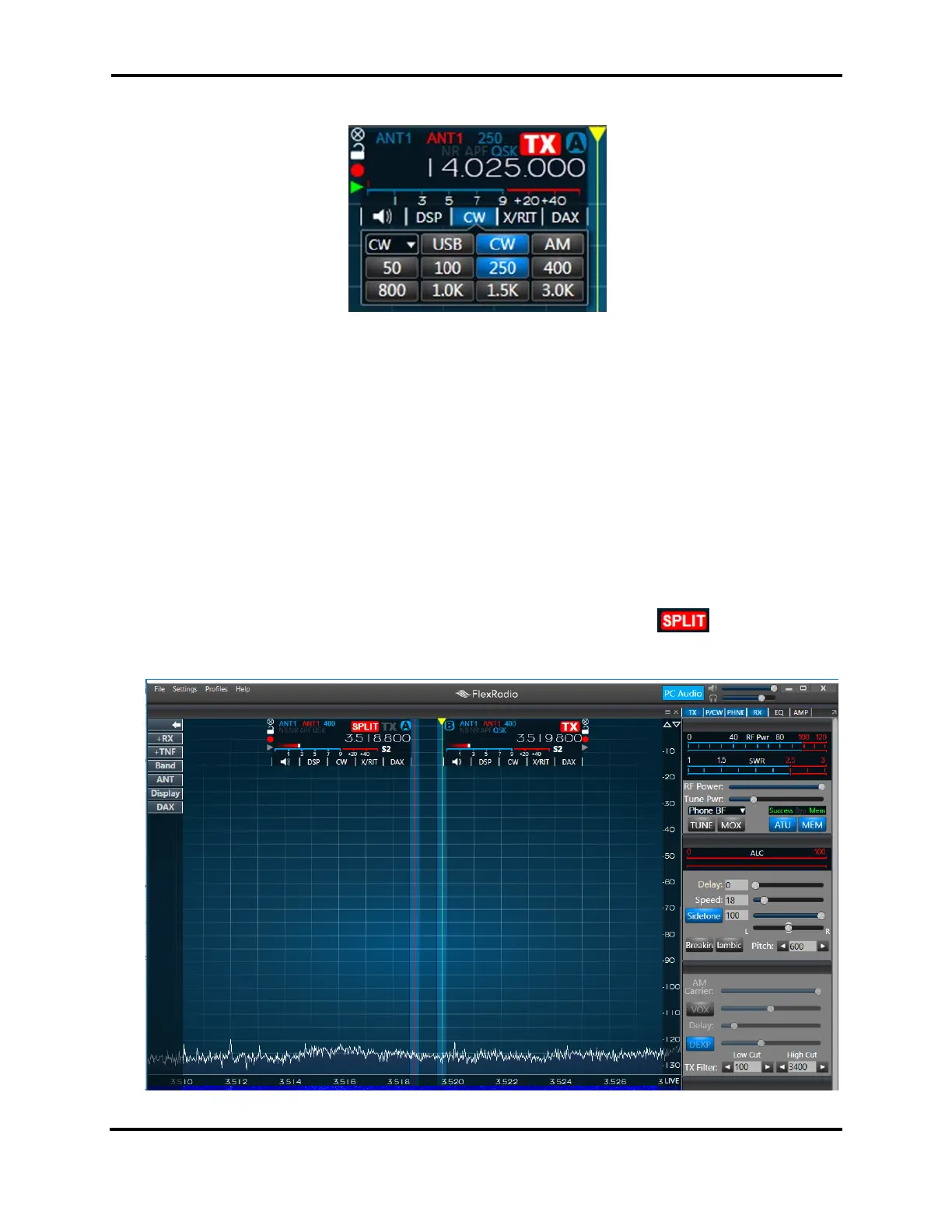
To use SmartSDR in CW mode, select CW in the slice control panel. This will bring up the CW specific
controls in the transmit panel, and show the narrower CW receive filter presets.
The CW display is slightly different from the SSB display. In CW mode, the slice carrier indicator line
is in the center of the receiver passband. This coincides with the CW carrier frequency. It shows
exactly the location of your transmitted carrier. The pitch of received CW signals depends on the
value of the Pitch control in the CW Transmit Control Panel (see section 37.7.2) and the distance of
the CW carrier from the tuned frequency.
19.1 HOW TO OPERATE CW IN SPLIT MODE
Many DXpeditions prefer to operate in split mode, where they transmit on one frequency, but listen
on another, up or down a few kilohertz. To do this in SmartSDR, add a second Slice Receiver to the
Panadapter to use as your secondary frequency. To add a slice, click the button in the slice
receiver. Your Panadapter display should look like this:



 To Next Page
 Loading...





