FLEX-6000 Signature Series - SmartSDR for Windows Software User’s Guide
Page 64
Copyright 2018 FlexRadio Systems. All Rights Reserved.
17 IMPORTING AND EXPORTING RADIO SETTINGS
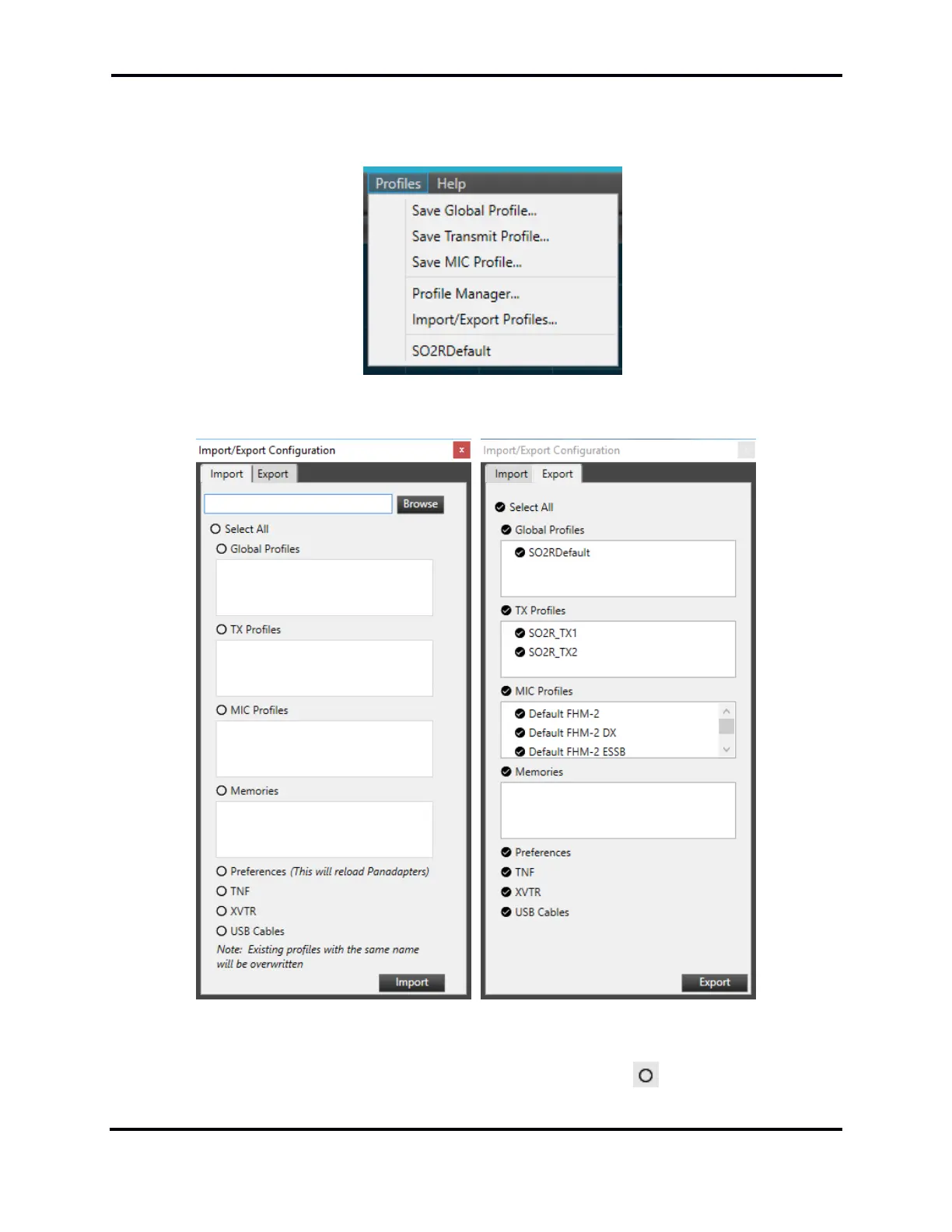
From the “Profiles” drop-down menu select “Import/Export Profiles”
This will bring up the Import/Export window:
Select the appropriate tab for import or export controls. The Browse button on the Import tab will
bring up a File Explorer window that can be directed to the file to import. The user can check the
items that they wish to import/export by clicking on one of the circles next to the setting.



 To Next Page
 Loading...





