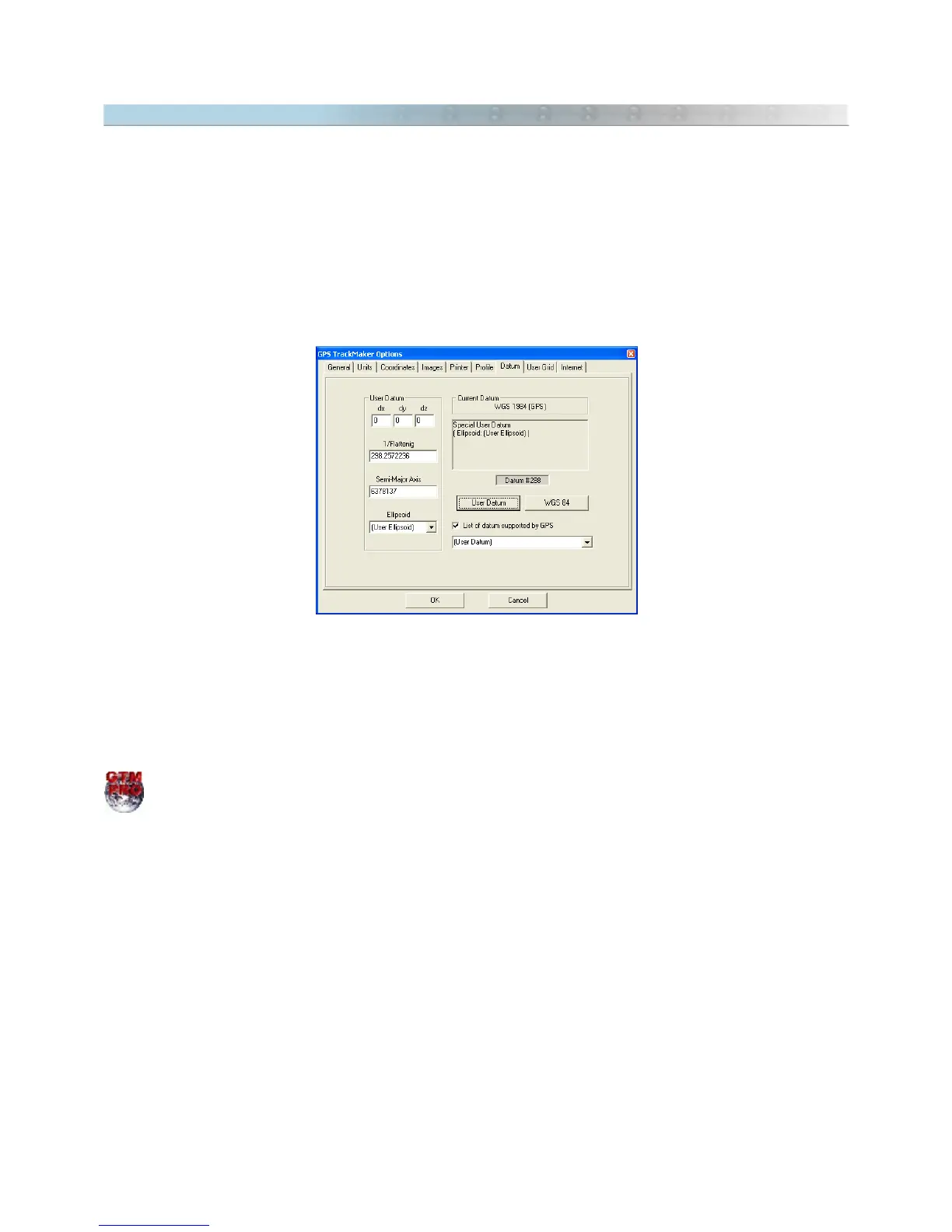
9.14 Configuring the Datum
The Datum is a reference surface that has 5 parameters :
• Point of the ground;
• geoidal height;
• reference ellipsoid;
• geodesic coordinates of each starting point ;
• azimuth from this point.
The GPS TrackMaker® program makes the conversion of more than 280 different parameters of datum, as shown
in Datum Table.
Choosing
List of datum supported by GPS
option, the list of datum supported by most of Garmin® and Magellan®
GPS will be shown.
Keep in mind that each map may have been built using a specific datum. Then, in order to keep compatibility
among the different maps, it is necessary to change the datum used by the GPS TrackMaker®. In
Tools > Options
> Datum
, choose the datum option that corresponds to the map used.
In GTM PRO® it is possible to create a
User Datum
. For further information, see Datum Defined by User.
Example:
Data are collected with the GPS then transfers them to GPS TrackMaker®, which is configured for the WGS 84
Datum.
Then, a topographic chart created in the
Corrego Alegre
datum is inserted in GPS TrackMaker®. Usually, the
datum is indicated in the bottom of the map charts.
When transferring to the map the data obtained with the GPS, probably the points will be located up to a few
hundreds of meters away from the real position.
In order to prevent this error, change the datum in the GPS TrackMaker® to
Corrego Alegre
All coordinates
coming from the GPS will be converted to the map datum (
Corrego Alegre
).
108



 To Next Page