8.9 Expanding Rectangular Zones
This option is available only in GPS TrackMaker Professional®.
Some coordinate systems supported by GTM PRO® possess multiple zones, separated by red dashed lines. When
two or more zones are shown on screen, the
True Grid
mode is automatically disabled and the program returns to
the
Normal
mode.
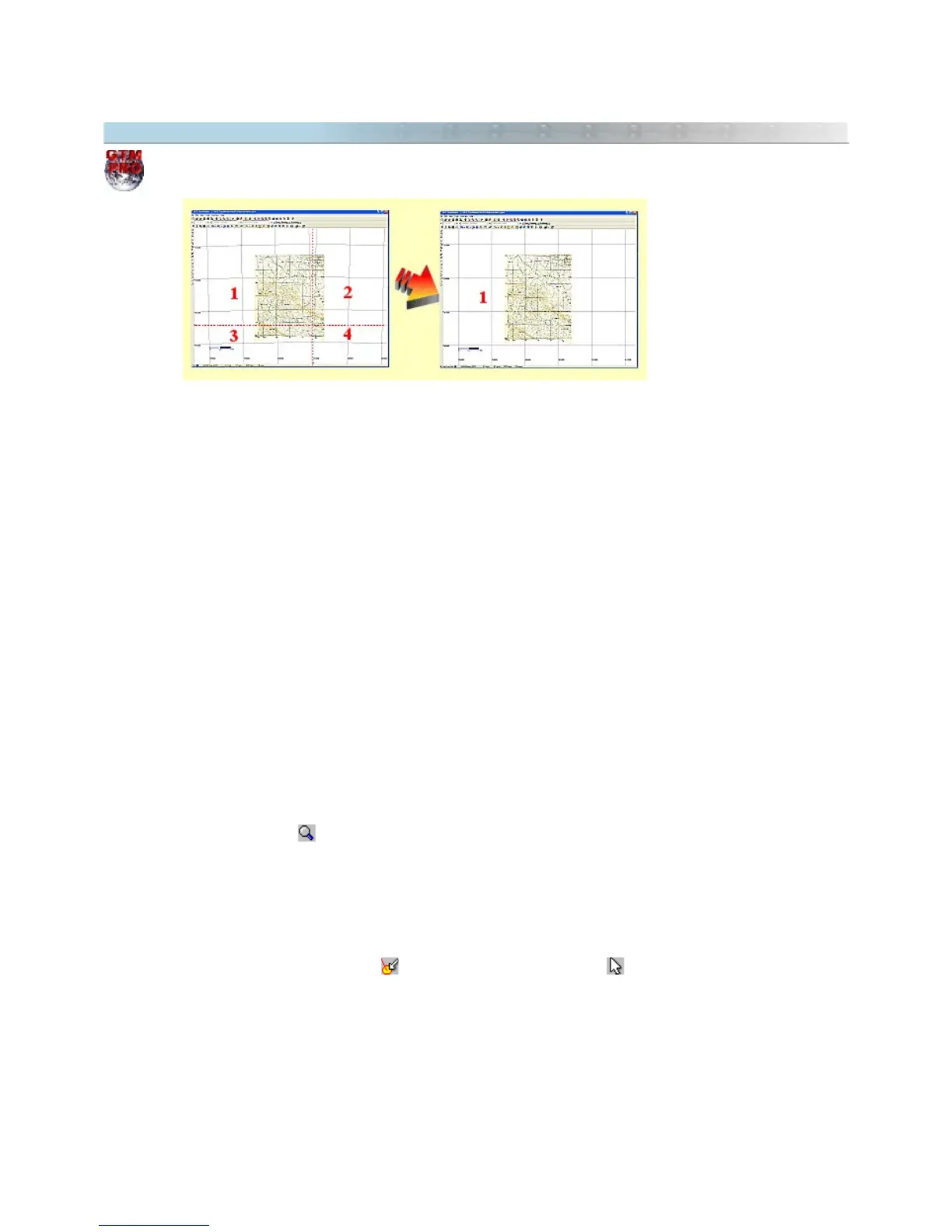
See the picture above: the left map is located in four different UTM zones after calibrated. The most part of the
map is located in the zone 1 and only a small part is located in the other zones. To be visualized correctly, it is
necessary to activate the
True Grid
mode, but this task is impossible with four zones on screen.
To solve this problem, GTM PRO® allows to expand one of the zones, creating a User Grid with the same
coordinates of the chosen zone. Thereby, the map image will be correctly visualized under the
True Grid
mode
because the zone is expanded beyond their limits. In the example of the picture, the area 1 was expanded,
allowing to visualize correctly the whole map.
It is possible to expand zones in the following coordinate systems:
• UTM
• RTM
• LTM
• British National Grid
• Irish National Grid
• German Grid
• Grid of Colombia
Expanding Zones through Zoom Tool
• Press the Zoom Tool located in the Tool Bar.
• Click with the left button of the mouse on the zone to be expanded.
• A pop-up menu will appear close to the pointer of the mouse.
• Choose
Expand Zone
Expanding Zones through pop-up menu of the Image
• Press the
Detect Elements
button and the Selection Tool button .
• Click with the left button on the part of the image located in the zone to be expanded.
• A pop-up menu will appear close to the pointer of the mouse.
• Choose
Expand Zone
For further information, see True Grid Mode.
90



 To Next Page