13 Real Time Navigation (RTN)
13.1 Activating Real Time Navigation (RTN)
Real Time Navigation (RTN) is a function in GPS TrackMaker® that facilitates the connection of a GPS to a
portable computer, transferring (in real time) the geodesic coordinates provided by the GPS. This allows you the
option to view your position in real time, on any maps you may have inserted.
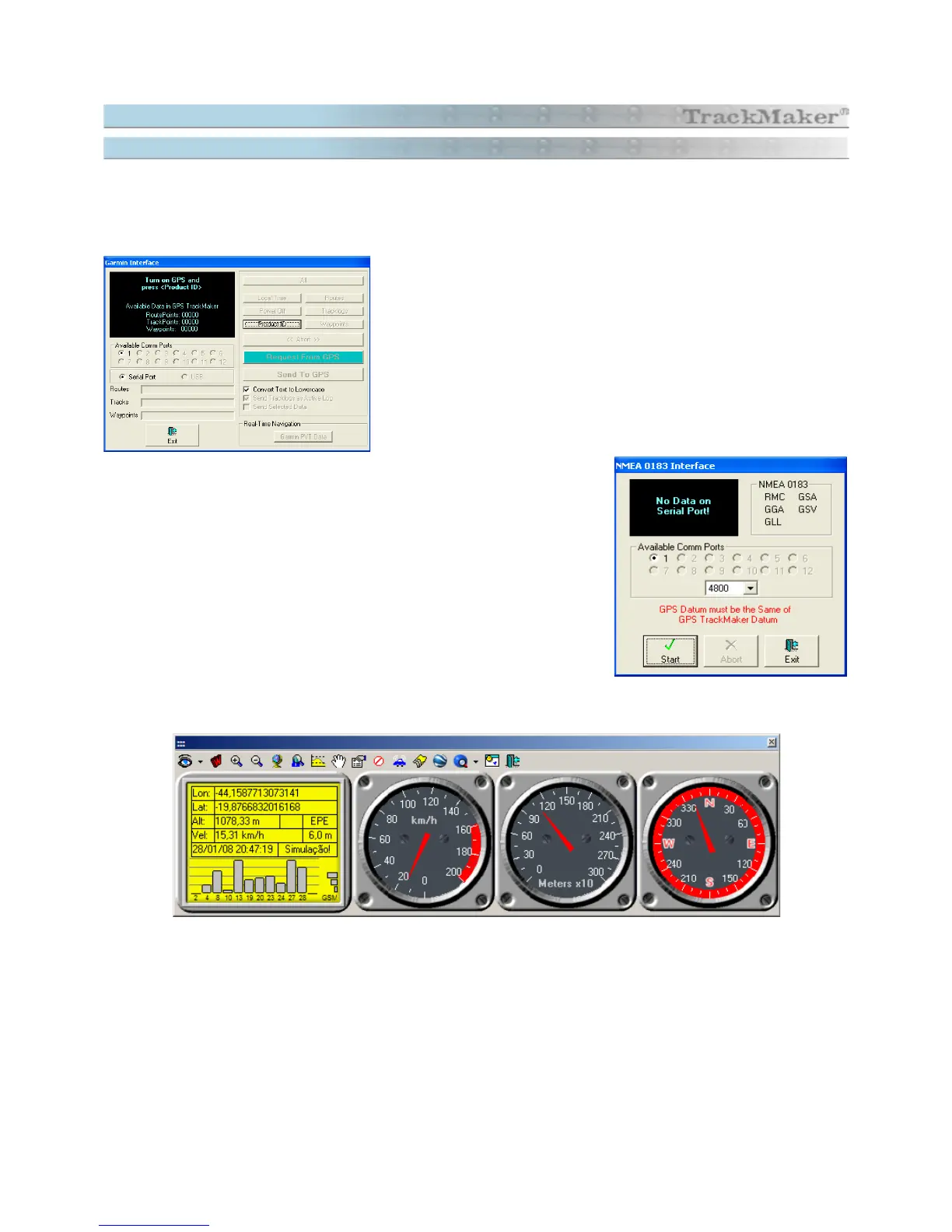
To activate real time navigation in Garmin® Models, open the
Garmin
Interface
window through the
Interfac
e menu, and do the GPS
recognition through
Product ID
button and then press
Real Time
Navigation
button.
Through the NMEA window it is also possible to activate the real time
navigation. Open the
NMEA
window through
Interface
menu, and then
configure the GPS to NMEA protocol and then press the <Start> button.
In RTN, the Toolbars are replaced by a window that shows the
Navigation Console
with LCD Panel, the
Speedometer, the Altimeter and the Compass:
146



 To Next Page