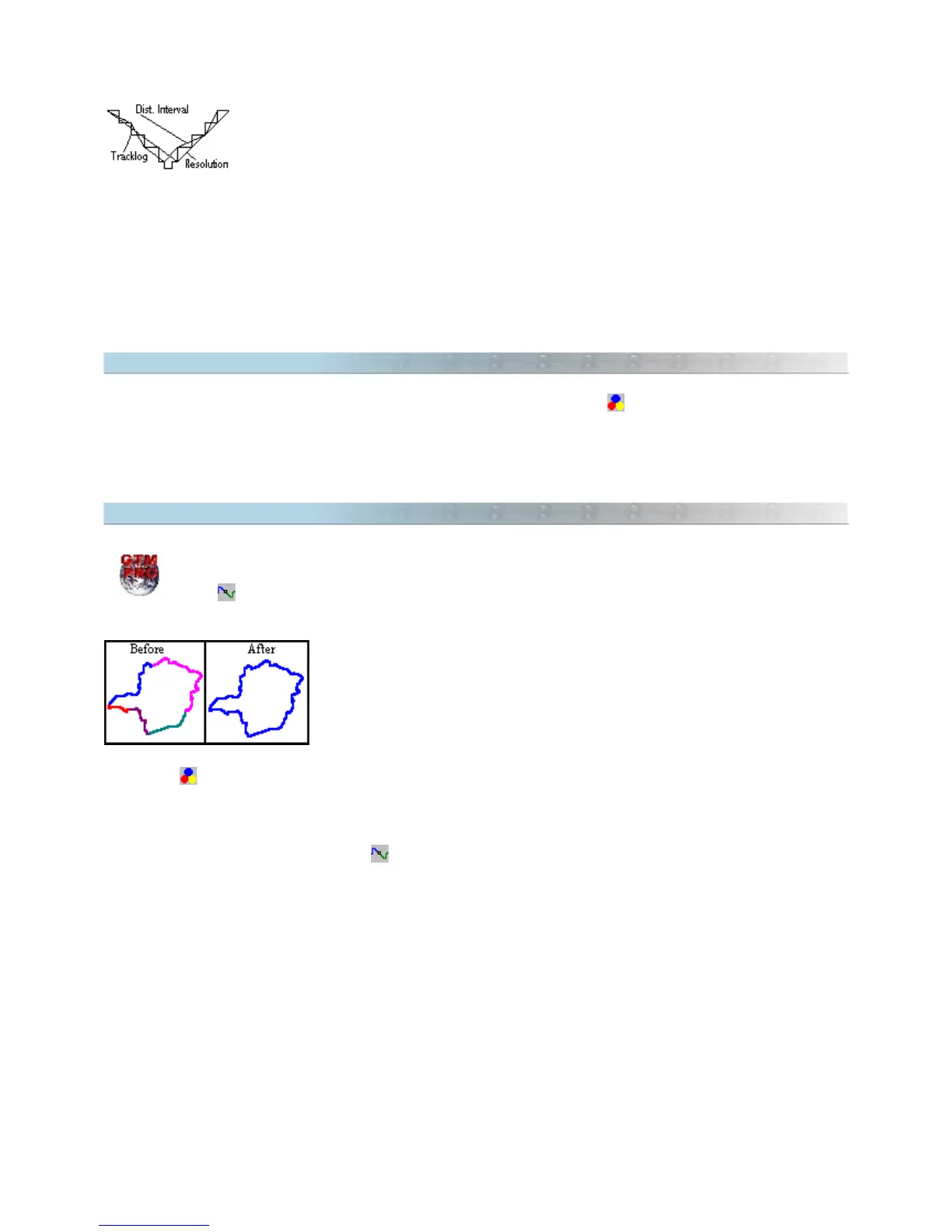
The illustration on the side shows the differences between the
Resolution
method and the
Distance Interval
method. The
Resolution
method just considered 3 points for the reduction
while the
Distance Interval
method considered 7 points. The Tracklog was reduced to 14% of
the original size in the first method and to 32% in the second method.
Before doing the reduction, press the
Preview
button and it will show a report indicating the number of selected
Tracklogs, the total number of Trackpoints of the selected Tracklogs, the total of Trackpoints after reduction, and
the reduction rate as a percentage.
The reduction will only happen if the <OK> button is pressed.
4.5 Showing Tracklogs by Colors
To show Tracklogs in different colors, instead of styles, just press the button
The advantage of this view mode is to distinguish the several segment groups of each Track. The screen will also
refresh faster in this mode than in the tracklogs by styles view mode.
4.6 Tracklog Union Tool
In GTM PRO® you can use the
Tracklog Union
tool to combine different Tracklogs that have common
extremities. Just select the Tracklogs that you want to combine and then press the <CTRL U> or the
button
The
Tracklogs Union
tool is very useful when you want to have just one Tracklog
for filling purposes. The illustration to the side is an example of some Tracklogs
with common extremities before and after the use of the Tracklogs Union tool.
Notice that after the union, only one Tracklog remains created from the union of
the other Tracklogs.
To facilitate the visualization of several different Tracklogs that have common extremities, it is advisable to keep
the button pressed.
Configuring the
Tracklog Union
Tool
Clicking on the arrow beside the button , the following options are accessed:
•
Distance of Union
: choose the maximum distance that the extremities are united. Zero indicates that
the extremities only will be united if the points are coincident.
Unite Tracklogs:
•
With Same name :
Only Tracklogs with same name are united.
•
With same Style :
Only Tracklogs with same style are united.
•
With same Color :
Only Tracklogs with same color are united.
If two or more options are selected, the union is made only if all conditions are true.
TIP: for further information about Tracklog/Route union, see Uniting Tracklogs and Routes with the Drawing
Tools.
49



 To Next Page