4.3 Editing Several Tracklogs at the Same Time
To change the color, style and name of several Tracklogs at the same time, select the desired Tracklogs through
the selection tools already described in Selecting Data. Then press the button on the Tool Bar.
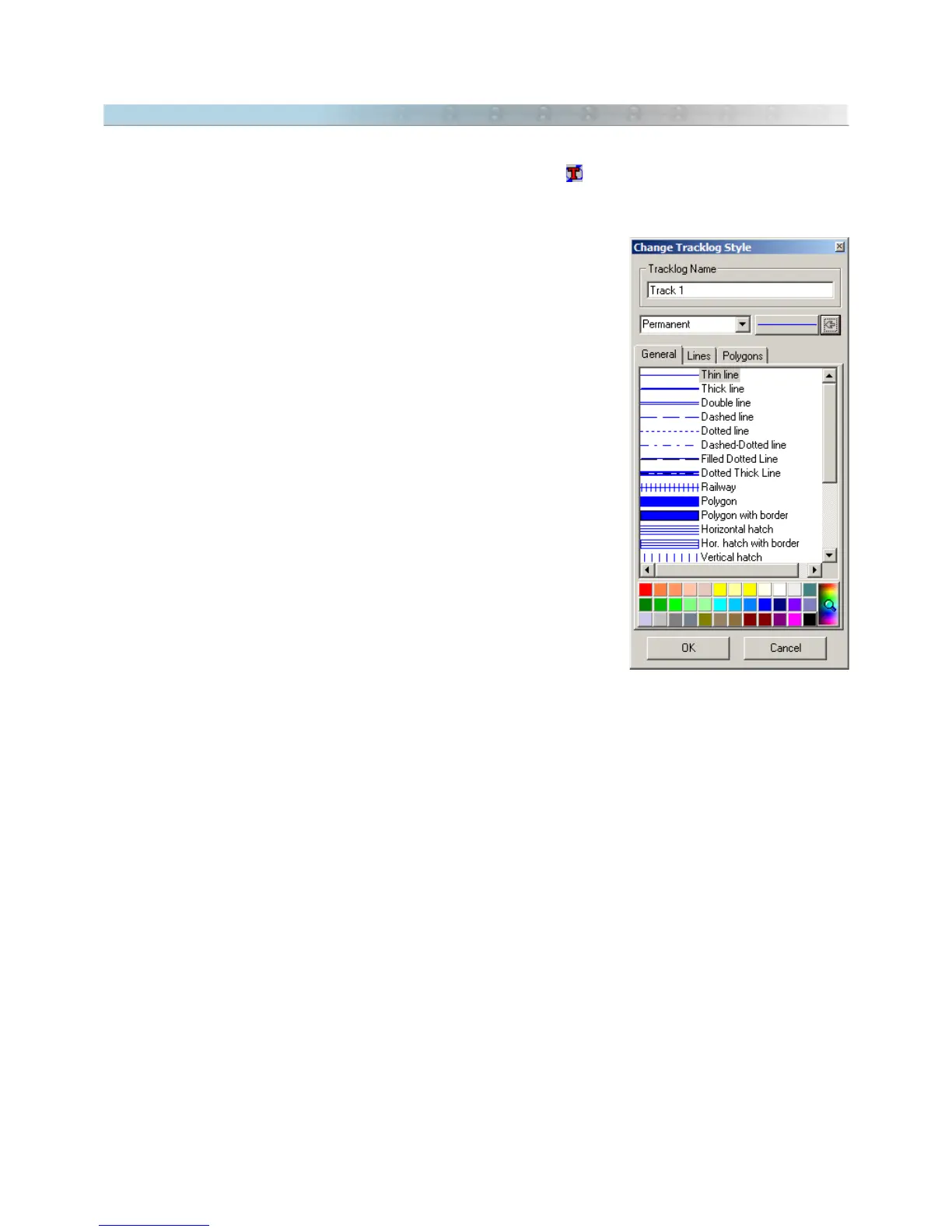
The Tracklog style editing window will appear with the following options:
Tracklog Name
Each Tracklog can have a name for identification or a small amount of text
that individualizes it. This name or text later can be searched through the
Tracklogs and Routes
box on the Tool Bar.
Tracklog Style
You can opt for one of the several available styles. To facilitate the choice,
the program gives a defined list with suggestions of several styles, as
indicated below:
• Blue Major Highway
• Red Major Highway
• Principal Road
• Arterial Road
• Principal Street
• Paved Street
• All Weather Unpaved Road (unpaved road in good conditions)
• 4WD Trail (precarious unpaved road)
• Hiking/Bike Trail
• River/Canal
• Big River
• Intermittent River
• Railway
• Freight Railway
• Tourist Railway
• Forest Boundary
• Ferry Boat Line
• Contour Line (Main)
• Contour Line (Secundary)
• Contour Line (Detail)
• Depth Contour Line (Main)
• Depth Contour Line (Secundary)
• Depth Contour Line (Detail)
• County Boundary
• Interstate Boundary
• International Boundary
• Green Map Border
46



 To Next Page