3.5 Treating Repeated Waypoints
Frequently, after many downloads from the GPS or after merging files, the program stores a lot of repeated
Waypoints, harming the data manipulation.
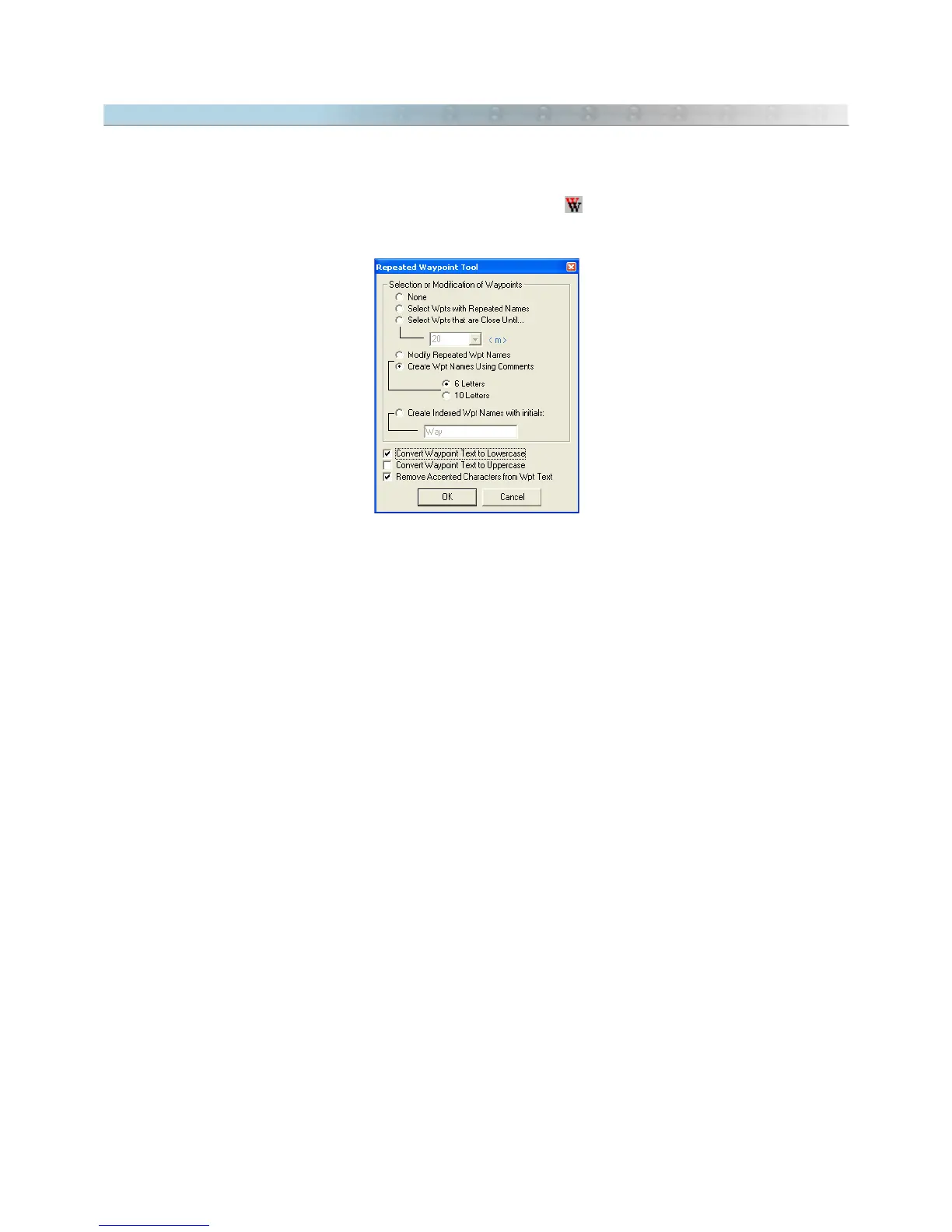
To eliminate repeated Waypoints or to modify them, press the button on the Tool Bar or select the
Repeated
Wpts Tool
option in the
Tools
menu.
Selecting Waypoints with Repeated Names
With this option enabled, all Waypoints with the same name will be selected.
Selecting Close Waypoints
This option will select all the repeated or close Waypoints, allowing the User to verify which Waypoints are in a
same point or very close.
The User can define the maximum distance in meters or yards between two Waypoints so that the correct
Waypoints are selected. Sometimes repeated Waypoints are close, but have minor variation in their coordinates.
Choosing the distance, the User can define a maximum selection area. This way, any Waypoint that is in this range
will be selected, without depending on having the same icon, name or comment.
Modifying Repeated Names of Waypoints
Several GPS models don’t accept repeated names for Waypoints. Choosing this option, the program will modify all
the repeated names of Waypoints, creating an index number in the end of each repeated Waypoint, as follows:
WAYPON, WAYPO1, WAYPO2...
The index number will be inserted respecting the maximum size of 6 or 10 characters of the Waypoint name.
Creating Names of Waypoints from the Comments
This option creates names for Waypoints, from its written comments. Several GPS models don't have the field
Waypoint Comment
, having only the field
Waypoint Name
. For these models, the name must contain a clear
indication of Waypoint, so that it is possible to uniquely identify it without the need of the
Waypoint Comment
field.
38



 To Next Page