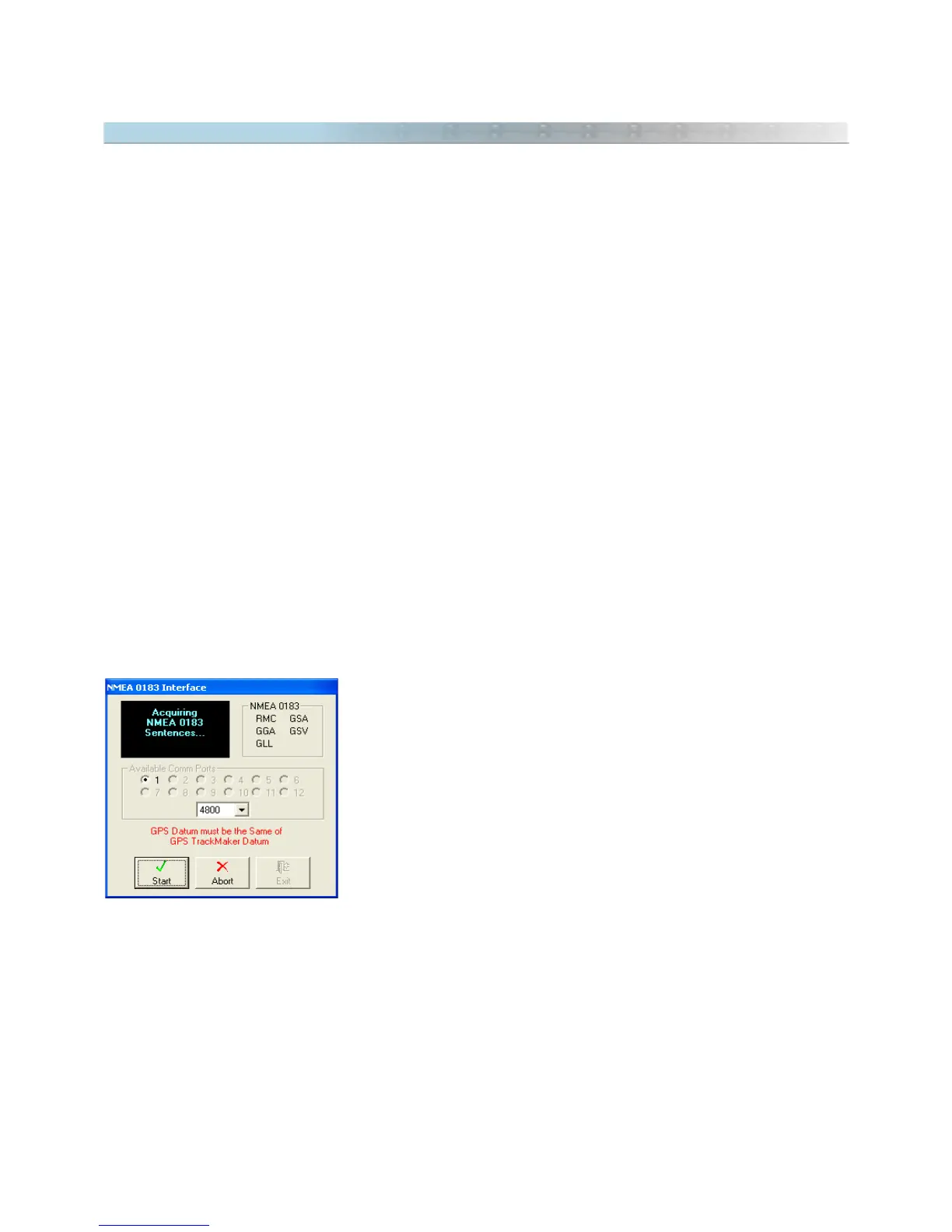
12.4 NMEA0183 Interface
Basic concepts
In 1980, a group of professionals joined to develop a
standard
communication protocol for nautical equipment.
The result was the
National Marine Electronics Association
or simply NMEA0180 standard.
A short time later, in order to accommodate the use of equipment that existed in the market, the NMEA0183
protocol was developed, and it is now used as standard in almost in all GPS equipment.
NMEA 0183 communication protocol is based on sending unidirectional data between the GPS and the computer,
through sentences in ASCII format with specific codes.
Data in the NMEA0183 protocol is continually transmitted. That’s why, when the User enables the GPS to NMEA,
the GPS communication port will constantly transmit NMEA data, precluding any other kind of communication with
the GPS. In Garmin® models, for example, after configuring the communication protocol to NMEA, any other kind
of communication becomes impossible. It means that the User can't download or send Waypoints, Tracklogs and
Routes to the GPS through the
Garmin Interface
window.
NMEA0183 Protocol at GPS TrackMaker®
GPS TrackMaker® uses NMEA0183 protocol only in
Real Time Navigation
(RTN) mode. It means that the User
can't transfer data between the GPS and the Computer if the computer is not in real time navigation mode.
Warning: Before using the NMEA protocol, configure the GPS to
NMEA0183
protocol and select the same baud
rate in GPS and in the program.
Activating the Communication in NMEA Protocol
To activate the NMEA0183 communication protocol, follow these steps:
• Connect the GPS to the computer.
• Configure the GPS to NMEA0183 communication protocol.
• Choose the same Datum for the GPS and for the GPS TrackMaker®
program. This procedure is essential!
• Click on the
NMEA0183 Protocol
option in the
Interface
menu, to open
the communication window.
• Press the
Start
button and wait until the program recognizes the data
patterns.
When the program detects the pattern of sentences, the
Real Time Navigation
mode is automatically enabled.
More information about real time navigation, see Activating Real Time Navigation.
145



 To Next Page