2.10 Importing Shapefiles (ArcView®)
The import of Shapefile (SHP format) files is possible in GPS TrackMaker®. This format is used by Arc/View®
from ESRI™ and other GIS programs.
To import data in SHP format, choose
File > Open File > Arc/View Shapefiles
.
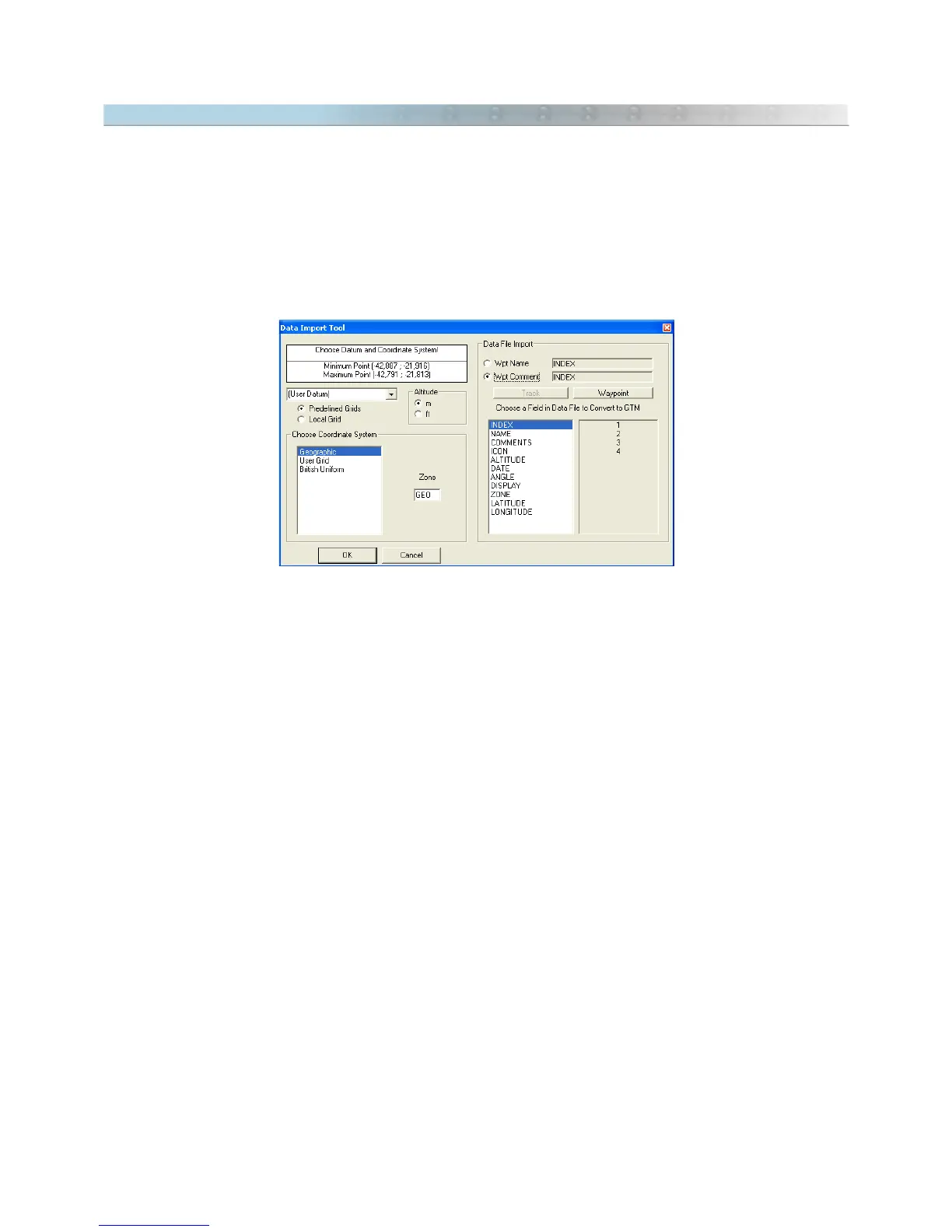
When importing, it is necessary to indicate the datum in which the data is saved. Through the Import Tool, you
can choose the rectangular coordinate system or the starting point for data saved in a metric grid.
Also configure the
Altitude
option to the correct unit. Feet or meters can be chosen.
Each SHP file has a database file in DBF format that can also be read by GPS TrackMaker®. When importing,
the
Import Tool
window will show a specific field for the DBF file, and you can choose which field of the DBF file
will be transferred for Tracklog names, and also, for the Waypoint names, and for the Waypoints comment.
The following shapes are supported:
• Point
• PolyLine
• Polygon
• PointZ
• MultiPoint
• PolyLineZ
• PolygonZ
21



 To Next Page