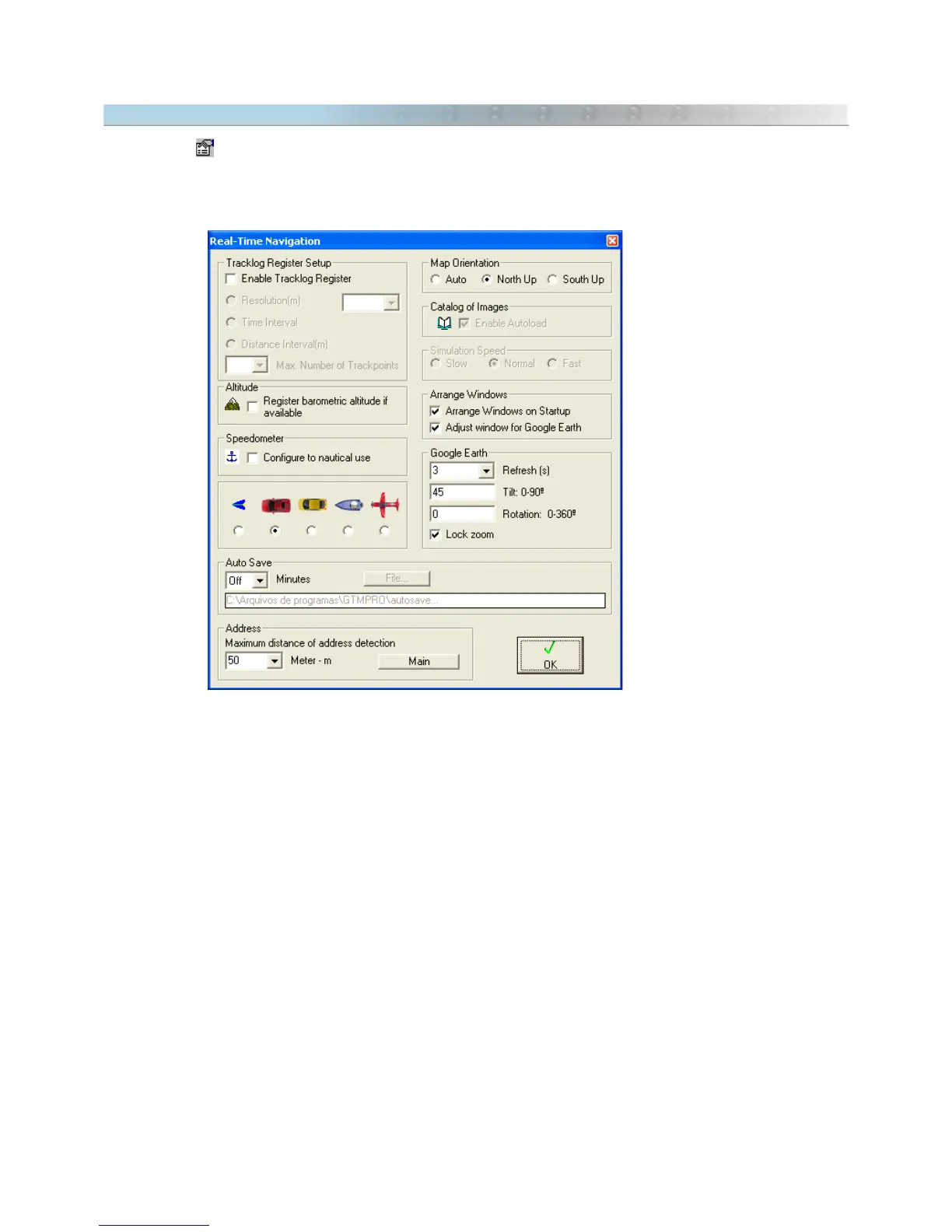
13.3 Configuring Real Time Navigation
Pressing the button, or selecting the
Configure
option in the
NavTools
menu, opens the configuration window
in RTN mode, with the following options:
Tracklog Register
Enable Tracklog Register: Enabling this option, the program starts the Tracklog collection where the ship
passes through.
Resolution: Method of Tracklog collection based on the geometry of the traveled track. The program verifies if
Trackpoints are aligned in the same horizontal plane of the width defined by User, not taking into account the
several straight line segments that present minor deflection. Thus, if Trackpoints are aligned, the program will
register only the first and the last point.
Time Interval: Trackpoints are collected at each time interval defined by User.
Distance Interval: Trackpoints are collected at each distance interval defined by the User.
If the
Full
option was chosen in the selection box, the program will register all Trackpoints sent by the GPS,
independent of the chosen collection method.
Also, choose the Maximum Number of Points (trackpoints) that a Tracklog can have when registered in real-time
navigation. When this number is extrapolated, a new Tracklog is created.
149



 To Next Page