The LCD Panel displays:
• Coordinates: Latitude and longitude in the chosen Coordinate System
• Alt: Altitude in meters or feet, at medium sea level
• EPE: Estimated error of the position, in. The lower this number, the better the accuracy of the geodesic
position indication.
• Speed: Instantaneous speed at that moment. It is indicated in km/h or mi/h.
• Date: Date provided by GPS in
day-month-year
format.
• Hours: Local time in
hours:minutes:seconds
format
• Status: Status Message of Satellites
The Status messages are:
• Simulation!: Indicates that GPS TrackMaker® is in simulation mode
• No data on Serial Port: Indicates that the computer is not receiving data from GPS
• Failed Integrity Check: Problem in data correction
• Invalid or Unavailable: No available satellites
• 2D Navigation: Navigation in two dimensions (without altitude reading)
• 3D Navigation: Navigation in three dimensions
• 3D Diff. Navigation: Navigation in three dimensions in differential mode
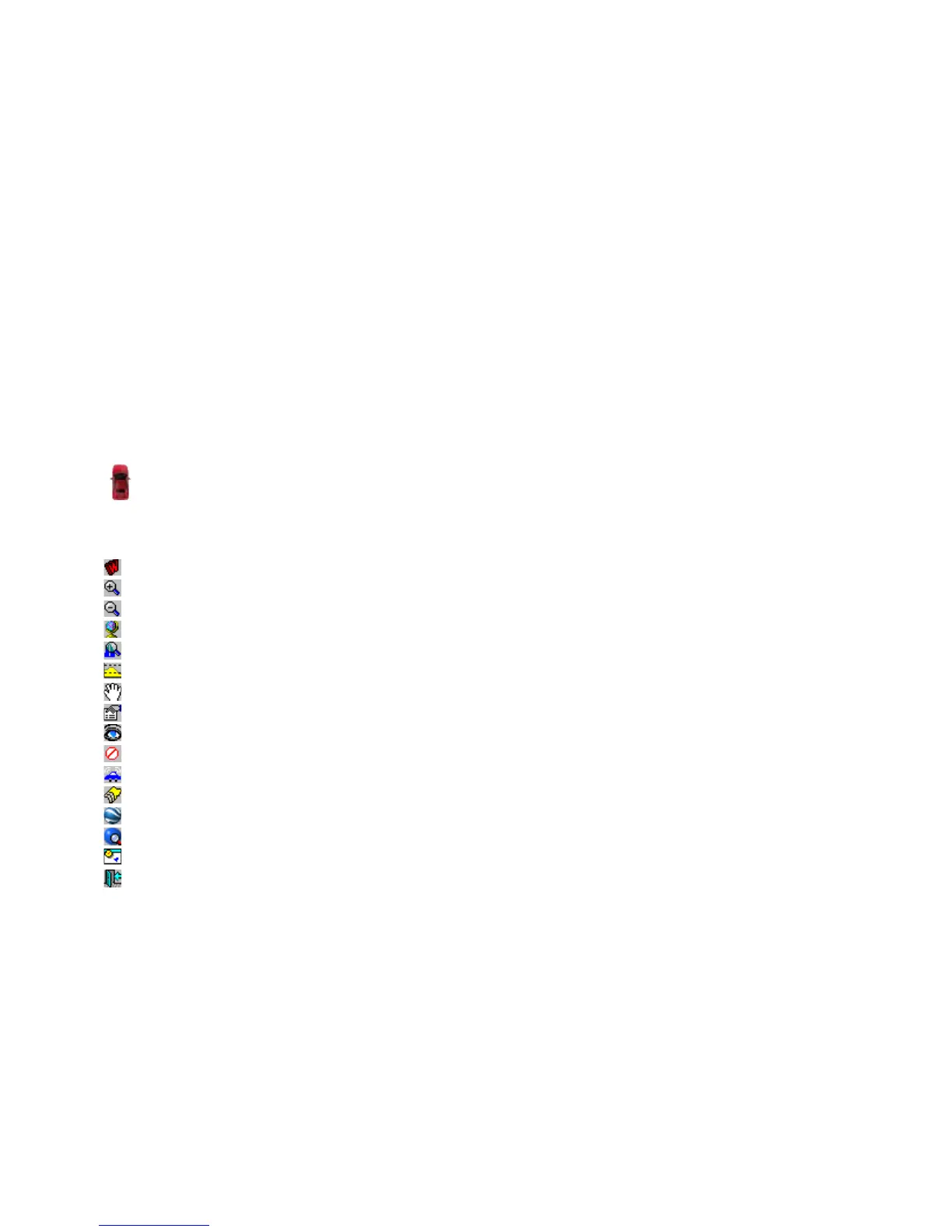
The vehicle will appear in the center of the screen, indicating the current position provided by the GPS.
Buttons available in Navigation Console
– Mark Waypoint
– Zoom in
– Zoom out
– General View
– Zoom in on the ship
– Shows the Altitude Profile in real time
– Automatic or manual drag of the screen
– Configures Real-Time Navigation
– Shows/Hides the instruments
– Aborts communication
– Shows the Remote Tracker Console (Vehicular Tracking)
– Select background map
– Open Maps in Google Earth®
– Open Maps on the Internet
– Arrange Windows
– Exits Real-Time Navigation
Important!
For accurate use of real time navigation it is necessary that the GPS is outdoors, capturing satellites or in
simulation mode. If you want to use real time navigation indoors, it is necessary to enable the
Simulation
mode in
the GPS. For that, see the instruction of the GPS manual.
If the datum setting of GPS TrackMaker® is different from the GPS datum setting, there will be small differences
in the indication of geodesic coordinates in RTN mode. This happens because when receiving the data from the
GPS, the program makes the data conversion to the current datum.
147



 To Next Page