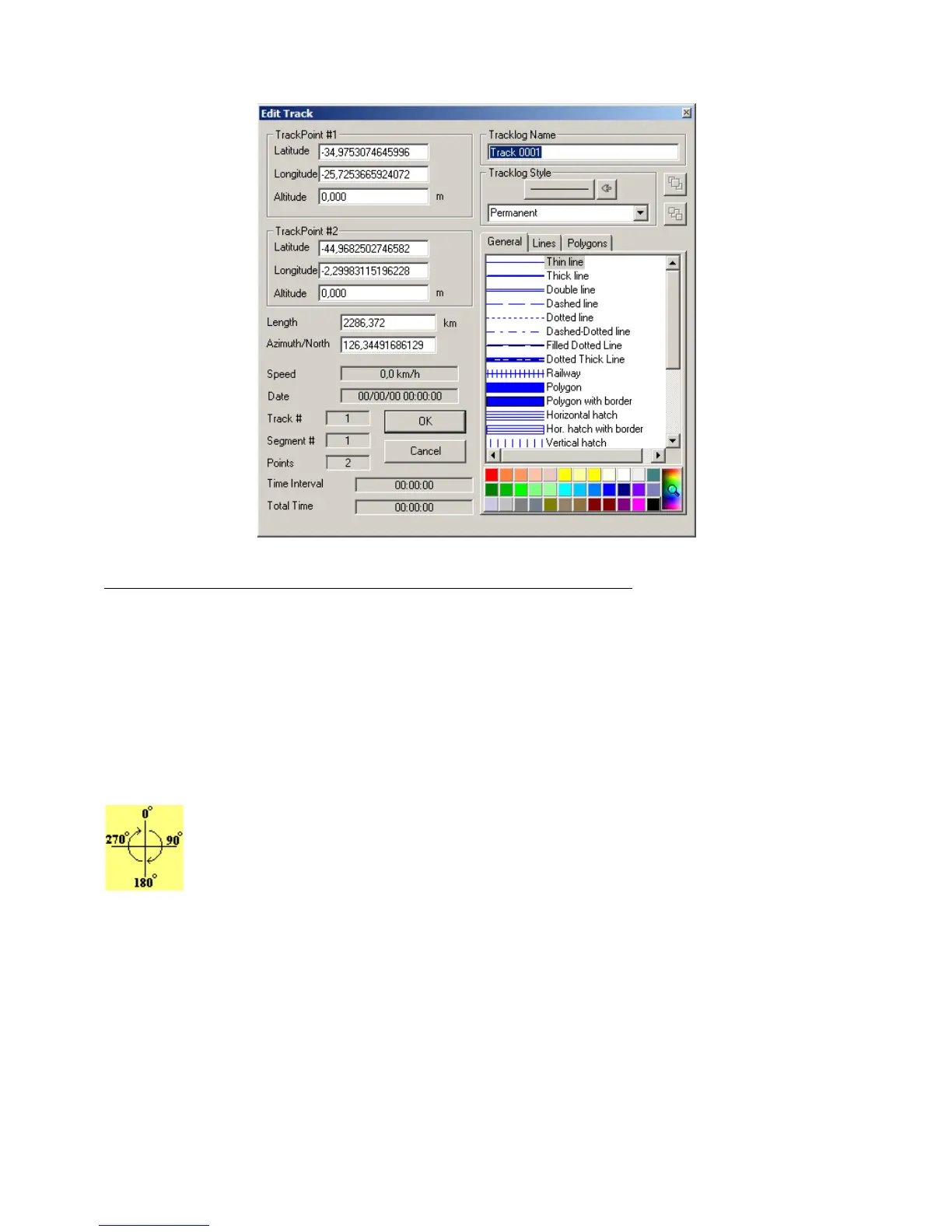
In this window, the following data related to the track can be changed:
• Geodesic coordinates (latitude/longitude) of the segment points
To change the coordinates, verify the Coordinate System, defined under
Options
, in the
Tools
menu.
• Length of the segment
Changing the length causes the change of the geodesic coordinates of the second point of the Tracklog
segment, which is done automatically by the program. Verify the Length Unit of Measurement defined under
Options
in the
Tools
menu.
• Azimuth of the segment (Bearing)
The azimuth must be between 0º and 360º (as shown). The reference will be the true axis North-
South when the program is configured for geographic coordinates (Azimuth/North). In rectangular
systems such as UTM systems, if the segment is contained in only one zone, the reference will be the
north-south axis of the grid (Azimuth/Grid). A change of the angle will necessarily imply the
modification of the geodesic coordinates of the second point of the segment
To change the notation of the azimuth, see Configuring Azimuth Angle.
• Tracklog Name
Each Tracklog can have a name for identification or a small text that individualizes it. This name or text can be
searched through dialog box
Tracks and Routes
located in Tool Bar 2.
41



 To Next Page