FC4200-UM-251-03-9370 18
REPLACEMENT PROCEDURES
6.8 Removing the Operation Panel
Remove the two screws securing the Corner Cover 50L (left side) at the corner on the operation side
(M3L10 tapping screw and M4L8 binding head screw, one pc. each), followed by Corner Cover 50L.
Remove the four M3L6 binding head screws securing the Operation Panel, followed by the Operation
Panel.
To replace the Operation Panel, reverse the above procedure.
6.9 Removing the Operation Tray
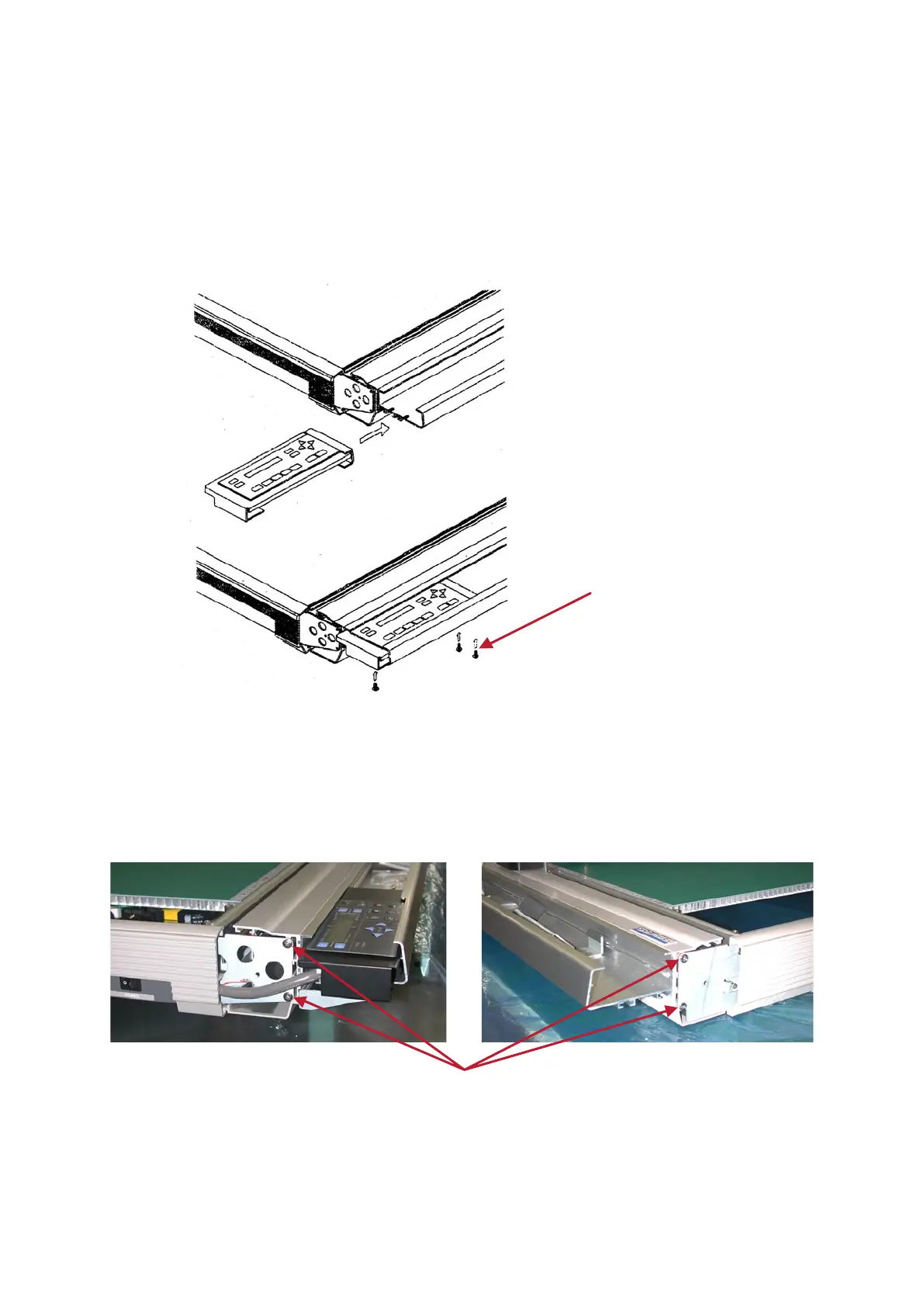
Remove the two screws securing the Corner Cover 50L (left side) at the corner on the operation side
(M3L10 tapping screw and M4L8 binding head screw, one pc. each), followed by Corner Cover 50L.
Remove the seven screws securing the Operation Tray (2 x 2 screws on the corner cover side and three
TP screws at the bottom), followed by the Operation Tray.
To replace the Operation Tray, reverse the above procedure.









 To Next Page