2 – 3
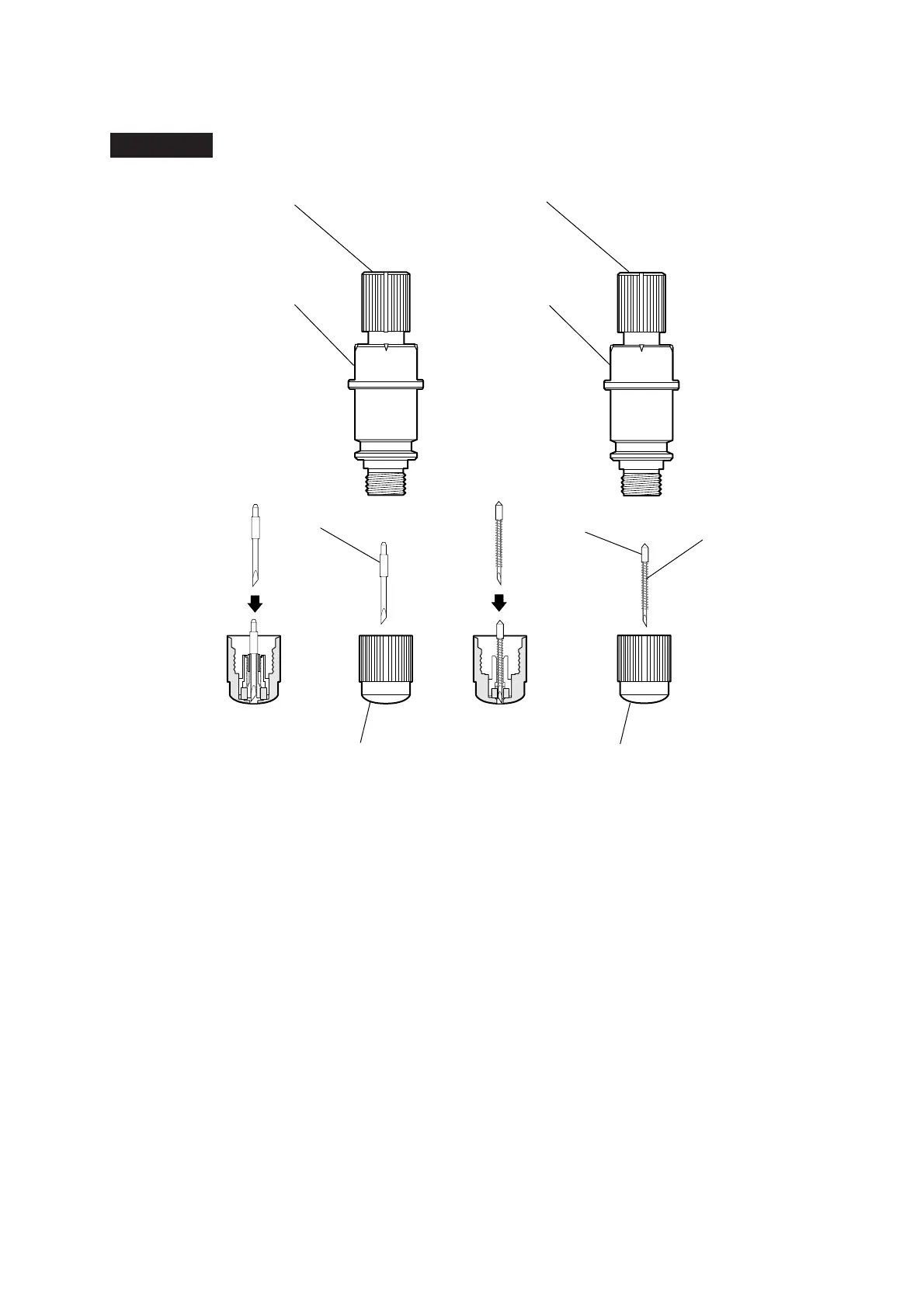
1.5-mm
cutter blade
0.9-mm
cutter blade
Plunger cap for 1.5-mm blade Plunger cap for
0.9-mm blade
Blade length adjustment dial (red) Blade length adjustment dial (blue)
Plunger
(for 1.5-mm blade)
φ
Plunger
(for
0.9-mm blade)
φ
φ
φφ
φ
Spring
2.3 Replacing a Cutter Blade
Procedure
(1) Turn the blade length adjustment dial to retract the blade inside the plunger.
(2) Turn the plunger cap in the counter-clockwise direction to unscrew it from the plunger.
(3) Remove the blade inside the plunger cap.
(4) Take a new blade and insert it into the opening in the plunger cap.
(5) With the blade inserted into the plunger cap, attach the plunger from above.









 To Next Page