6 – 9
FORCE
SPEED
OFFSET
QUALITY
F1 F3
F4
F2
MARK PEN U/D
CLEAR SELECT PEN
FORCE
SPEED
OFFSET
QUALITY
F1 F3
F4
F2
INTERFACE FUNCTION
FILM PEN WIDTH
FORCE
SPEED
OFFSET
QUALITY
F1 F3
F4
F2
ROTATE MIRROR
THICK SORT
FORCE
SPEED
OFFSET
QUALITY
F1 F3
F4
F2
PEN SORT = OFF
6.6 Specifying the Pen SORT Function
When the SORT setting is 1, the plotter stores the plotting data in its buffer memory then performs pen
sorting to minimize the number of pen changes required during plotting. When the SORT setting is 2, the
plotter performs pen sorting, plots the plotting data, and then performs cutting using the cutter pen last.
Since the PEN SORT process accumulates data in the buffer memory before pen sorting can be done,
cutting is not initiated immediately.
Setting Procedure
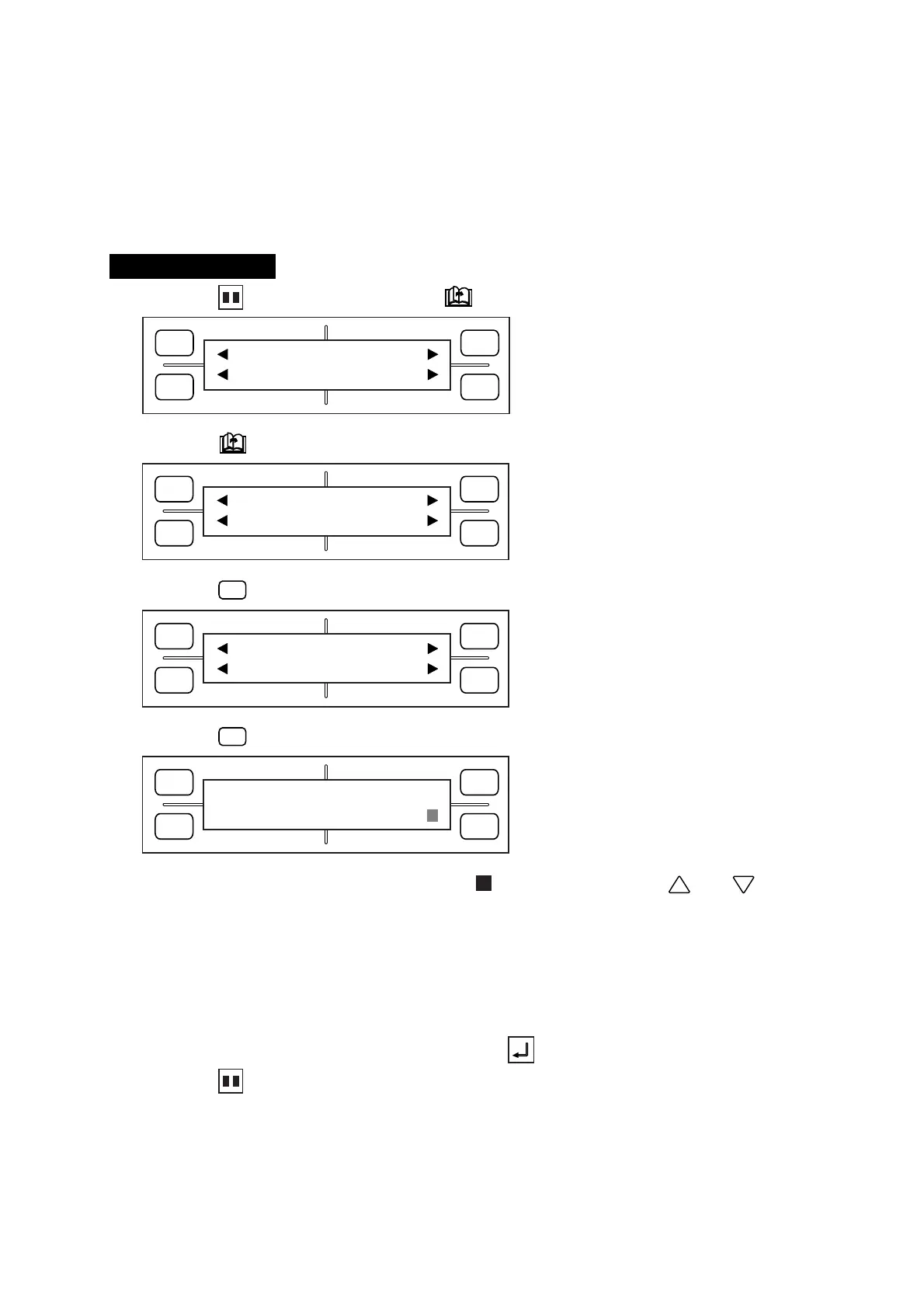
(1) Press the PAUSE key, then press the NEXT PAGE key until the menu below appears.
(2) Press the NEXT PAGE key until the menu below appears.
(3) Press the
F3
(FUNCTION) key to display the menu below.
(4) Press the
F4
(SORT) key to display the menu below.
(5) The currently selected setting is indicated by the blinking cursor. Use the and POSITION
keys to set the SORT setting to OFF, 1, or 2.
OFF : Disables the PEN SORT function.
1:By grouping all data plotted by the same pen within the data received, the number of pen changes
is minimized to shorten the time required for pen change operations.
2:After the pen sorting and plotting operations of the PEN SORT 1 setting, the plotter finishes by
performing a cutting operation using only the cutting conditions specified for a cutter pen.
(6) When the displayed setting is satisfactory, press the ENTER key to register your setting.
(7) Press the PAUSE key to return the plotter to READY status.









 To Next Page