7 – 6
7.6 Setting the DISTANCE ADJUST Values
The DISTANCE ADJUST function is used to correct any deviation in the length of line segments during
cutting or plotting. The corrective values are input as a percentage of the actual distance of cutting or
plotting. For example, when the X= parameter is set to 0.05%, the cutting distance in the X-axis direction
will be increased by 0.05%. For a 500-mm cutting distance, therefore, the resulting distance is increased
by 0.25 mm (500 × 0.05 = 0.25 mm) to 500.25 mm.
Setting Procedure
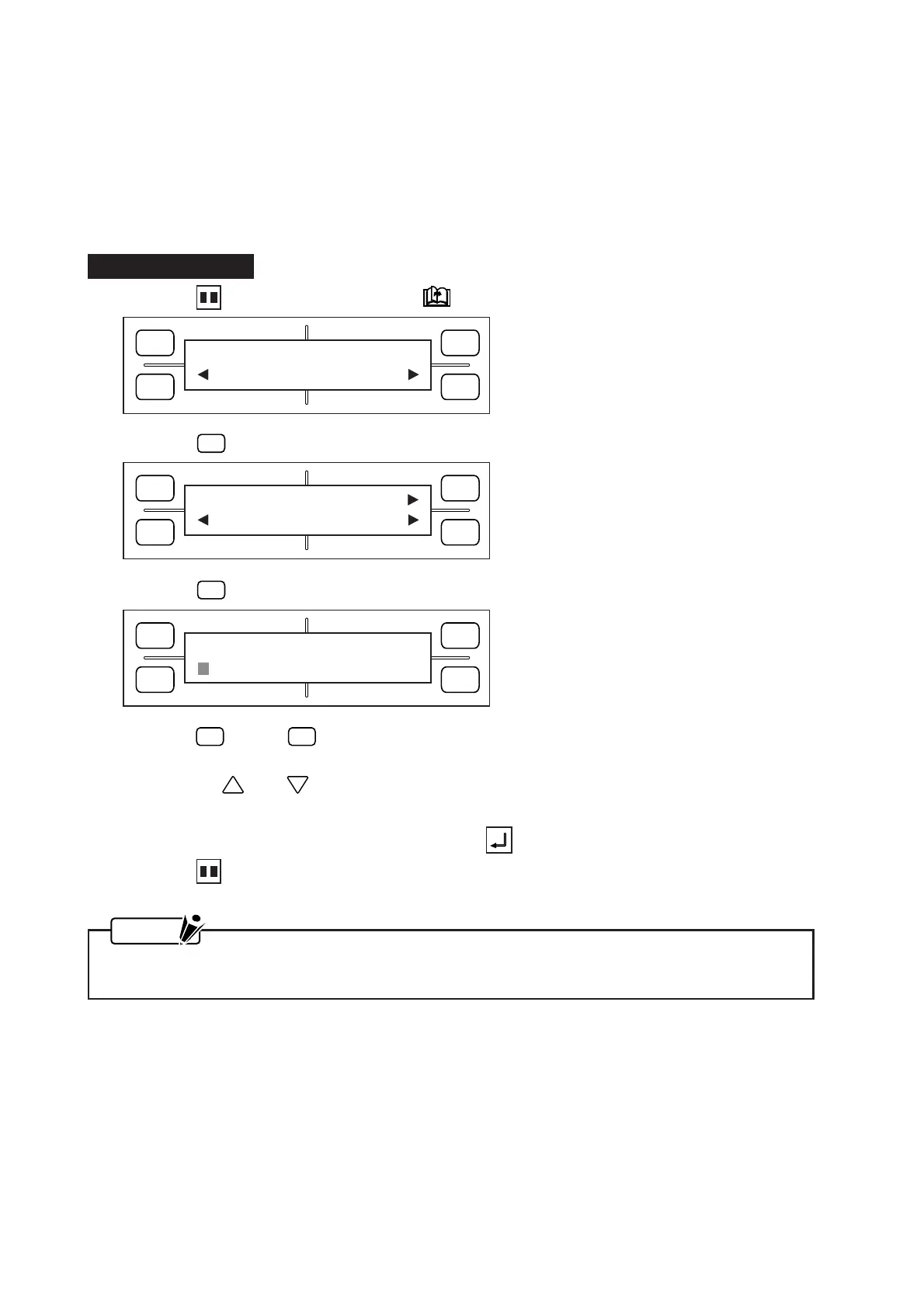
(1) Press the PAUSE key, then press the NEXT PAGE key until the menu below appears.
(2) Press the
F4
(OPTION 2) key to display the menu below.
(3) Press the
F3
(DISTANCE ADJ) key to display the menu below.
(4) Press the
F2
(X=) or
F4
(Y=) key to move the blinking cursor and select the coordinate axis to be
adjusted.
Next, use the and POSITION keys to specify a corrective value from -0.25% to +0.25%.
Repeat the above process for the other parameter, if necessary.
(5) When the displayed setting is satisfactory, press the ENTER key to register your setting.
(6) Press the PAUSE key to return the plotter to READY status.
NOTE
Your DISTANCE ADJUST settings will be retained in the plotter’s RAM even while the plotter is
turned off.
FORCE
SPEED
OFFSET
QUALITY
F1 F3
F4
F2
OPTION1 OPTION2
FORCE
SPEED
OFFSET
QUALITY
F1 F3
F4
F2
DIST ADJ
L UNIT TEST
FORCE
SPEED
OFFSET
QUALITY
F1 F3
F4
F2
DISTANCE ADJUST
X= 0.00% Y= 0.00%









 To Next Page