7 – 1
FORCE
SPEED
OFFSET
QUALITY
F1 F3
F4
F2
OPTION1 OPTION2
FORCE
SPEED
OFFSET
QUALITY
F1 F3
F4
F2
UP SPEED OFST ANG
OFST FCE STP PASS
7. USING THE OPTIONAL FUNCTIONS
This chapter describes how to use the optional functions which are accessed by selecting OPTION1 or
OPTION2.
7.1 Setting the PEN UP SPEED
The PEN UP SPEED function allows you to specify how fast the pen travels while it is raised (in PEN UP
status). To cut a medium that is difficult to cut (because it is too stiff or too limp), you must decrease the
travelling speed of the lowered pen by setting the SPEED parameter. By increasing the pen’s travelling
speed in PEN UP status, however, you can shorten the overall cutting time.
Setting Procedure
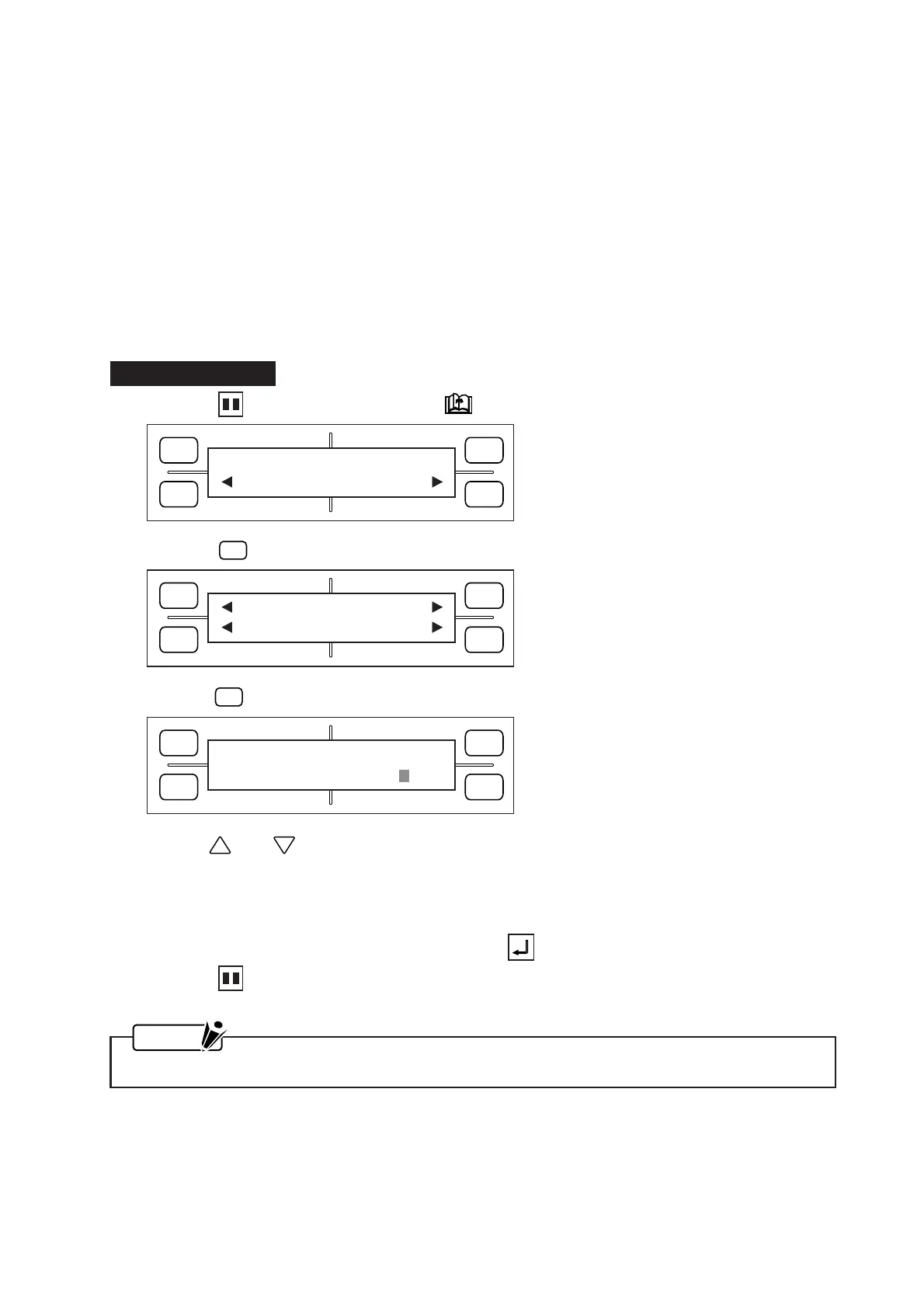
(1) Press the PAUSE key, then press the NEXT PAGE key until the menu below appears.
(2) Press the
F2
(OPTION 1) key to display the menu below.
(3) Press the
F1
(UP SPEED) key to display the menu below.
(4) Use the and POSITION keys to change the PEN UP SPEED setting, which can be specified
as AUTO, 10, 20, 30, or 60. When AUTO is selected, the pen’s traveling speed in raised status be-
comes the same as its traveling speed in lowered status (that is, the PEN UP SPEED setting equals the
SPEED setting).
(5) When the displayed setting is satisfactory, press the ENTER key to register your setting.
(6) Press the PAUSE key to return the plotter to READY status.
NOTE
Your PEN UP SPEED setting will be retained in the plotter’s RAM even while the plotter is turned off.
FORCE
SPEED
OFFSET
QUALITY
F1 F3
F4
F2
PEN UP SPEED
SPEED = AUTO









 To Next Page