3 – 4
3.3 Connecting Your Plotter to a Computer
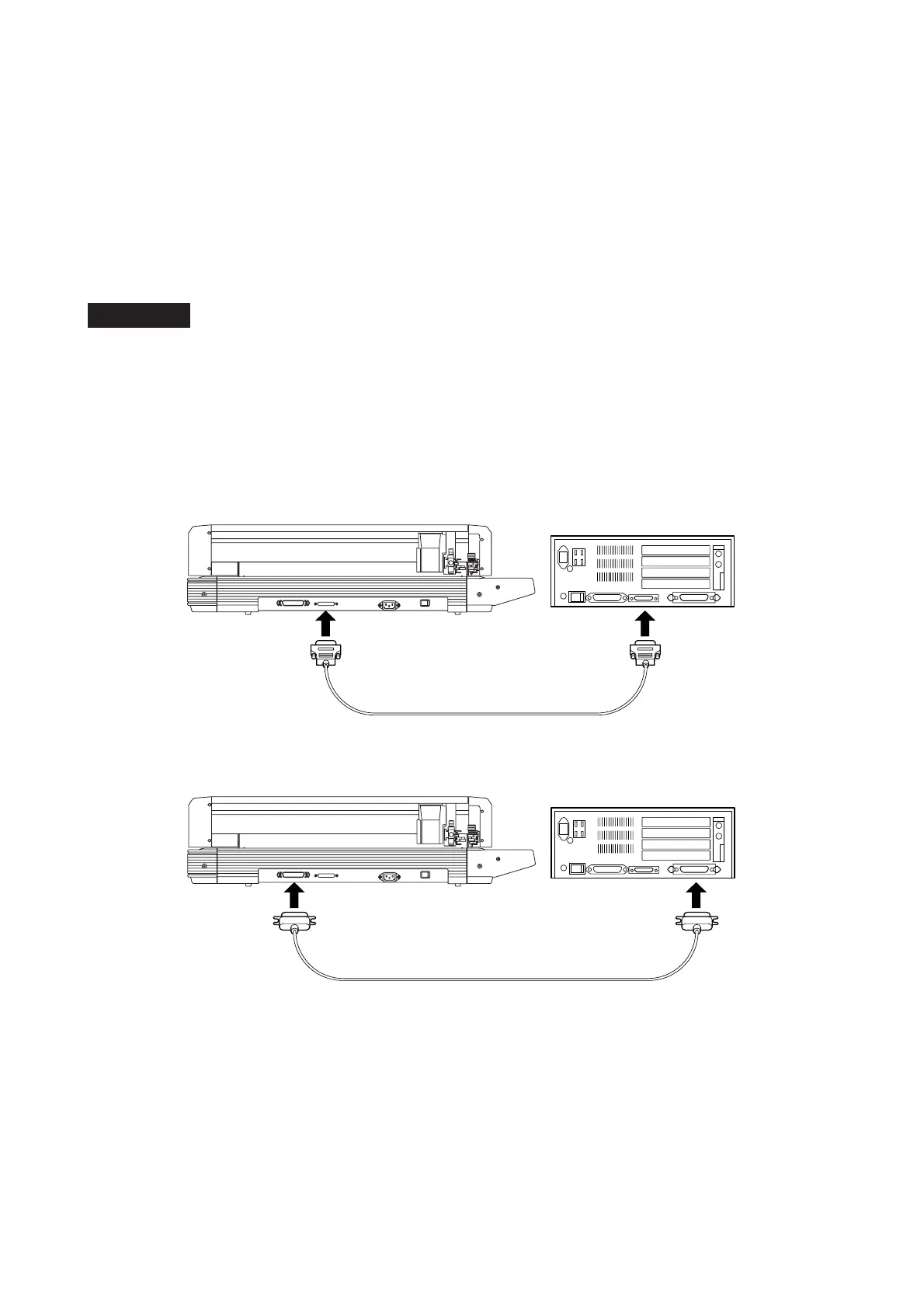
Your plotter is connected to a computer using an interface cable. This connection can be made by connect-
ing the cable either to the computer’s printer (Centronics-compatible parallel) port or to its serial (RS-232C)
port. Select the port to be used in accordance with the specifications of the application software being
used and the available communications port(s) of your computer.
Depending on the port used, connect the plotter using either a Centronics-compatible cable or an RS-232C
serial cable. Obtain the Graphtec-designated interface cable (sold separately) that is compatible with the
computer model to be connected to the plotter.
Procedure
(1) Make sure that the plotter’s Power switch is turned off (the switch’s “O” side should be pressed down).
Also check that the computer is turned off.
(2) Connect one end of the interface cable to the plotter’s interface connector and its other end to the
computer’s port. The cable’s connectors are designed to be connected in a specific orientation, so be
sure that each of the cable’s connectors is correctly inserted into its corresponding connector on the
plotter and on the computer.
Connection via the RS-232C Serial Interface
Connection via the Centronics-Compatible Parallel Interface









 To Next Page