6 – 7
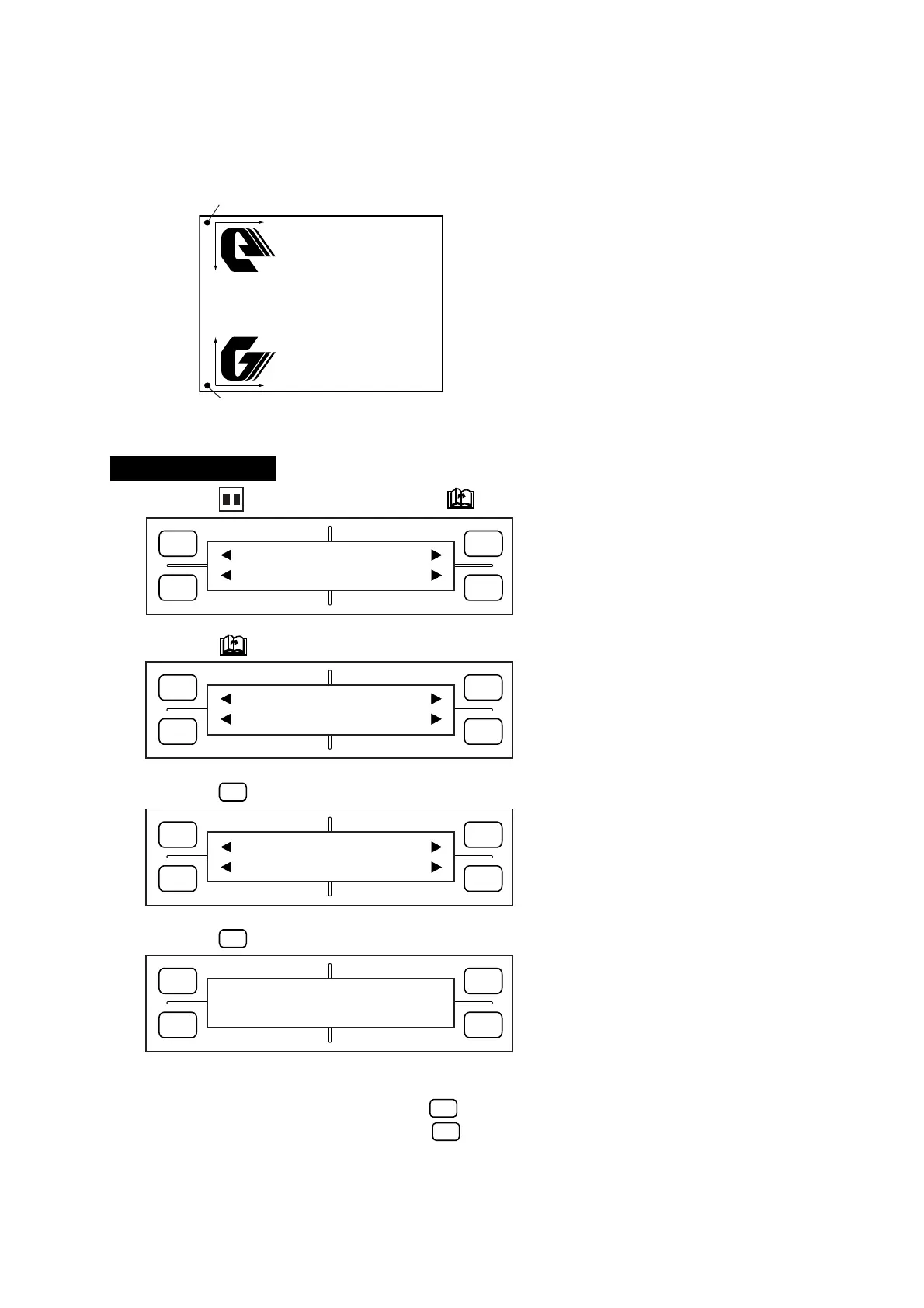
New origin
Reversed coordinate system
When MIRROR mode is ON
Original coordinate system
When MIRROR mode is OFF
Original origin
Y
X
X
Y
FORCE
SPEED
OFFSET
QUALITY
F1 F3
F4
F2
MARK PEN U/D
CLEAR SELECT PEN
FORCE
SPEED
OFFSET
QUALITY
F1 F3
F4
F2
INTERFACE FUNCTION
FILM PEN WIDTH
FORCE
SPEED
OFFSET
QUALITY
F1 F3
F4
F2
ROTATE MIRROR
THICK SORT
FORCE
SPEED
OFFSET
QUALITY
F1 F3
F4
F2
MIRROR
ON OFF
*
6.5 Enabling the MIRROR Mode to Produce a Mirror Image
The MIRROR function selects the ON/OFF status of the MIRROR mode. Set the MIRROR mode to ON in
order to reverse the coordinate system as shown in the example below.
Setting Procedure
(1) Press the PAUSE key, then press the NEXT PAGE key until the menu below appears.
(2) Press the NEXT PAGE key until the menu below appears.
(3) Press the
F3
(FUNCTION) key to display the menu below.
(4) Press the
F3
(MIRROR) key to display the menu below.
(5) The currently selected setting is indicated by the asterisk (
*
) symbol.
To enable the MIRROR mode, press the
F2
(ON) key.
To disable the MIRROR mode, press the
F4
(OFF) key.









 To Next Page