3 – 5
3.4 Turning on the Plotter and Initialization
(1) Make sure that the plotter is turned off ( the “
O
” side of the POWER switch is depressed).
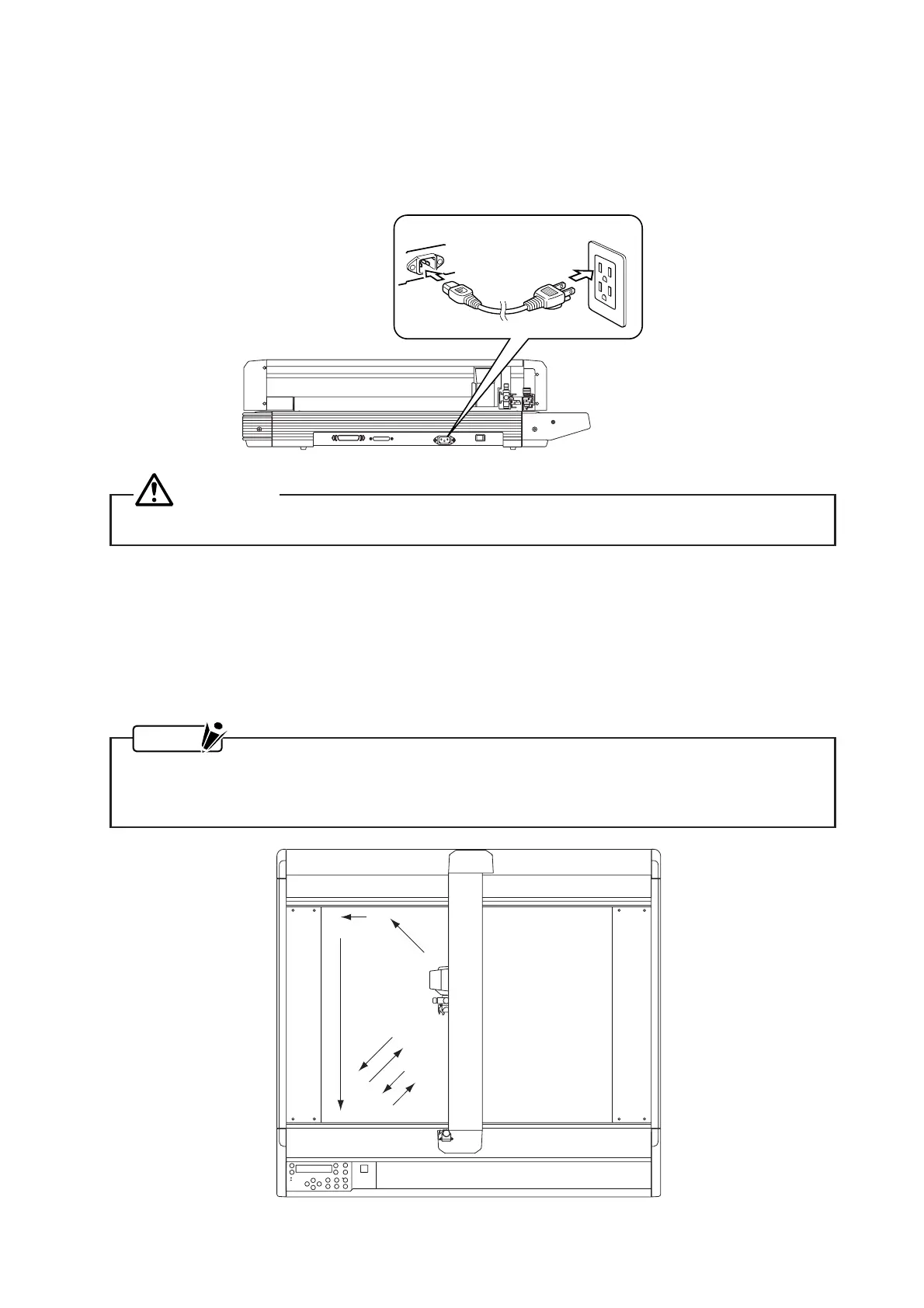
(2) Connect one end of the power cord provided to an electrical socket of the rated supply voltage then
connect the other end to the plotter’s AC line inlet.
WARNING
Be sure that the plotter is grounded.
(3) After checking that both ends of the plotter’s power cord are securely connected, turn on the plotter by
pressing the “|” side of the POWER switch.
(4) The control panel’s POWER lamp (green) lights and a memory check is performed.
(5) The Y bar and pen carriage move in the sequence shown in the figure below.
(6) When the pen carriage stops at the origin point, the plotter is initialized. You are now ready to load the
cutting or plotting medium.
NOTE
After the pen carriage returns to the origin point in step 3, it moves out at a 45° angle and then
returns to the origin point twice in steps 4 through 7. This is to detect the friction coefficients of the
plotter mechanisms.









 To Next Page