6 – 22
6.10 Specifying the Registration MARK SIZE
The MARK SIZE function lets you specify the size of registration marks for a medium that is pre-printed
with registration marks or other markings.
Setting Procedure
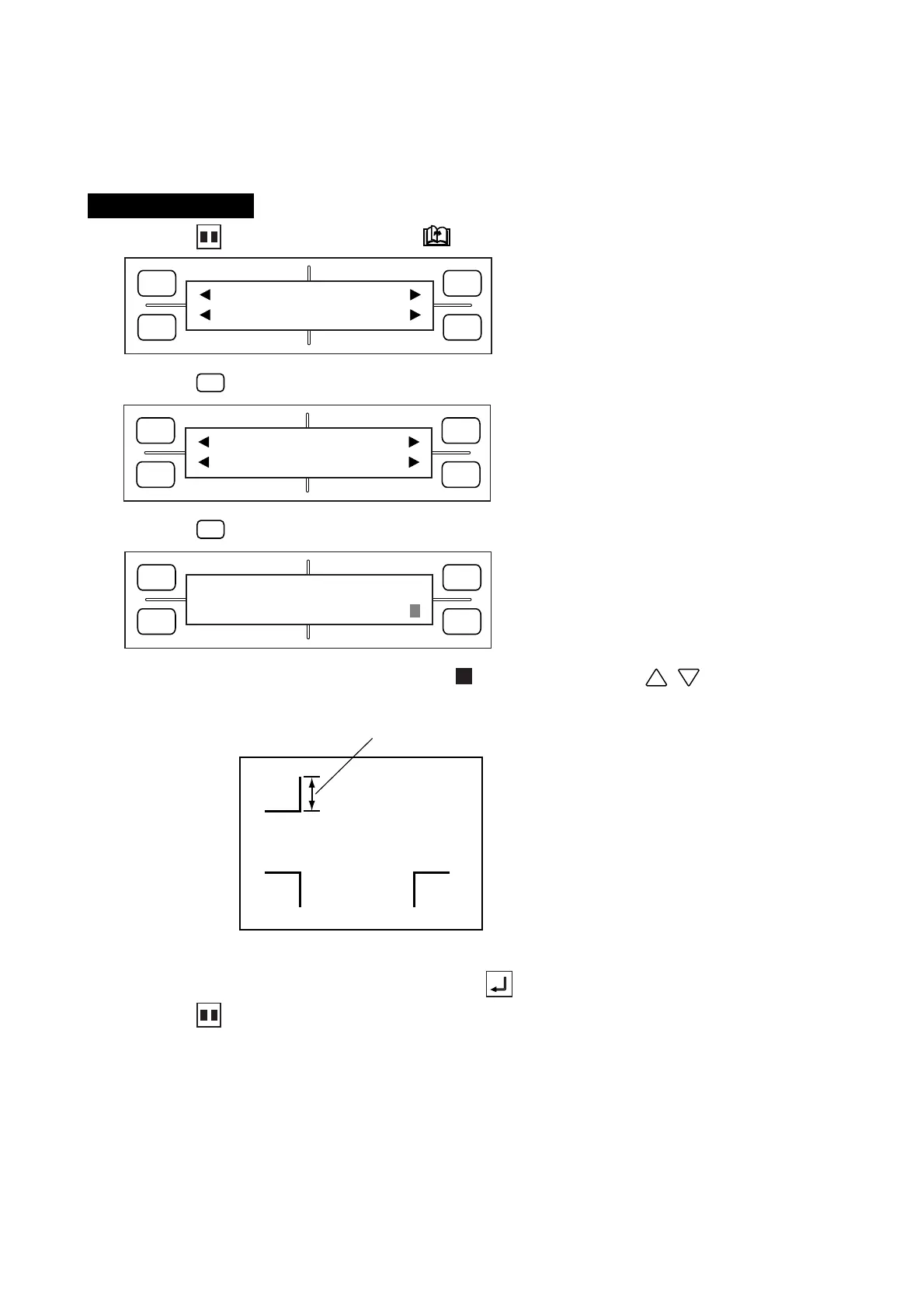
(1) Press the PAUSE key, then press the NEXT PAGE key until the menu below appears.
(2) Press the
F1
(MARK) key to display the menu below.
(3) Press the
F3
(SIZE) key to display the menu below.
(4) The currently selected setting is indicated by the blinking cursor. Use the , POSITION keys
to change the MARK SIZE setting in a range from 5 to 20 (mm).
(5) When the displayed setting is satisfactory, press the ENTER key to register your setting.
(6) Press the PAUSE key to return the plotter to READY status.
Input this distance
FORCE
SPEED
OFFSET
QUALITY
F1 F3
F4
F2
MARK PEN U/D
CLEAR SELECT PEN
FORCE
SPEED
OFFSET
QUALITY
F1 F3
F4
F2
MODE MARK SIZE
TYPE EXPAND
FORCE
SPEED
OFFSET
QUALITY
F1 F3
F4
F2
MARK SIZE
15









 To Next Page