5 – 5
5.3 Specifying the Corrective Values for the Pen Width
The PEN WIDTH (Interval between pens) function lets you correct any deviation between the initial
cutting/plotting position of the cutter pen and plotting pen.
CAUTION
To use this function, you must first specify PEN No. 1 for COND No. 1 and PEN No. 2 for COND No.
2. (For more information, see Section 5.6, “Specifying the Pen Conditions.”). Unless these PEN
Nos. 1 and 2 have been respectively specified for COND Nos. 1 and 2, a prompt will appear that
instructs you to do so. Mount a ballpoint pen in both Pen holder 1 and Pen holder 2.
Setting Procedure
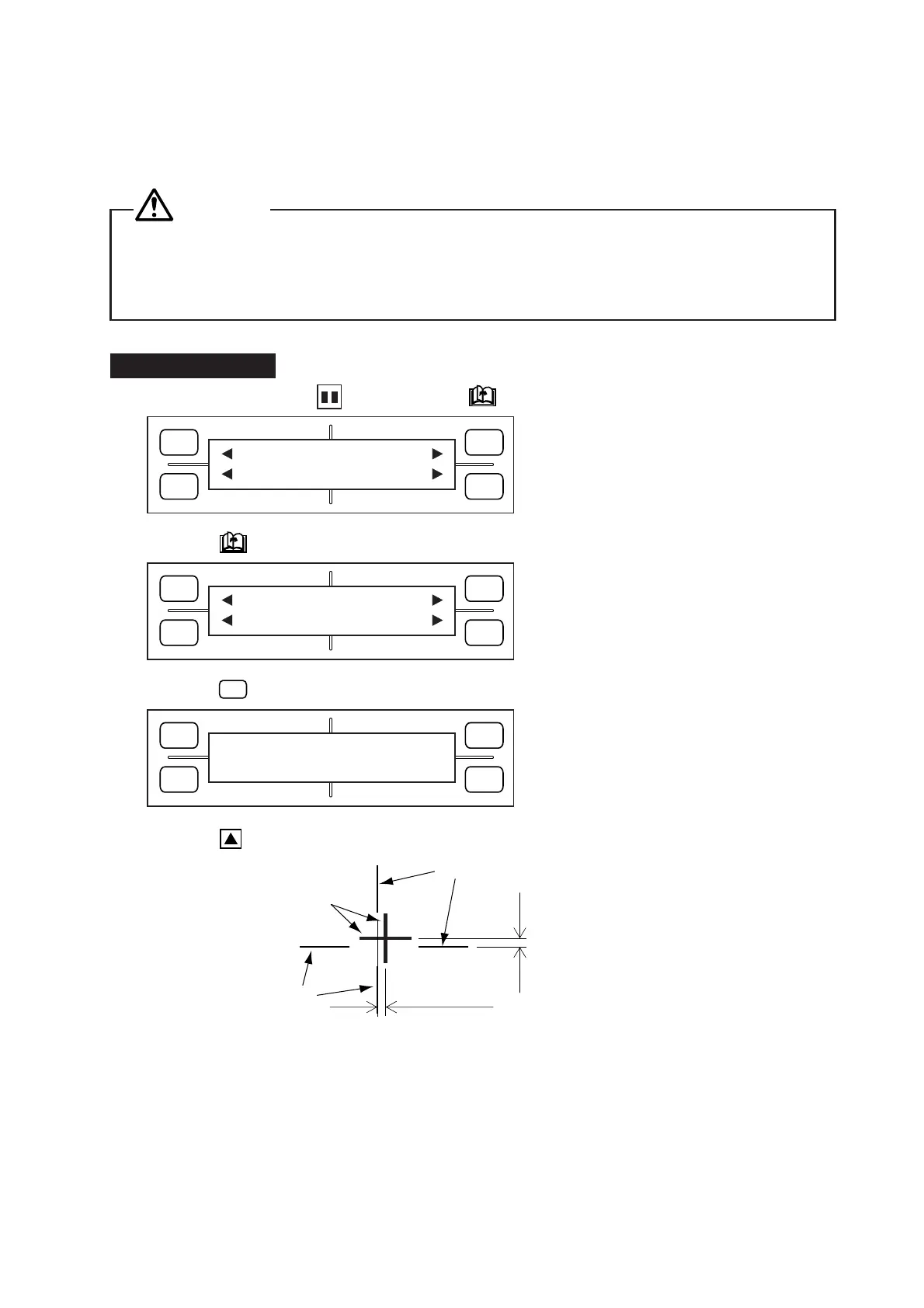
(1) Consecutively press the PAUSE key and NEXT PAGE key to display the menu below.
(2) Press the NEXT PAGE key to display the menu below.
(3) Press the
F4
(PEN WIDTH) key to display the menu below.
(4) Press the TEST key to initiate plotting of the figure shown below.
(5) Using the lines drawn by Pen No. 2 in Pen holder 2 as reference, adjust the deviation in the lines
drawn by Pen No. 1 in Pen holder 1.
X-axis deviation
Y-axis deviation
Lines by Pen No.1
Lines by Pen No.1
Lines by Pen No. 2
FORCE
SPEED
OFFSET
QUALITY
F1 F3
F4
F2
MARK PEN U/D
CLEAR SELECT PEN
FORCE
SPEED
OFFSET
QUALITY
F1 F3
F4
F2
INTERFACE FUNCTION
FILM PEN WIDTH
FORCE
SPEED
OFFSET
QUALITY
F1 F3
F4
F2
PEN WIDTH
X= 0 Y= 0









 To Next Page