7 – 2
7.2 Setting the Cutter Blade’s OFFSET FORCE
Upon receiving cutting data, the plotter analyzes the data then performs “initial blade control” to control the
orientation of the cutter blade’s tip according to the initial angle of rotation required by each line segment
defined in the data sent from the computer.
During initial blade control, the plotter cuts the medium for a short distance and then rotates the cutter
blade’s tip. Since you cannot foresee the direction in which the blade’s tip will be facing, the OFFSET
FORCE function lets you specify the cutting pressure applied by the cutter blade during initial blade control
to a lower level than usual, thus enabling you to separately specify the cutter’s offset force. Moreover, your
OFFSET FORCE setting can also be used as the cutting force for initial blade control in THICK MODE.
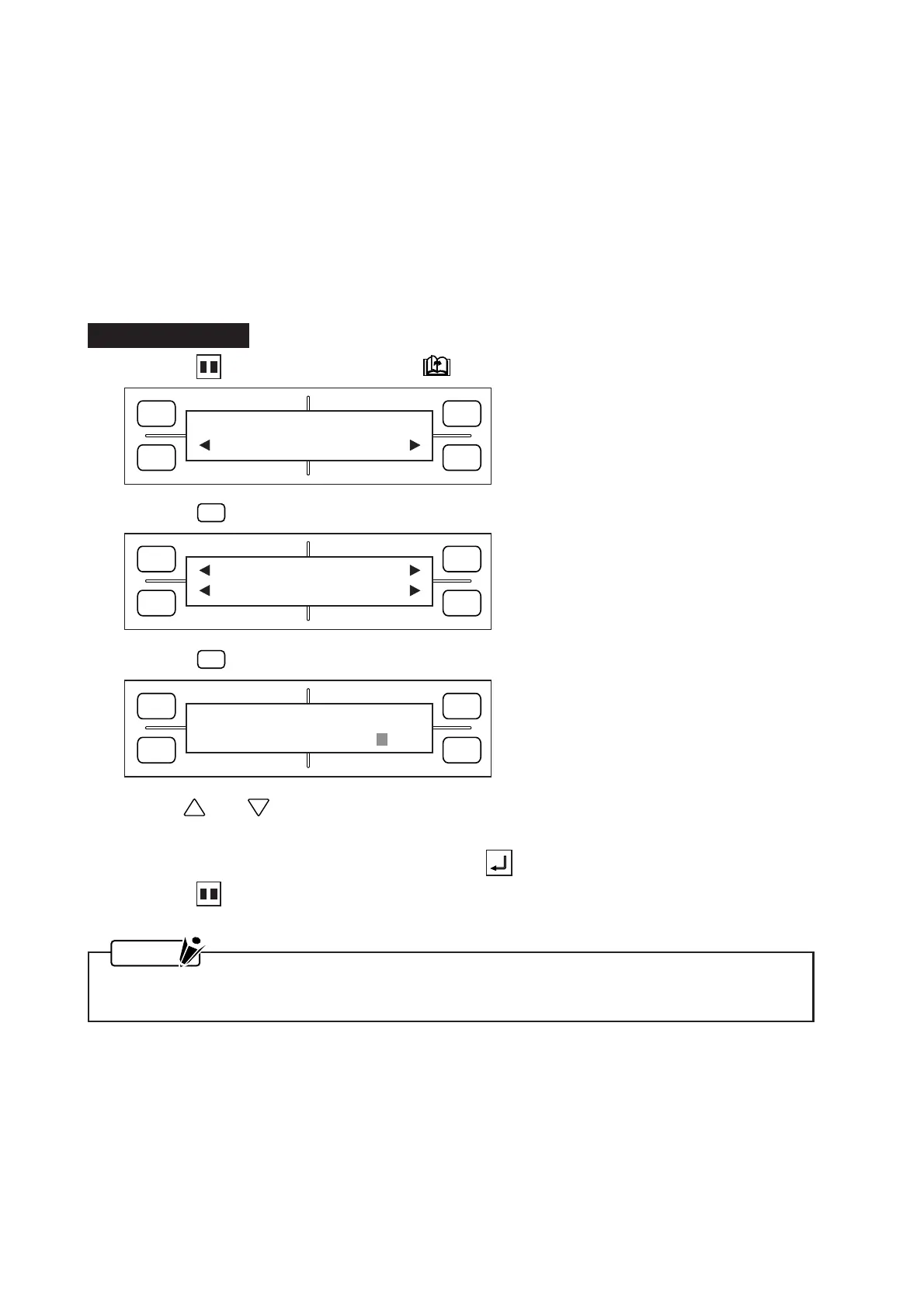
Setting Procedure
(1) Press the PAUSE key, then press the NEXT PAGE key until the menu below appears.
(2) Press the
F2
(OPTION 1) key to display the menu below.
(3) Press the
F2
(OFFSET FORCE) key to display the menu below.
(4) Use the and POSITION keys to change the OFFSET FORCE setting, which can be specified
as any whole number from 1 to 48.
(5) When the displayed setting is satisfactory, press the ENTER key to register your setting.
(6) Press the PAUSE key to return the plotter to READY status.
NOTE
Your OFFSET FORCE setting will be retained in the plotter’s RAM even while the plotter is turned
off.
FORCE
SPEED
OFFSET
QUALITY
F1 F3
F4
F2
OPTION1 OPTION2
FORCE
SPEED
OFFSET
QUALITY
F1 F3
F4
F2
UP SPEED OFST ANG
OFST FCE STP PASS
FORCE
SPEED
OFFSET
QUALITY
F1 F3
F4
F2
OFFSET FORCE
FORCE = 4









 To Next Page