6 – 26
X
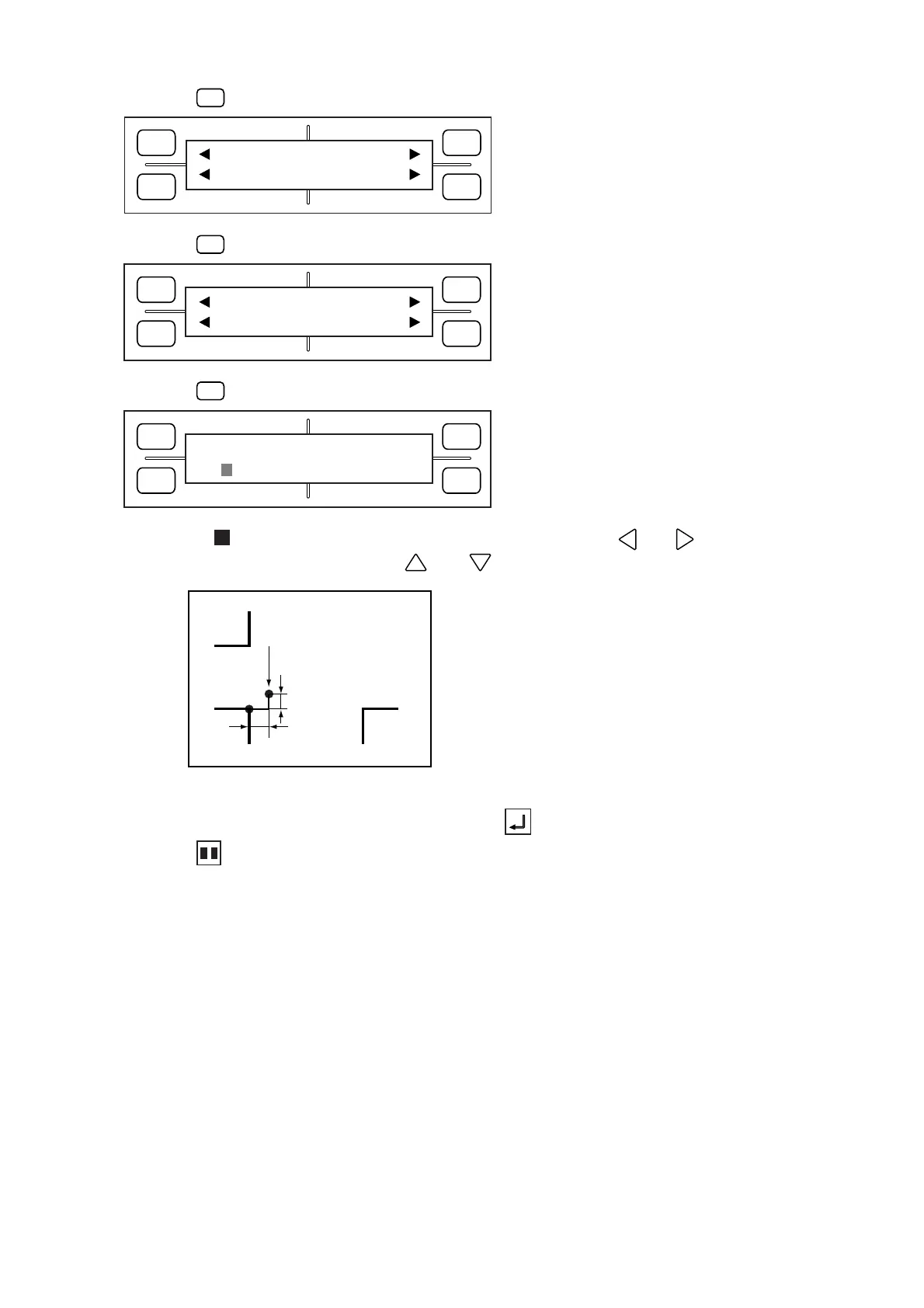
Desired origin position
Y
(2) Press the
F1
(MARK) key to display the menu below.
(3) Press the
F4
(EXPAND) key to display the menu below.
(4) Press the
F3
(OFFSET) key to display the menu below.
(5) To move the blinking cursor to the coordinate to be adjusted, use the and POSITION keys.
To change the coordinate value, use the and POSITION keys.
(6) When the displayed settings are satisfactory, press the ENTER key to register your settings.
(7) Press the PAUSE key to return the plotter to READY status.
FORCE
SPEED
OFFSET
QUALITY
F1 F3
F4
F2
DIST ADJ. OFFSET
ADJ.SENS ADJ.SENS+
FORCE
SPEED
OFFSET
QUALITY
F1 F3
F4
F2
OFFSET (mm)
X=
0000.0 Y= 0000.0
FORCE
SPEED
OFFSET
QUALITY
F1 F3
F4
F2
MODE MARK SIZE
TYPE EXPAND









 To Next Page