- 100 -
OUTPUTS
Each one of the eight outputs (OUT1 – OUT8) can be associated with an event such as an operating state, an EOS
command or a CPS alarm condition. It is also possible to configure the relay's operating logic and if necessary set up a
delay in reporting the event.
The outputs can be configured using the CPS configuration software (see“Configuration”).
Refer to the CPS configuration software to find out which events can be associated with the outputs.
Maximum values for each output
REMOTE ON: When the contact is closed for at least 3 seconds, the CPS is switched on.
REMOTE OFF: When the contact is closed, the CPS is instantly switched off.
CONFIGURABLE INPUT: use the CPS configuration software to select the function to associate
with IN3 (default: REMOTE BYPASS)
Auxiliary contact for manual bypass (for the management of an auxiliary contact on a remote
bypass where fitted).
The auxiliary contact must be anticipated and normally open.
The transition takes place regardless of the status of the bypass line and the
synchronisation of the inverter/bypass output.
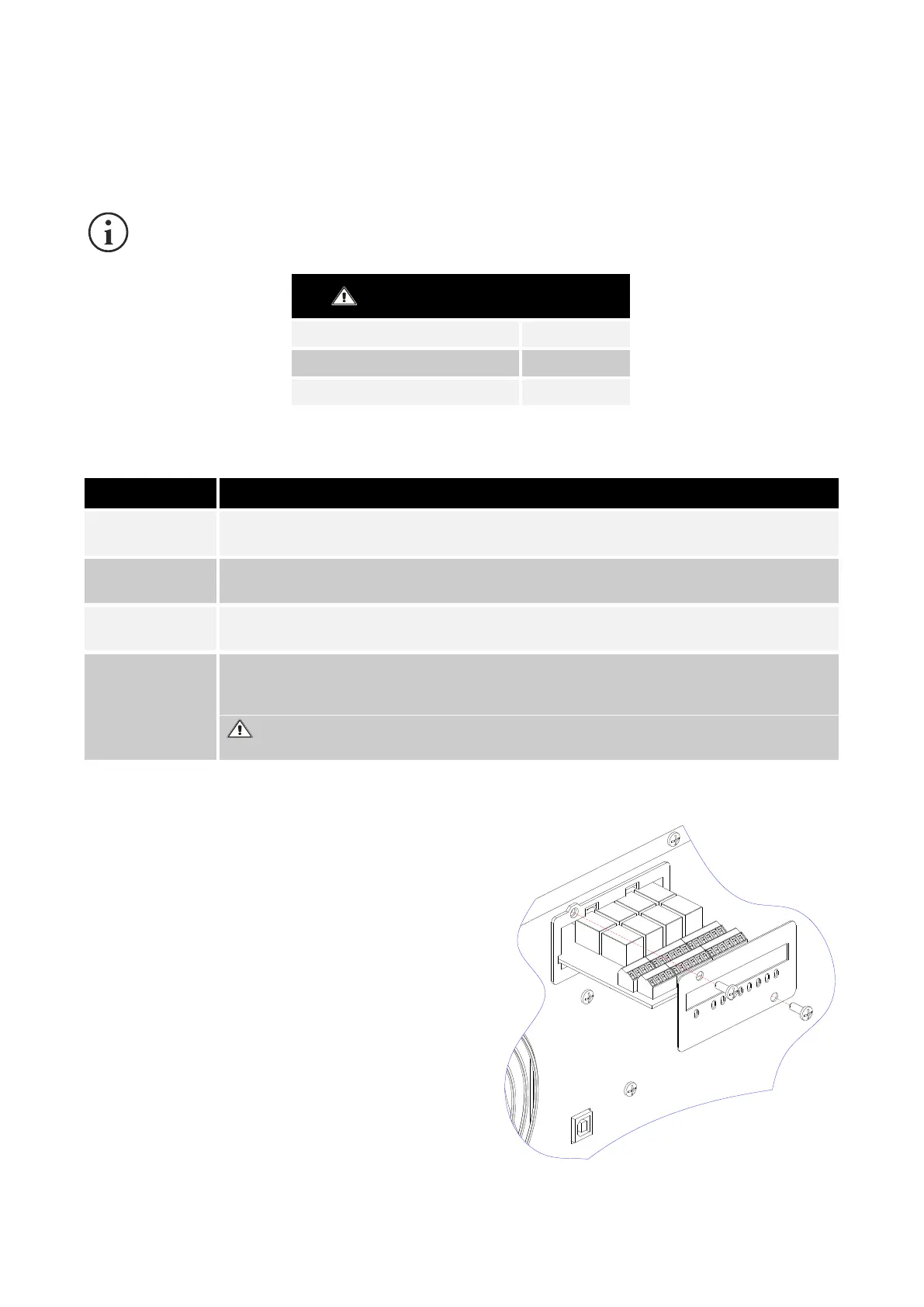
▪ Remove the cover for the slot by removing the two
fastening screws and extract the board.
▪ Correctly connect MultiCOM 392.
▪ Reinsert MultiCOM 392 into the slot.
▪ Replace the cover removed previously.



 To Next Page