- 84 -
EOS – EMERGENCY ONLY SWITCH (OPTIONAL)
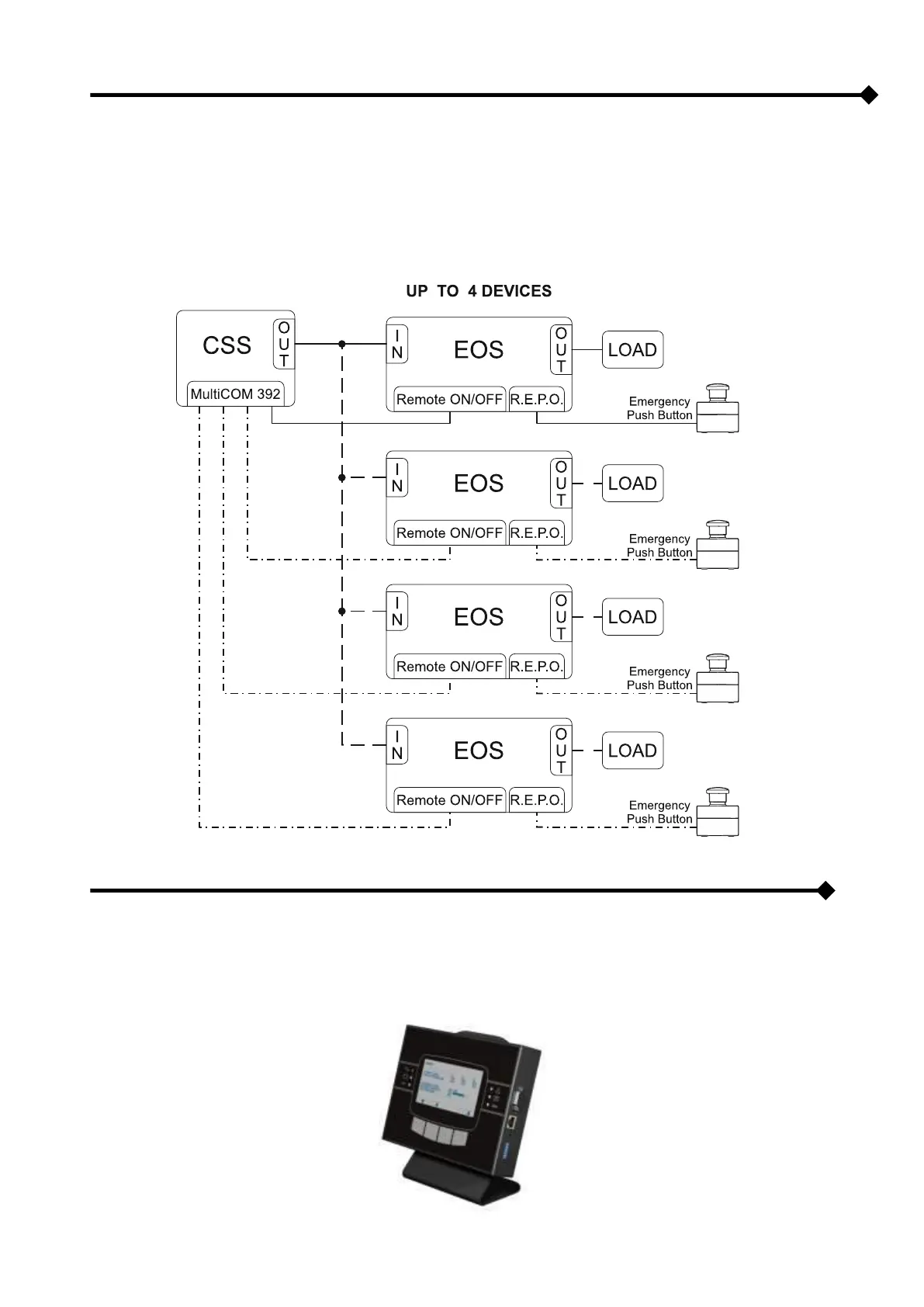
The optional EOS (Emergency Only Switch) accessory, when used in combination with a CPS, can be used to create an
uninterruptible power system for emergency equipment with two types of output (always supplied, emergency only),
compliant with Standard 50171. With this configuration, the device is directly controlled by the CPS only in the event of
an emergency.
Wherever there is the need to manage loads with high crest factors, the EOS accessory can be used to divide the load.
In order to use this function several EOS devices must be connected in parallel (max. 4 per CPS).
REMOTE PANEL (OPTIONAL)
The remote panel enables the remote monitoring of the CPS and gives a real time detailed summary of the machine
status. The device ensures that the operator can control the electrical values of the mains power, outputs, batteries, etc.
and locate any alarm conditions.



 To Next Page