- 88 -
POWERING ON FOR THE FIRST TIME
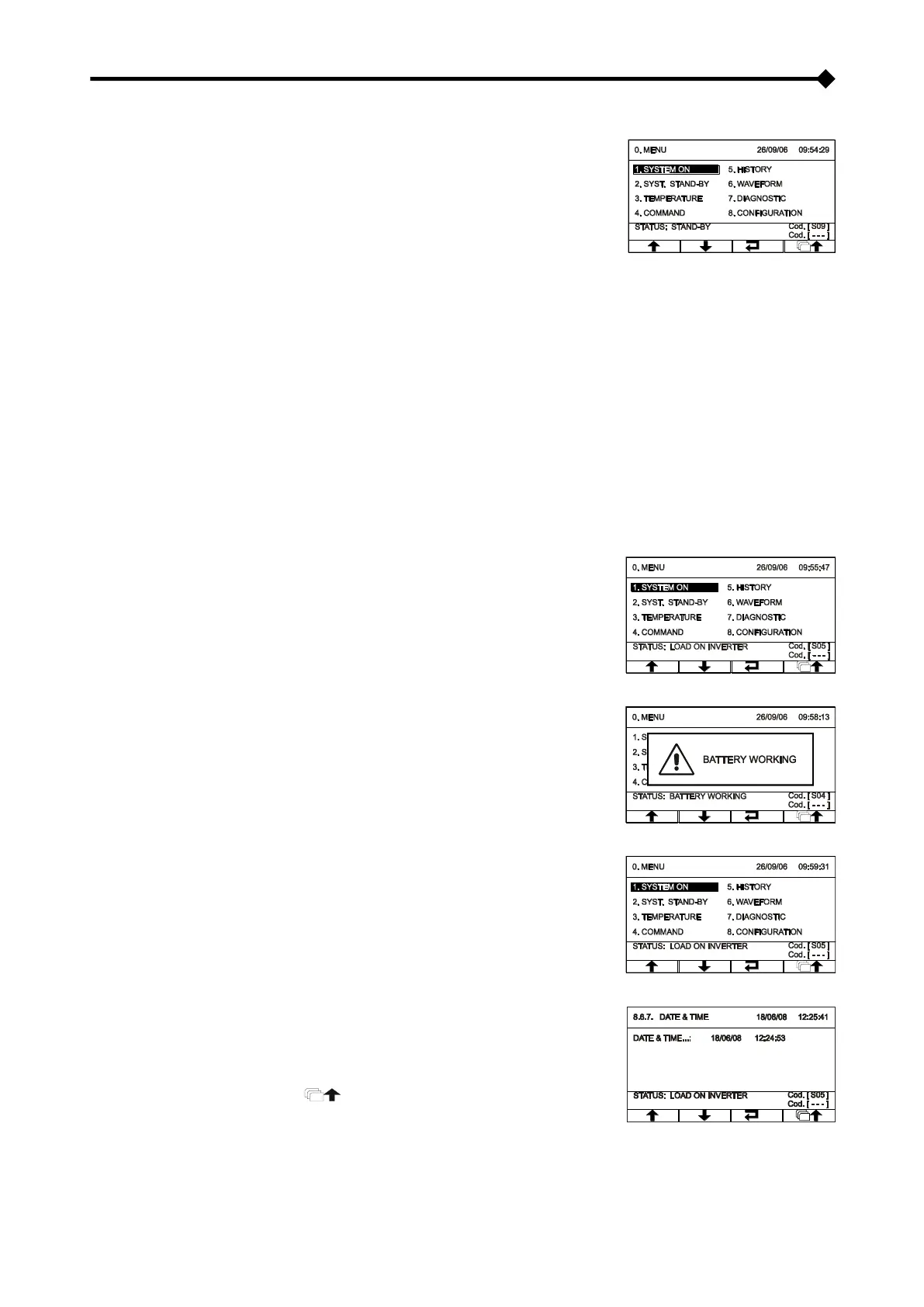
➢ If present, set the “1/0” switch to “1” and wait for a few seconds. Check
that the display is turned on and the CPS enters "STAND-BY" mode.
Check that no error messages appear indicating that the input cables do not respect the correct cyclic phase sense
(for three-phase input only). If error messages appear, perform the following operations:
▪ Switch off the CPS by moving the “I/0” switch to “0” (if present), and open all the input and output disconnecting
switches.
▪ Wait for the display to go off.
▪ Open the battery fuse holders.
▪ Open all the protective devices upstream from the CPS
▪ Remove the panel covering the input terminal board
▪ Correct the position of the input wires so that the phase direction is respected.
▪ Close the panel again
▪ Repeat the power-on operations including the "preliminary operations"
to enter
the start menu. Choose Yes when prompted to confirm. Press
to confirm and
wait for a few seconds. Check that the CPS is set with the load
powered by the inverter.
➢ Open the input switch (SWIN) and wait for a few seconds. Check that
the CPS goes into battery-powered mode and that the load is still
powered correctly. A beep should be heard approximately every 7
seconds.
➢ Close the input switch (SWIN) and wait for a few seconds. Check that
the CPS is not in battery-powered mode and that the load is powered
correctly by the inverter.
➢ To set the Date and Time, access menu 8.6.7 (see “Display menus”).
Use the up/down arrows (↑↓) to set the desired value and then confirm
with the
key to
move to the next field. To save the new settings, go back to the
previous menu by pressing the key.



 To Next Page