Chapter 4 System Configuration
© 2017 Harmonic Inc. All rights reserved. 136 Harmonic MediaGrid Release 4.1
Joining a Harmonic MediaGrid Cluster to an Apple Open Directory Domain
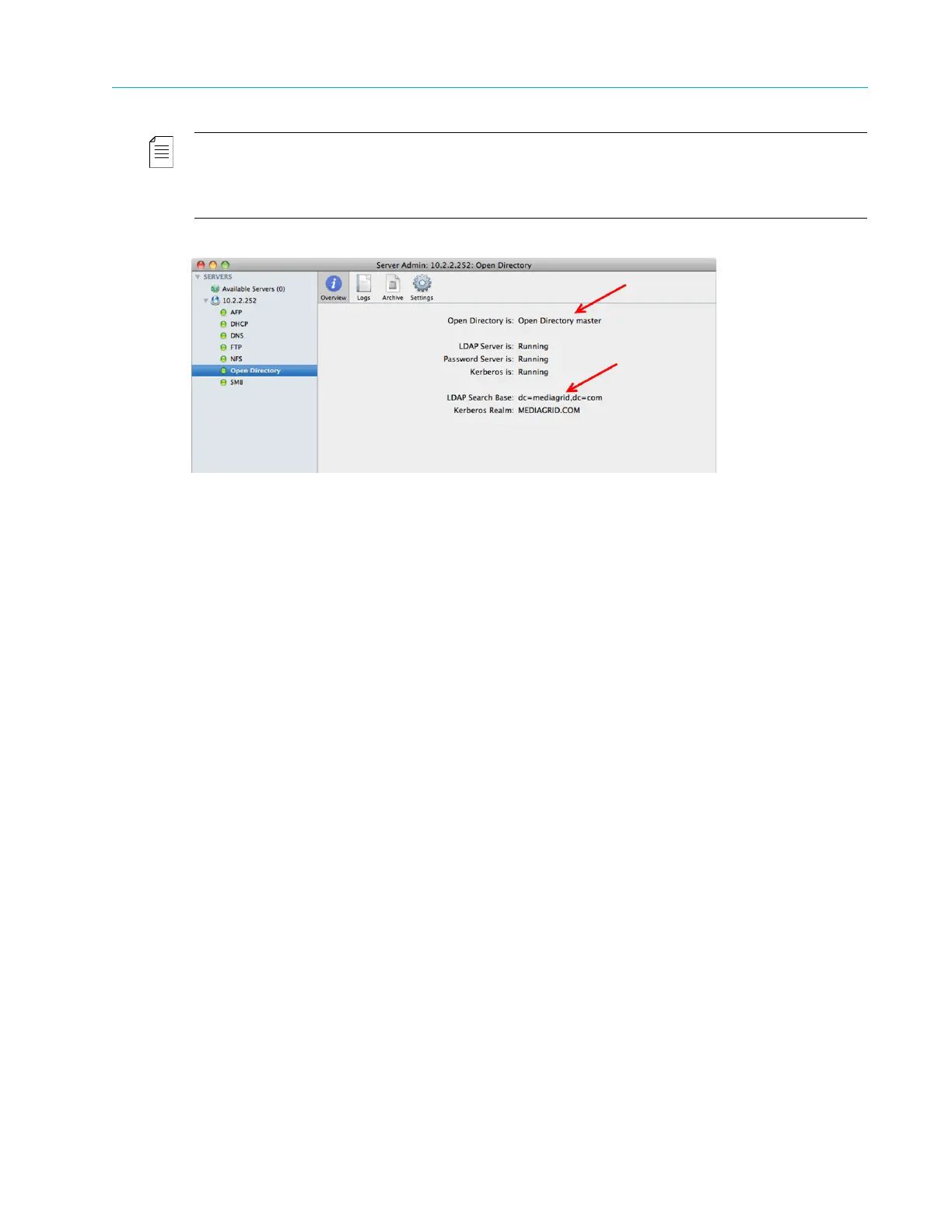
NOTE: If you are using an earlier version of OS X Server on the client computer, access the Open Directory
settings through
Server Admin. From the Overview tab, ensure that the Open Directory is set to Open
Directory Master
, and verify that the LDAP Search Base settings are correct. Refer to Figure 4–5 for an
example.
Figure 4–5: Open Directory Server Admin
4. On each ContentDirector, use SSH to edit the file /etc/ldap.conf as follows to set up LDAP
authentication:
a. Change the value for HOST to the IP address of the Open Directory Server.
b. Change the entry “Base dc=example,dc=com” to the distinguished name of the search
base, which is the name that uniquely identifies an entry in the directory.
c. Edit the line “pam_password md5” as follows: pam_password
exop.
For the example shown in Figure 4–4, the values in /etc/ldap.conf should be as follows:
HOST 10.2.2.252
URI ldap://10.2.2.252
BASE dc=mediagrid,dc=com
pam_password exop
5. Save and close /etc/ldap.conf.
6. Open Directory uses TCP and UDP ports 389 and 636. If there is a firewall, please ensure
those two ports are opened in the firewall.
7. Open the
/omneon/config/mdscore-local file on both the primary and secondary
ContentDirectors and add the following lines:
admin_group_name = "diradmin"
auth_method = pam
The following is an example of the mdscore-local file:
#====================================================================
======#
# MDS coremain program local configuration file
Any options specified in here will override the same-named options in
the #
# main configuration file.
#====================================================================
======#



 To Next Page