Chapter 8 Hardware Reference
© 2017 Harmonic Inc. All rights reserved. 225 Harmonic MediaGrid Release 4.1
ContentDirector 1000F and High Performance ContentDirector 2000C
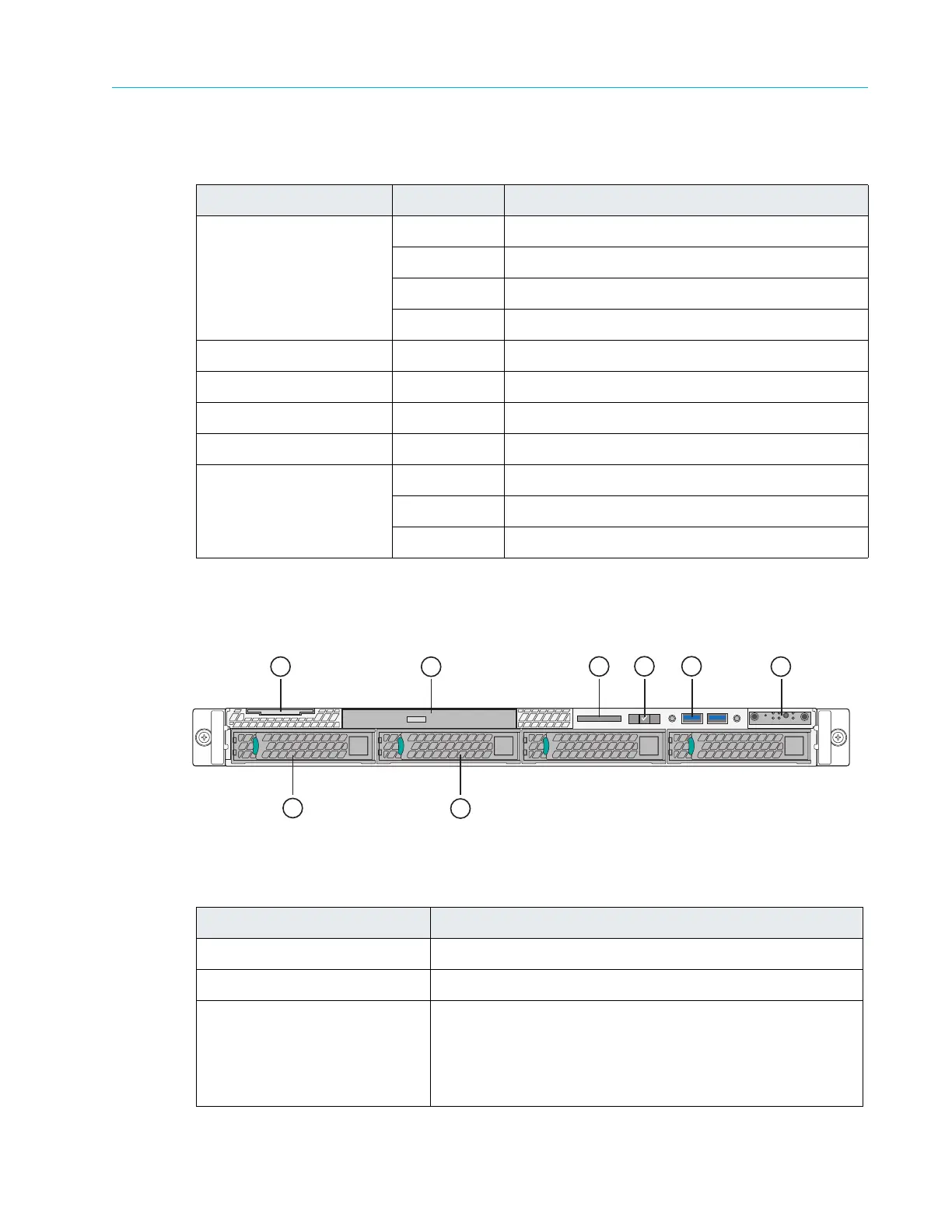
Figure 8–3 and Table 8–3 detail the front panel view of a the ContentDirector 1000F and High
Performance ContentDirector 2000C with the bezel removed. Note that your ContentDirector
may differ somewhat from the one described below.
Figure 8–3: Front View of ContentDirector
Table 8–3: Front Panel Components
Table 8–2: ContentDirector Indicator Descriptions
LED Color/State Description
Public VLAN White Both connections are working normally.
Yellow NIC 0 connection is non-functional.
Magenta NIC 1 connection is non-functional.
Red Both connections are non-functional.
Private VLAN White Both connections are working normally.
Yellow NIC 2 connection is non-functional.
Magenta NIC 3 connection is non-functional.
Red Both connections are non-functional.
Solid State Drive 0
Solid State Drive 1
White The drive is online.
Yellow The drive needs to be replaced.
Red The drive has failed.
Indicator, Button, or Connector Description
1. System label pull-out tab Use to apply a product number and/or serial number label.
2. Optical drive Use for software installation.
3. LCD panel Displays system ID, status information, and system error
messag
es. The LCD lights blue during normal system
operation. The LCD lights amber when the system needs
attention, and the LCD panel displays an error code
followed by descriptive text.
>
<
1
7
8
2
3
4
5
6



 To Next Page