Chapter 8 Hardware Reference
© 2017 Harmonic Inc. All rights reserved. 268 Harmonic MediaGrid Release 4.1
ContentStore 5840 and 5840A
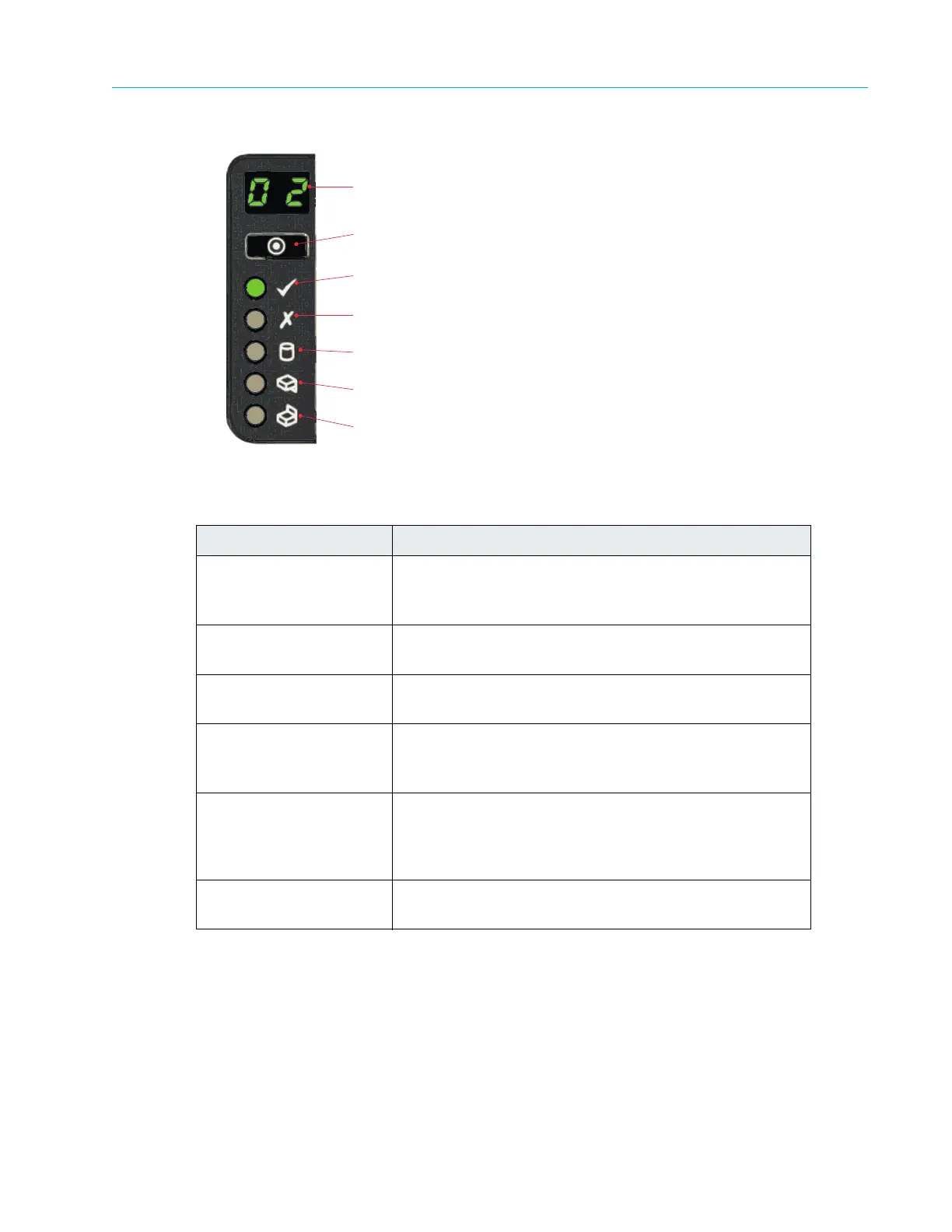
Figure 8–48: ContentStore 5840 and 5840A Operator’s Panel LEDs
Drawer LEDs
The ContentStore 5840 and 5840A drawer LEDs display status for individual drawers.
Table 8–46: ContentStore 5840 and 5840A Operator’s
Panel LEDs and Components
Component Description
Unit ID Display Usually shows the identification number (ID) for the
Conte
ntStore. When the wink state is on, this flashes “88”
at a rate of approximately 1 Hz.
Input Switch Use to set the ContentStore ID number. See Setting the
ContentStore 5840 Identification Number.
Power On/Standby
Green: power is on.
Amber: system is in standby.
Module Fault Amber indic
ates a fault in a PSU, cooling module or SBB
I/O module. Check the drawer LEDs to see if a drive fault
is indicated.
Logical Status Amber indicates a fault from something such as a disk
drive,
an SAS cable, or an internal or external RAID
controller. Check the drawer LEDs to see if a drive fault is
indicated
Drawer 1/Drawer2 Fault Amber indicates a fault in a drive, c
able,
or sideplane for
the specified drawer.
Unit ID
Display
Input
Switch
Power On/
Standby
Module
Fault
Logical
Status
Drawer 1
Fault
Drawer 2
Fault



 To Next Page