Chapter 8 Hardware Reference
© 2017 Harmonic Inc. All rights reserved. 269 Harmonic MediaGrid Release 4.1
ContentStore 5840 and 5840A
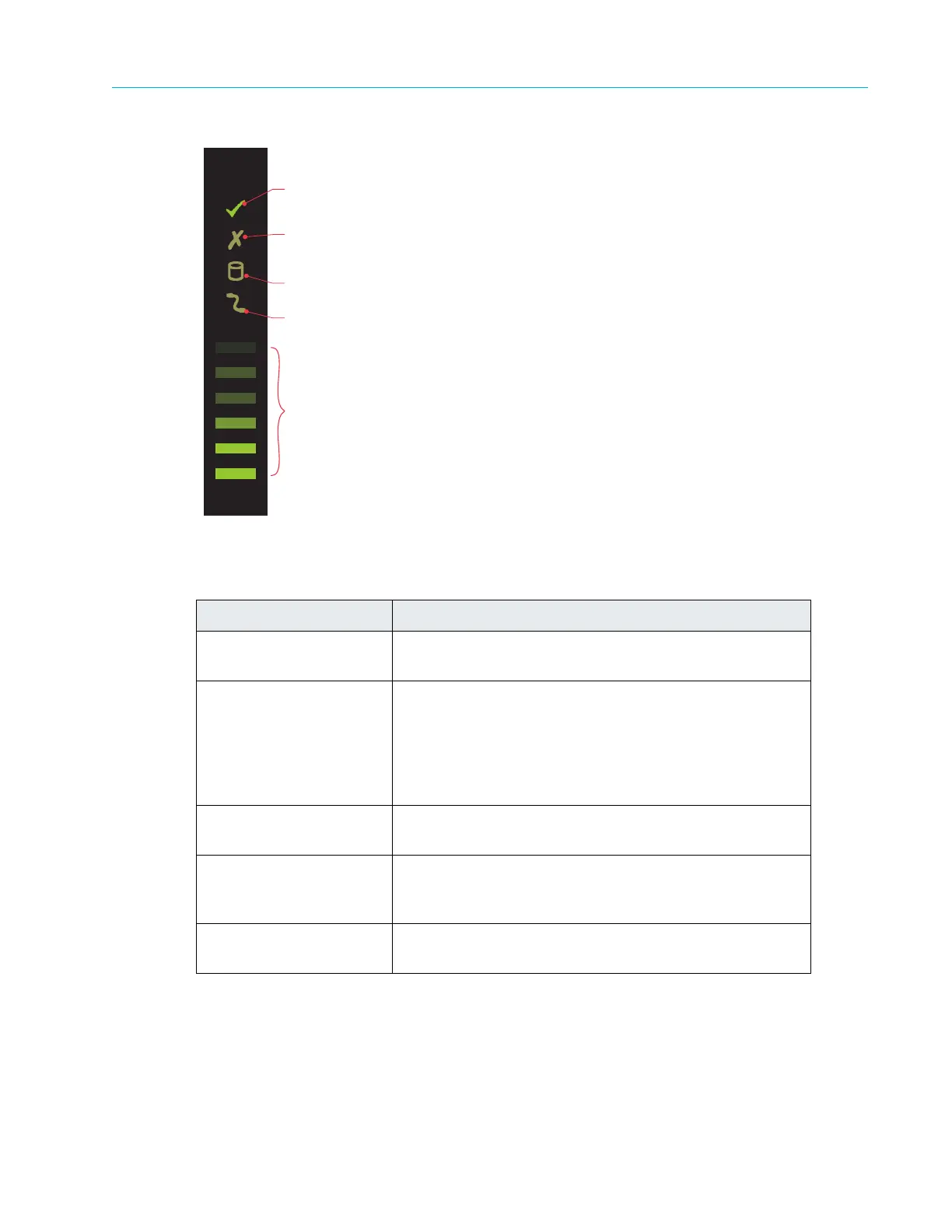
Figure 8–49: ContentStore 5840 and 5840A Drawer LEDs
Table 8–47: ContentStore 5840 and 5840A Operator’s
Panel LEDs and Components
Component Description
Sideplane OK/Power
Good
Gr
een if the sideplane card is working and there are no
power problems.
Drawer Fault Amber if a drawer component has failed. If a drive has
failed, an amber
LED will be lit on the failed drive, and the
drive should be replaced (for details, see the Harmonic
MediaGrid Component Replacement Guide).
If the drives are OK, contact Harmonic Technical Support
to id
enti
fy the failure.
Logical Fault Amber if there is a drive fault. Flashes
amber if one or
more arrays are in an affected state.
Cable Fault Amber if the cabling between the drawer and the back of
the
enclosure has failed. Contact contact Harmonic
Technical Support to resolve the problem.
Activity Bar Graph Shows the amount of data I/O from
zero segments lit (no
I/O) to all six segments lit (maximum I/O).
Sideplane OK/
Power Good
Drawer
Fault
Logical Fault
Cable Fault
Activity Bar
Graph



 To Next Page