Appendix A Legacy Hardware Platforms
© 2017 Harmonic Inc. All rights reserved. 322 Harmonic MediaGrid Release 4.1
ContentBridge 2010E
System Status LEDs
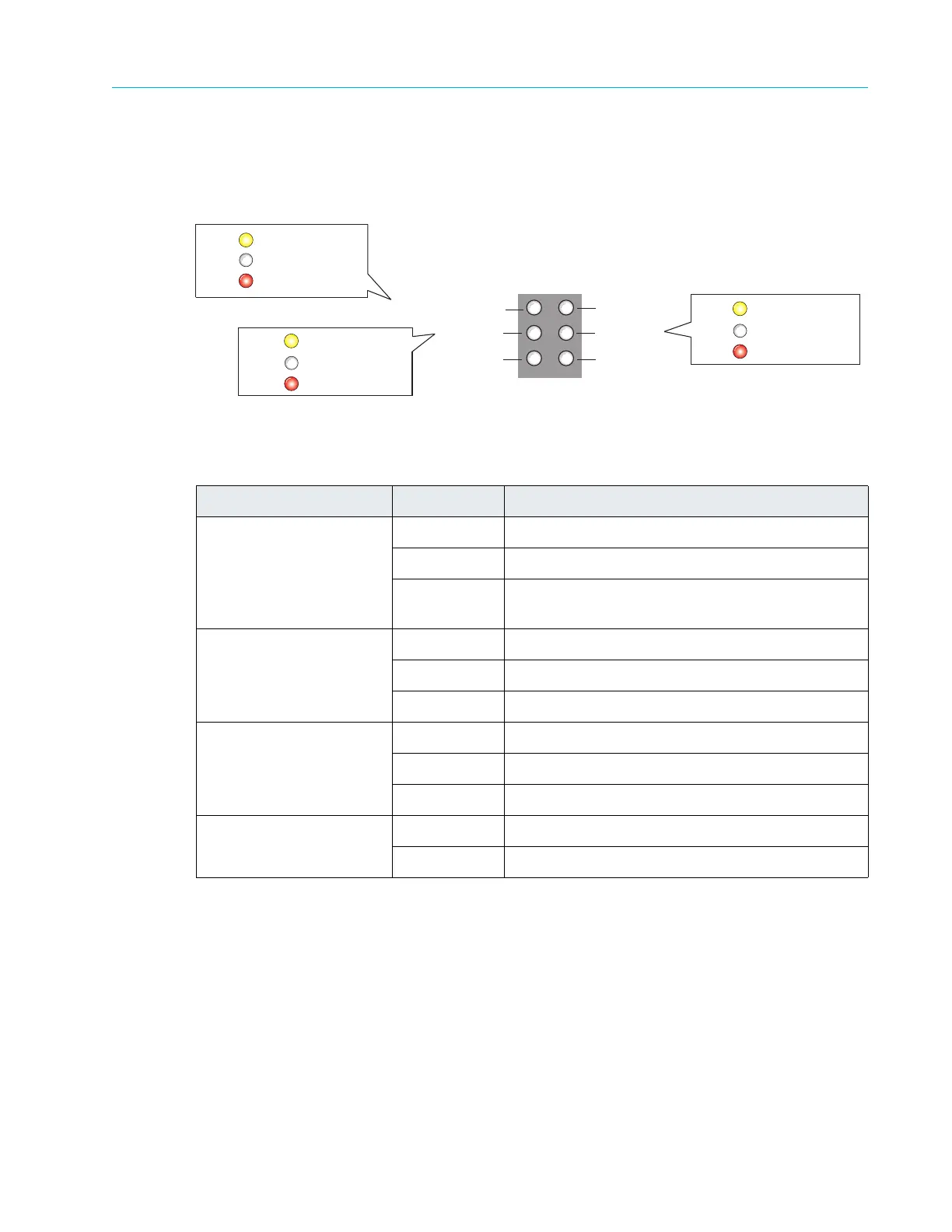
Figure 9–10 and Table 9–11 detail the six system status indicators on the front of ContentBridge
2010E.
Figure 9–10: ContentBridge 2010E Front Panel Indicators
Figure 9–11 and Table 9
–12 detail the front panel view of a typical ContentBridge 2010E with the
bezel removed. Note that your ContentBridge may differ somewhat from the one described
below.
Table 9–11: ContentBridge 2010E Indicator Descriptions
LED Color/State Description
10GigE port
Yellow Indicates the power is on.
Red Indicates a non-functional network connection.
White Indicates the port is active (requires good
Ethe
rnet link status).
Drive 0 status Yellow Indicates Drive 0 is powered on.
White Indicates disk status OK.
Red Indicates disk warning or error.
Drive 1 status Yellow Indicates Drive 1 is powered on.
White Indicates disk status OK.
Red Indicates disk warning or error.
Unused ports (turn off
after power on)
Yellow Indicates the power is on.
Off Indicates system boot complete.
10 Gigabit Ethernet Link
Hard Drive 0
Hard Drive 1
Unused
Unused
Unused
Drive status OK
Drive warning or error
White
Red
Power onYellow
Ethernet link OK
Ethernet link problem
White
Red
Yellow
Power on
Drive status OK
Drive warning or error
White
Red
Power onYellow



 To Next Page