Chapter 2 System Installation with the Content-
Server 4000 Series
© 2017 Harmonic Inc. All rights reserved. 37 Harmonic MediaGrid Release 4.1
Rack Mounting the Harmonic MediaGrid 4000 Series System
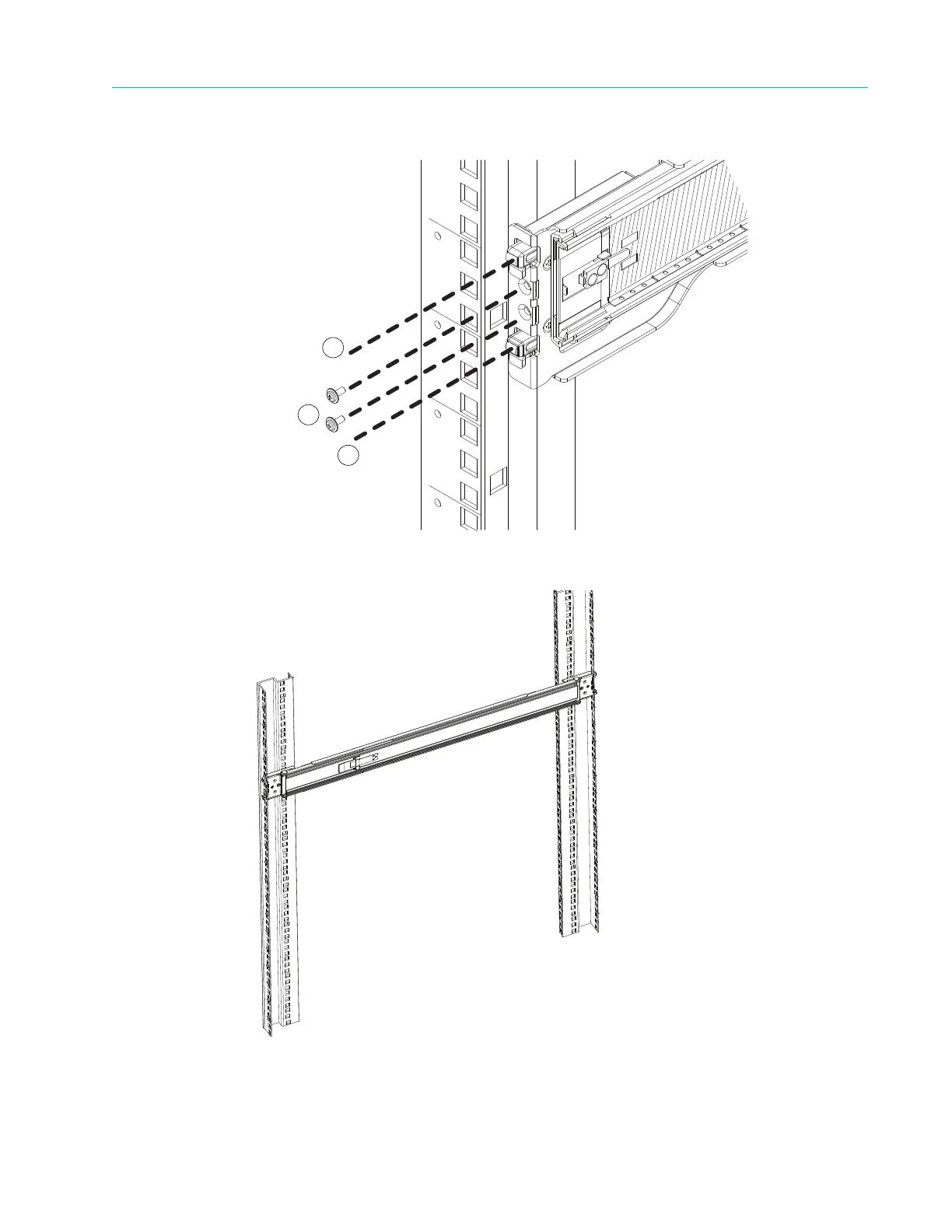
d. Repeat Step a through Step c to install the back end of the rail, extending the rail as
needed.
4. Repeat Ste
p 3 to install the right outer rail.
5. Install the chassis into the rack as follows:
a. Confirm that the inner and outer rails are properly installed.



 To Next Page