Chapter 2 System Installation with the Content-
Server 4000 Series
© 2017 Harmonic Inc. All rights reserved. 38 Harmonic MediaGrid Release 4.1
Rack Mounting the Harmonic MediaGrid 4000 Series System
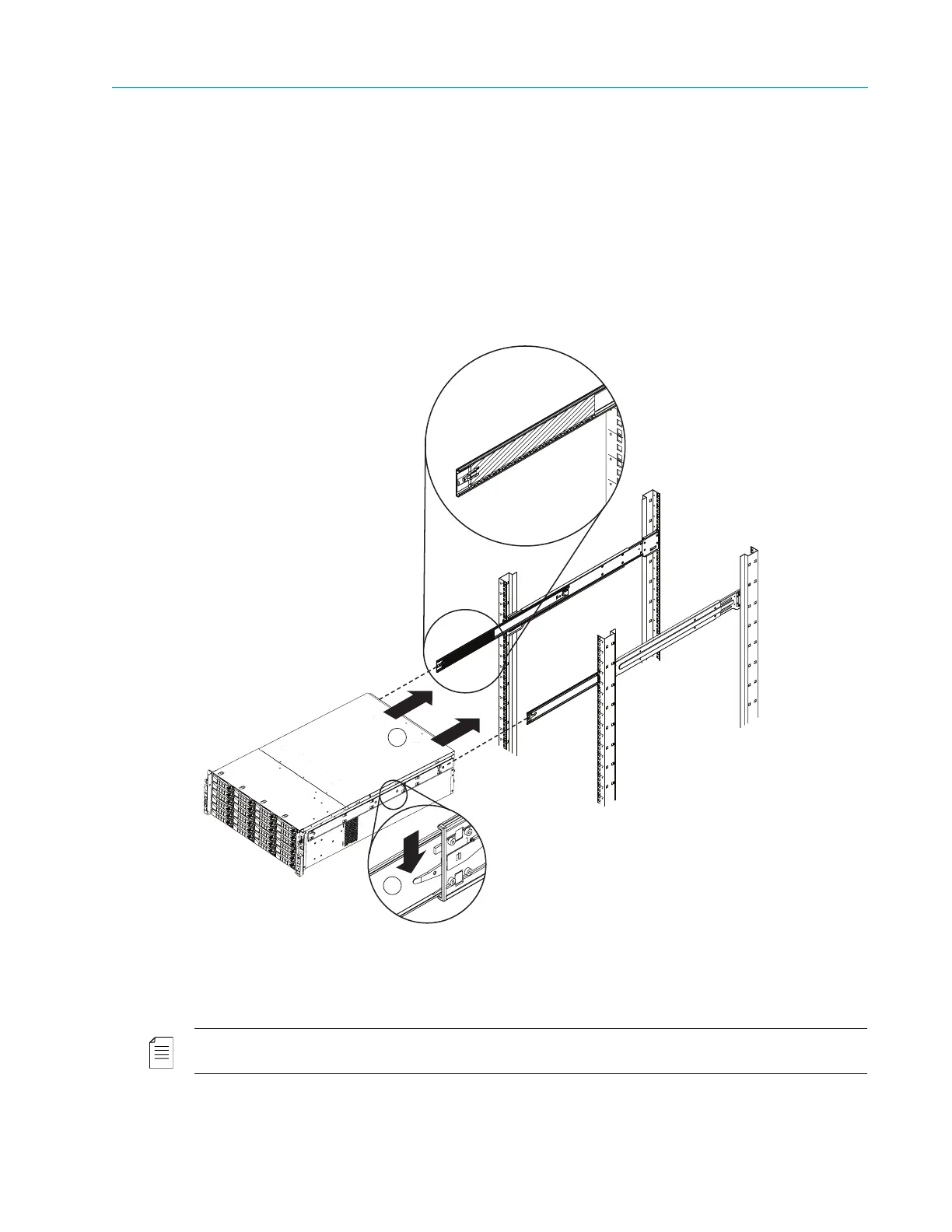
b. Fully extend the middle rails, making sure that the ball bearing shuttle is locked at the
front of each middle rail.
c. With two people holding the chassis level and a third guiding the chassis, line up the inner
(chassis) rails with the front of the middle (rack) rails so that the chassis is square with the
rack rails.
d. Slide the chassis rails into the rack rails, applying pressure evenly on both sides until it
clicks into the fully extended position.
e. Simultaneously depress the locking tabs on both sides of the chassis, and then push the
chassis all the way into the rack.
f. Secure the chassis handles to the front of the rack with two screws.
Installing Disk Drives in the ContentServer 4000 and ContentStore 4240
Due to the weight of the enclosure, disk drives ship separately from the ContentServer and
ContentStore 4000 series units, and must be installed after the units have been rack mounted.
NOTE: To maintain proper system cooling, all externally accessible drive bays must be populated with a
drive carrier.
1. Press the blue release button on the drive carrier to open the lever.
2. Insert the drive carrier into the bay, sliding the drive until it contacts the backplane.



 To Next Page