Chapter 3 System Installation with the Content-
Server 3000 Series
© 2017 Harmonic Inc. All rights reserved. 71 Harmonic MediaGrid Release 4.1
Rack Mounting the Harmonic MediaGrid 3000 Series System
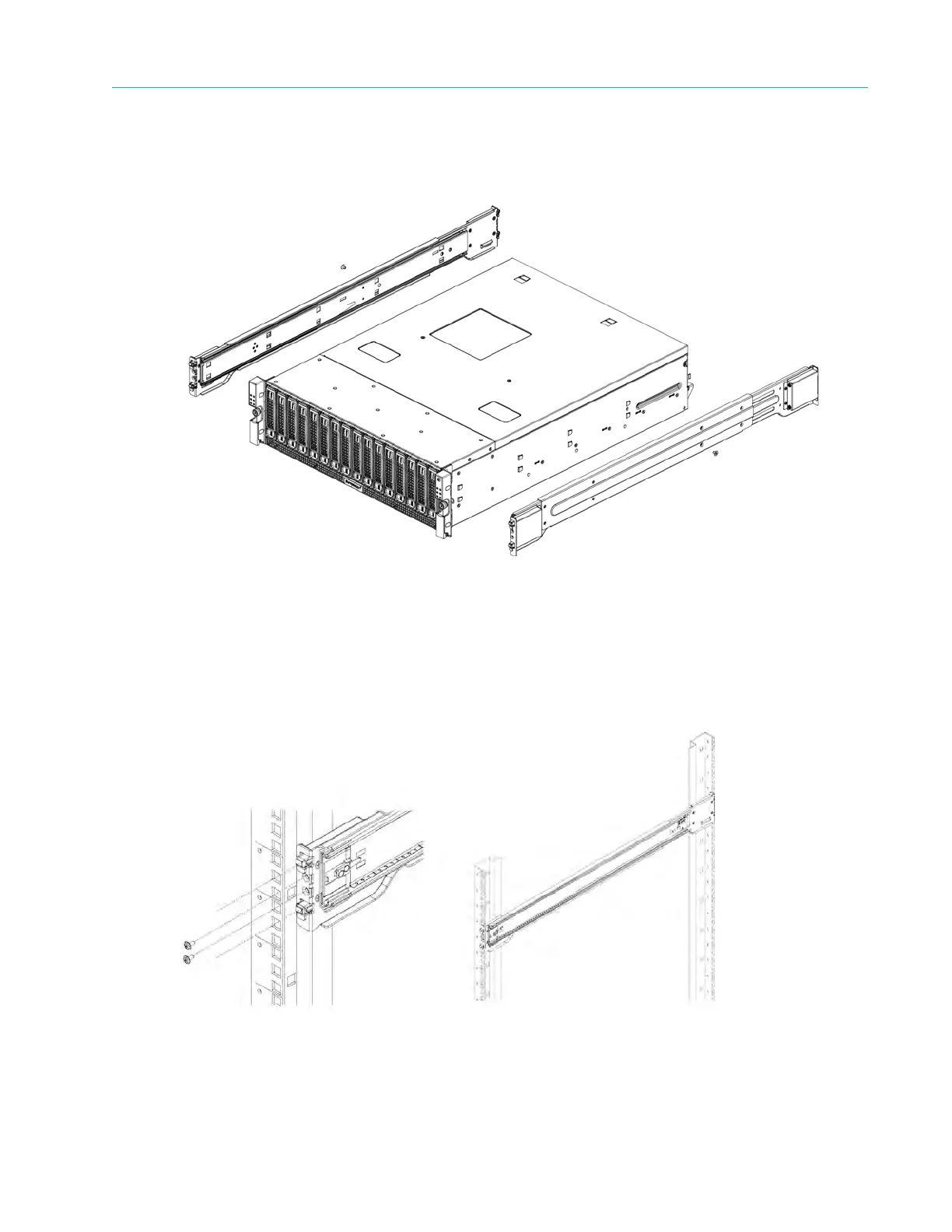
d. Secure the chassis to the rails with screws.
e. Repeat steps 1-3 for the other inner rail.
Figure 3–1: Installing the inner rack rails
3. Outer rails attach to the server rack and hold the server in place. The outer rails for the
chassis e
xtend between 30 inches and 33 inches. Install the outer rack rails as follows:
a. Attach the right outer rail to the rack by inserting the hooks included on the rails into the
holes provided on the rack. See Figure 3–2.
b. Repeat these steps for the left outer rail.
Figure 3–2: Installing the outer rack rails
4. Install the chassis into a rack as follows:
a. Confirm
that the inner and outer rails are properly installed.



 To Next Page