Chapter 3 System Installation with the Content-
Server 3000 Series
© 2017 Harmonic Inc. All rights reserved. 79 Harmonic MediaGrid Release 4.1
Rack Mounting the Harmonic MediaGrid 3000 Series System
To open a drawer:
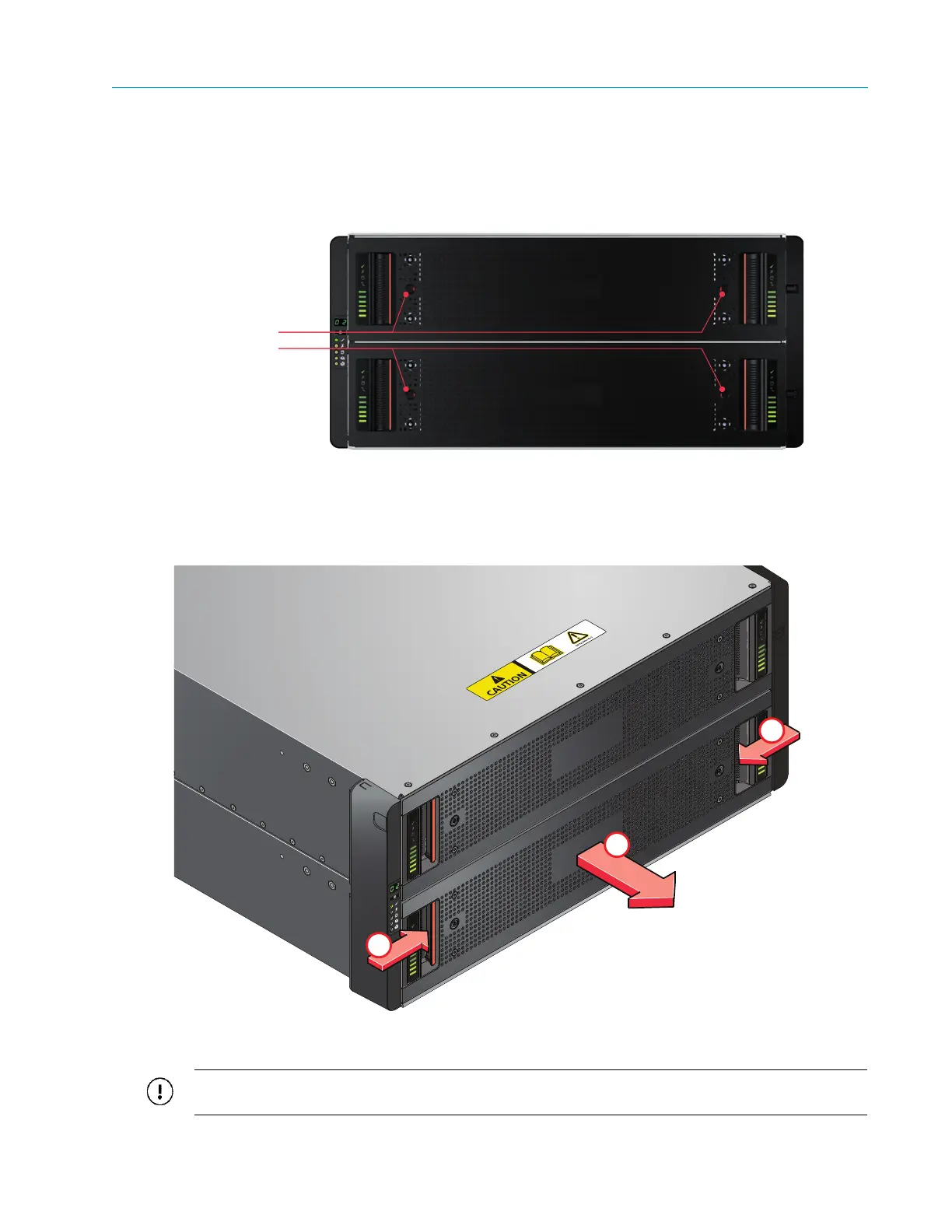
1. Make sure the anti-tamper locks are not engaged. The red arrows on the locks will point
inwards if the locks are disengaged (see Figure 3–7). Unlock them if necessary by rotating
them counterclockwise using a screwdriver with a Torx T20 bit.
Figure 3–7: Anti-tamper Locks (shown disengaged)
2. Push the drawer latches
inward and hold them.
3. Pull the drawer all the way out until it locks open.
Figure 3–8: Opening the Bottom Drawer
IMPORTANT: The drawer must not be left open for more than two minutes while the enclosure is
powered.



 To Next Page