Chapter 3 System Installation with the Content-
Server 3000 Series
© 2017 Harmonic Inc. All rights reserved. 80 Harmonic MediaGrid Release 4.1
Rack Mounting the Harmonic MediaGrid 3000 Series System
To close a drawer:
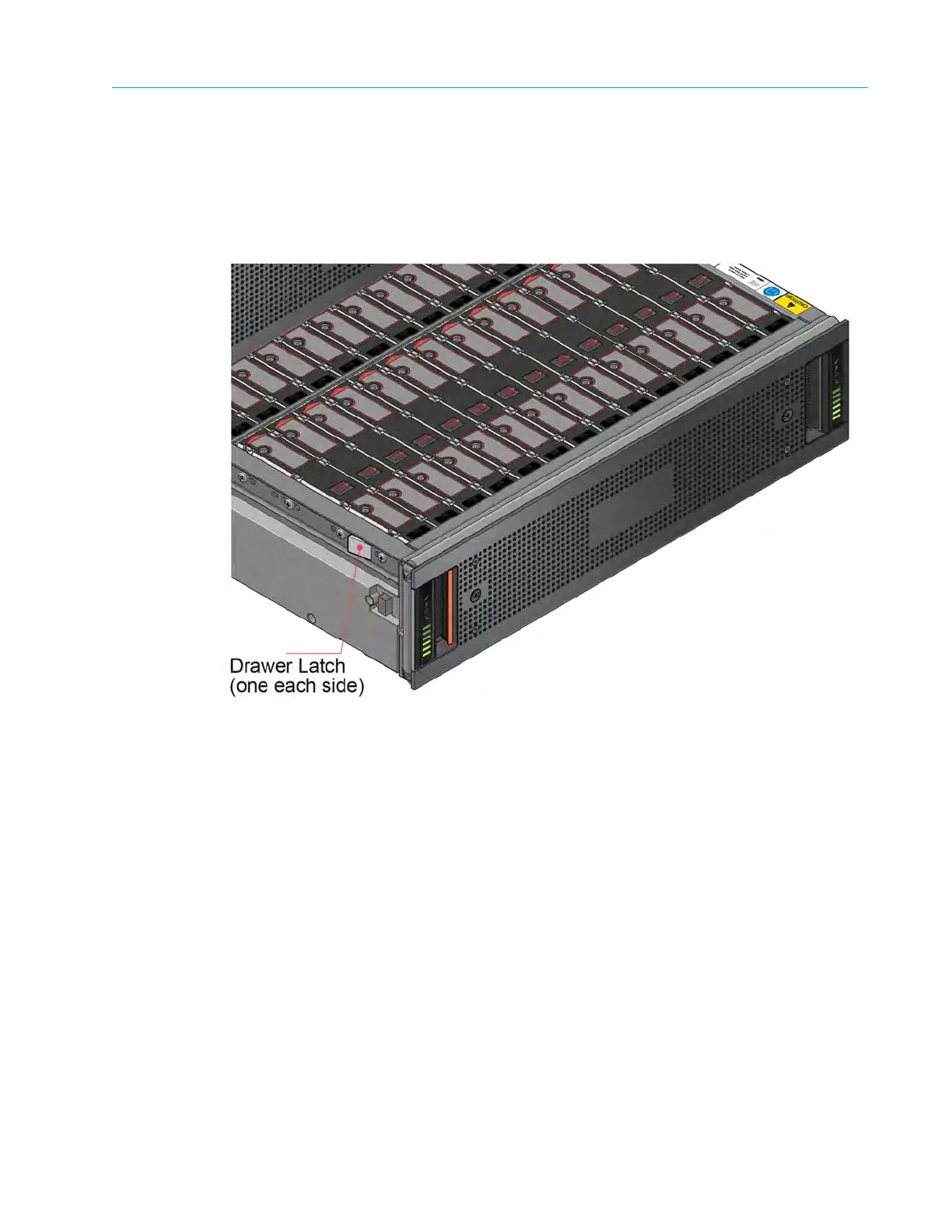
1. Pull and hold both of the white latches on the sides of the drawer (see Figure 3–9).
2. Push the drawer in slightly.
3. Release the white latches and check they have returned to their original position.
4. Push the drawer all the way back into the enclosure, making sure it clicks home.
Figure 3–9: Drawer latch
Installing Drives
1. Open one drawer, as described in Opening and Closing a Drawer.
2. Lower a disk drive into the slot, with the drive capacity label facing towards you, as shown in
Figure 3–10.
3. Push the drive downwards and hold it down while sliding the drive carrier plate in the
direction shown in Figure 3–10. This locks the drive in place.



 To Next Page