Chapter 3 System Installation with the Content-
Server 3000 Series
© 2017 Harmonic Inc. All rights reserved. 81 Harmonic MediaGrid Release 4.1
Rack Mounting the Harmonic MediaGrid 3000 Series System
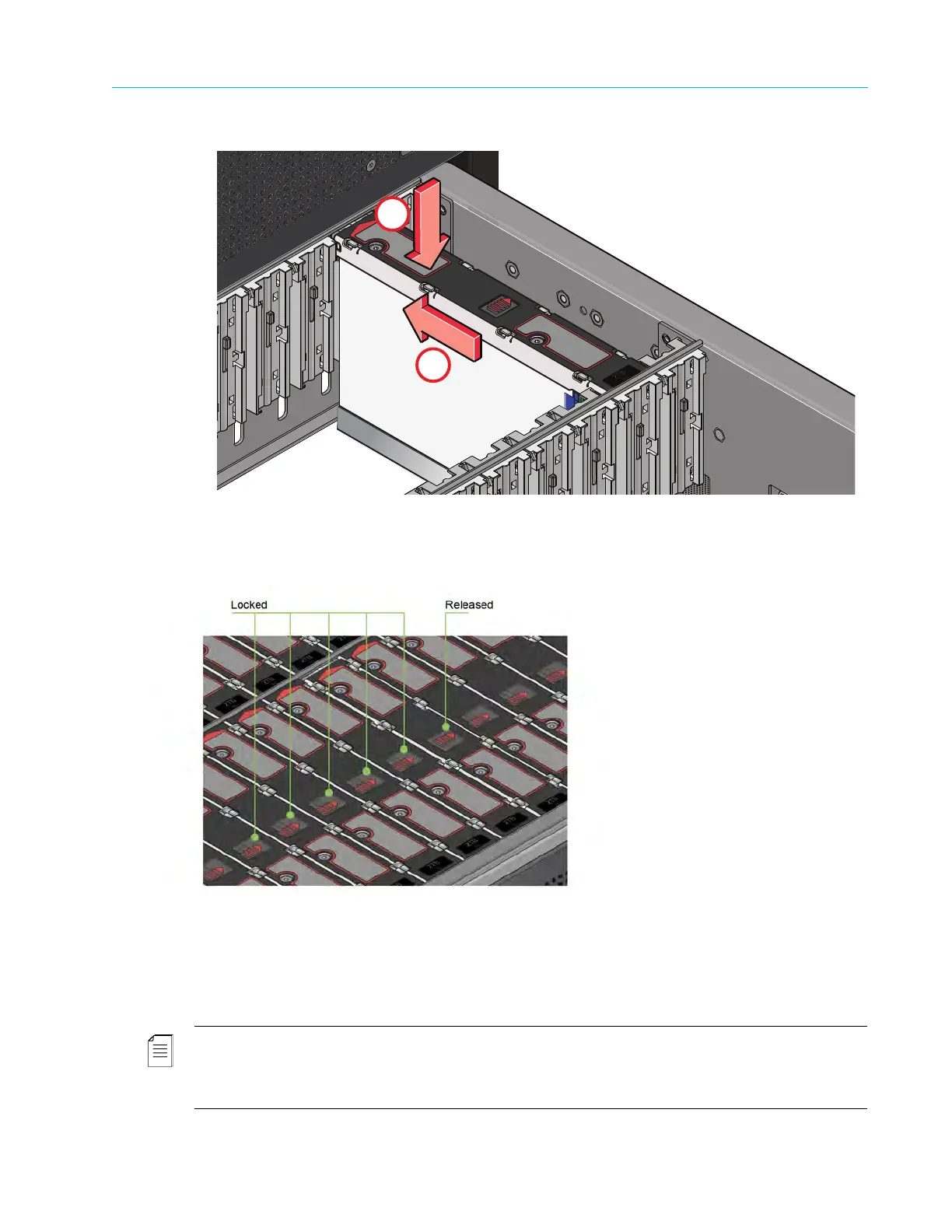
Figure 3–10: Drive install
4. Check that the release latch has returned to its locked p
osition, as shown in Figure 3–11.
Figure 3–11: Drive locked
5. Repeat steps 2-4 for the remaining drive slots in that drawer.
6. Close the drawer using the instructions in Opening and Closing a Drawer.
7. Repeat steps 1-6 for the second drawer.
NOTE: The drawers must be populated with drives in whole rows at a time (there are three rows of 14
drives per drawer). The minimum number of drives in an enclosure is 14. The number of rows must not
differ by more than one between top and bottom drawers. Populate drawers from the front to the rear of
the enclosure.



 To Next Page